What Is an API? The Concept That Connects Everything
An API explained simply: it's the defined way one program asks another to do something, like a waiter carrying your order to a kitchen you never see.
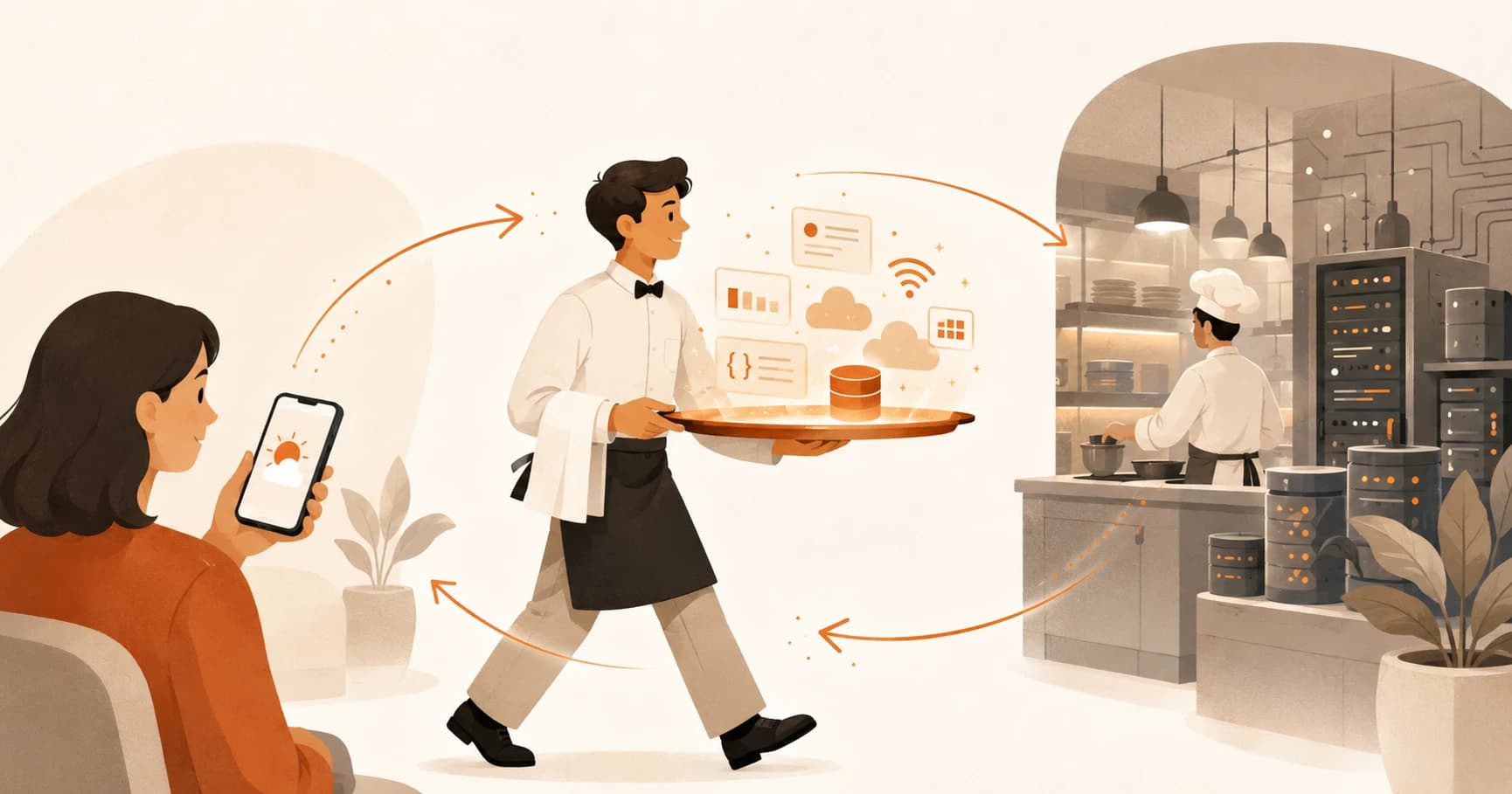
You open the weather app on your phone. The forecast updates, right on cue. Then one morning it doesn't. The screen just says "Error," with no clue what broke or where. You didn't touch anything. Something between the tap and the number on screen failed, and you have no mental model at all for what that something even is.
That something is an API, the same kind of connection behind the JavaScript you just wrote with fetch(). An API (application programming interface) is a defined way for one piece of software to ask another piece of software to do something, without needing to know how it works on the inside. By the end of this lesson you'll know exactly what happens in that gap, the same gap that trips people up the first time an AI feature breaks too.
Key Takeaways
- An API is a defined way for one program to ask another to do something, without seeing how it works inside.
- The restaurant analogy: you are the customer, the API is the waiter, the server is the kitchen. You never walk into the kitchen yourself.
- Every API call follows the same round trip: a request goes out, a response comes back.
- You already used this exact pattern when you called the Anthropic API in Module 05, you just didn't have the word for it yet.
- Understanding this now means you can actually reason about errors later, instead of just staring at a broken screen.
What Is an API, Exactly?
An API is a defined way for one piece of software to ask another piece of software to do something, without needing to know how it works internally. You send a request, something else does the work, and you get a response back. That's the entire pattern, and it's the same pattern behind a weather app, a login button, and every AI feature with a chat box.
The Restaurant Analogy: You, the Waiter, and the Kitchen
Picture a restaurant. You don't walk into the kitchen and cook your own food, you tell the waiter what you want, the waiter carries that order to the kitchen, and the kitchen sends a finished plate back out. You never see how the kitchen works. You don't need to.
An API is the waiter. Your app is you, the customer. The server, the actual computer doing the work, is the kitchen. When your app "calls an API," it's handing an order to a waiter who knows exactly how to talk to that particular kitchen and bring something back.
This is why the same weather API can power a hundred different apps with completely different designs. The kitchen stays the same, only the dining room changes.
Skip this model and every API call looks like a black box you're just supposed to trust. Hold onto it and you can reason about why a call might fail. Maybe the waiter never made it to the kitchen, a network problem. Maybe the kitchen is out of what you ordered, bad data. Maybe you asked for something that isn't on the menu, a wrong request. None of that is guessing once you have the picture.
I still picture the waiter and kitchen every time an API call fails on me, years into doing this. It's not a beginner crutch, it's just a faster way to ask the right question before you start debugging blind.
How It Works in the Real World: a Weather App
Here's the same round trip, spelled out end to end. You open your phone's weather widget. The app sends a request to a weather API: give me today's forecast for this location. The API's server calculates or looks up that forecast and sends back a response, a bundle of data like temperature and conditions. The app takes that data and draws the numbers you actually see.
Request out, response back. That's it, and it's the exact shape of every API call you'll ever make, whether it's weather, GitHub, or an AI model. Miss this shape and every broken app looks identical from the outside, whether the request never sent or the response never arrived.
Every API call, no matter the topic
| Step | What happens | Restaurant equivalent |
|---|---|---|
| 1. Request | Your app asks for something specific | You tell the waiter your order |
| 2. Processing | The server does the work | The kitchen cooks the meal |
| 3. Response | Data comes back | The waiter brings your plate |
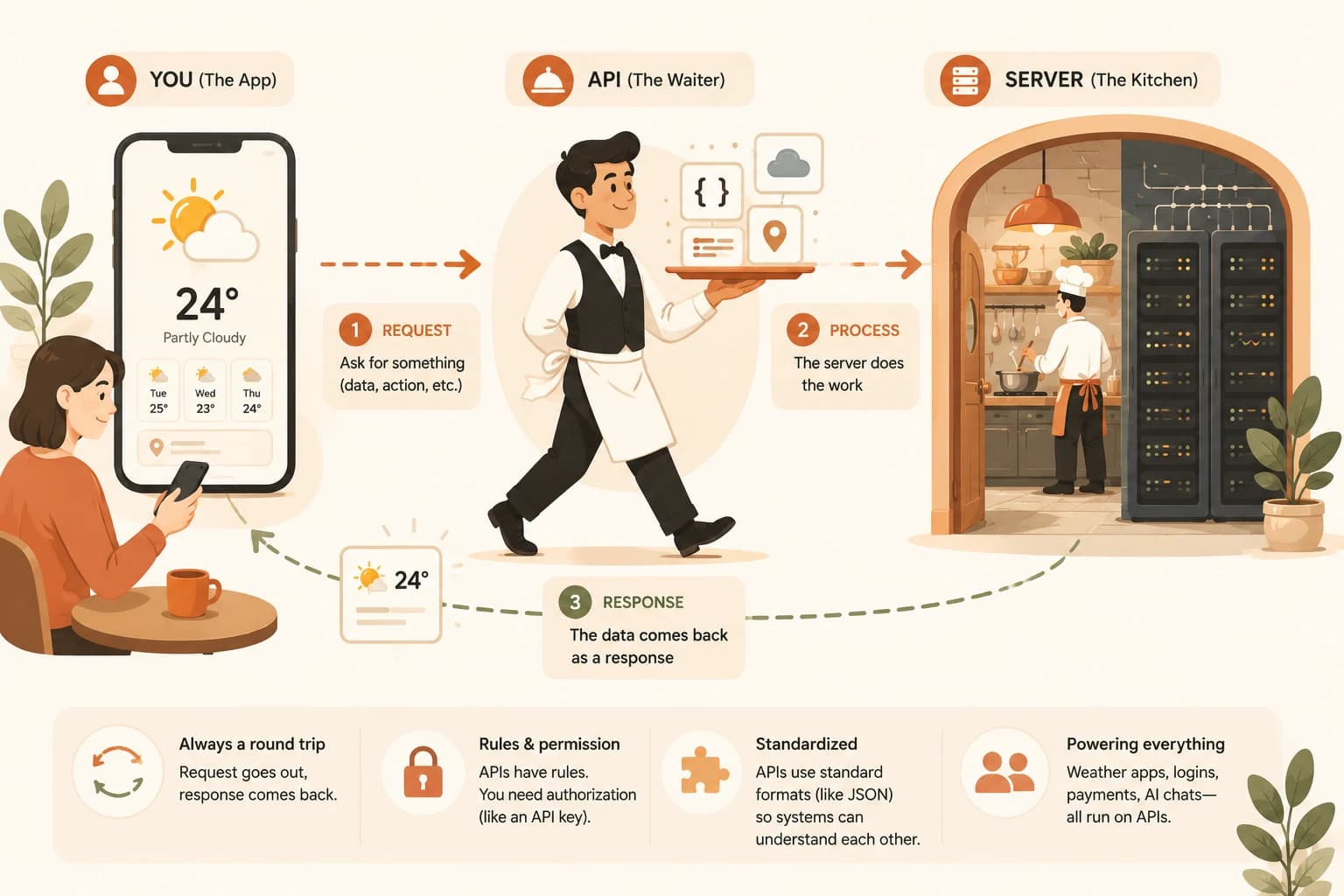
That response almost always arrives as structured data, often in a format called JSON, which is just a way of writing information so both programs can read it cleanly. You've already seen this shape if you've worked with JSON in Python.
The Same Pattern You Already Used With Claude
Here's the part that makes this lesson worth pausing on: you already did this. When you made your first API call to Claude back in Module 05, you sent a request, "here's my prompt," and got back a response, "here's Claude's answer." Same waiter, same kitchen, same round trip, just with a language model doing the cooking instead of a weather server.
That's the whole reason this concept matters before you go further. Every AI SDK you'll ever touch, Anthropic's, OpenAI's, anyone's, is a slightly fancier waiter for the exact same idea. Once you see that, an SDK stops looking like magic and starts looking like a menu you already know how to read.
Why This Matters Before You Touch Any AI SDK
Without this mental model, an error from an AI API just looks like the app is broken, full stop. With it, you can actually narrow things down. Did the request go out correctly? Is the server having a problem? Did the response come back in a shape you weren't expecting? That's the difference between staring at "Error" and knowing where to look first.
This is also why documentation for any AI API is organized the way it is, around requests and responses, because that's the entire relationship you're managing. The MDN overview of HTTP covers the technical layer underneath this pattern if you want to go deeper, and the Anthropic API documentation is the exact request/response contract you'll be reading next.
Trace the request and response in a familiar app
Think of an app you use daily that shows you live data: weather, stock prices, a delivery tracker, a sports score.
Write down, in plain English, the request-response cycle:
- What does the app ask for? (the request)
- Where does that data come from? (the server, the API)
- What comes back and gets displayed? (the response)
There's no wrong answer here. The goal is just to see the waiter-kitchen pattern in something you already use every day.
You've completed Lesson 06.05.
FAQ