Your First Claude API Call in Python (Full Walkthrough)
Write and run your first Claude API call in Python. This lesson breaks down the client, model, messages, and response, line by line, for total beginners.

This is the line every AI product ultimately runs: a script that sends text to Claude and gets text back. You've already learned to read every piece of it. This lesson puts those pieces together into one working script.
By the end, you'll have sent a real message to Claude from Python and read back its real answer.
Key Takeaways
- An API call is your script sending a request to Claude's servers and waiting for a response, not a free chat window
- The four ingredients are a client, a model name, a messages list, and the response you read back
response.content[0].textlooks strange at first, but it's just "the first block of content, and its text"- This script reuses the
.envfile from lesson 05.08 and the import patterns from lesson 05.07, nothing here is new syntax
What "Making an API Call" Actually Means
When you use Claude in a browser, someone else already wrote the script that talks to Claude for you. An API call is you writing that script yourself: your Python code sends a request over the internet to Claude's servers, and gets a response back.
Think of it like a rented conversation. You're not running Claude on your own computer, you're sending it a question and paying (or using a free credit) per response. Every AI product you've ever used, a chatbot, a coding assistant, a customer support widget, is doing exactly this underneath, just with more code wrapped around it.
Nothing about this is free-form. Claude's servers expect your request in one specific shape, documented in the official Messages API reference. Learn that shape once, and you can read almost any AI script you'll ever encounter.
The Four Ingredients
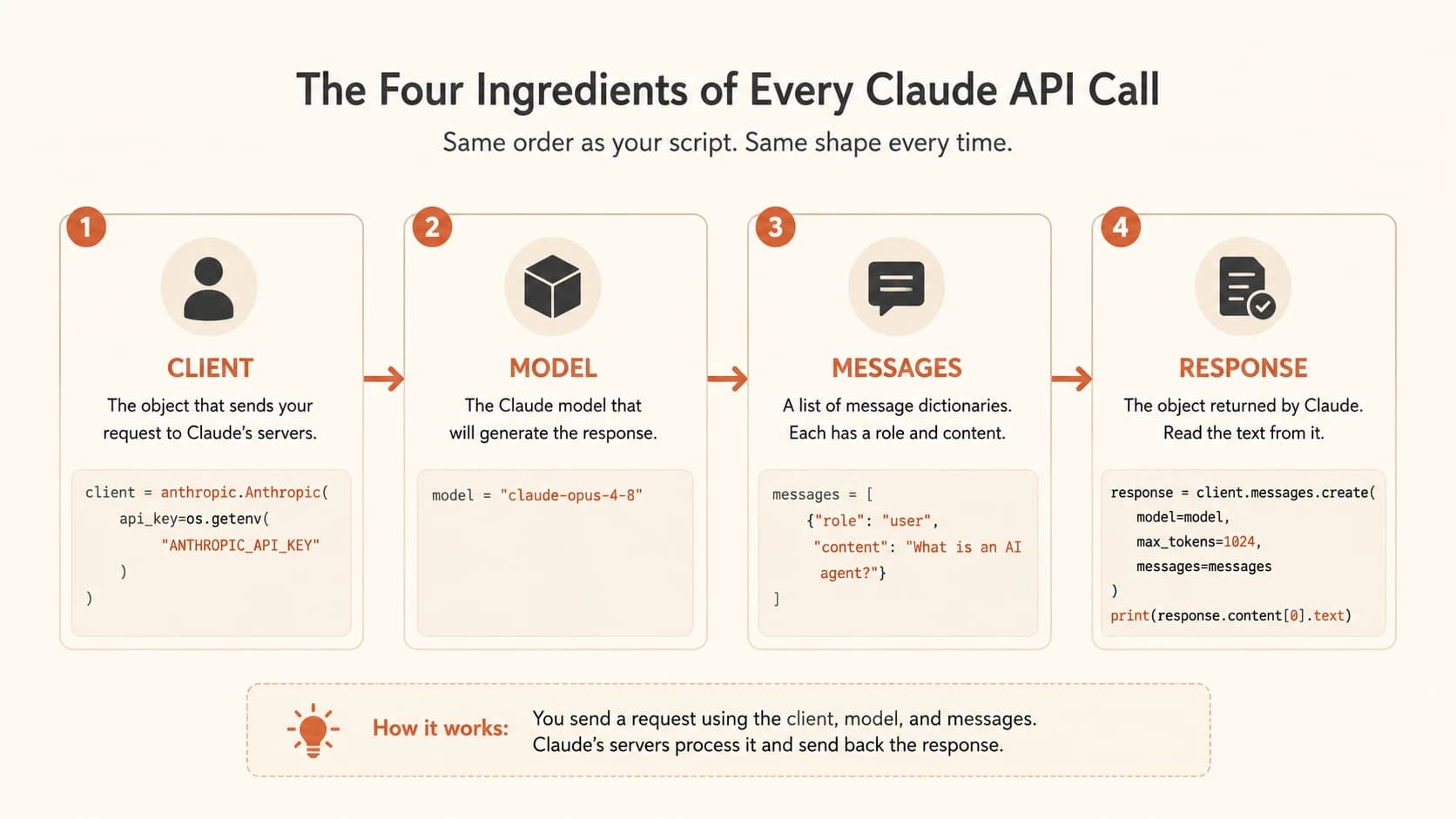
Every Claude API call in Python has the same four parts. You've met three of them already in this module.
Client, the object that actually sends your request. Created once, near the top of your script, from the anthropic library you met when learning to read import lines.
Model, a string naming which Claude model answers your request, such as "claude-opus-4-8". Just a variable, like the ones from lesson 05.02.
Messages, a list of dictionaries, the exact structure from the lesson on lists and dictionaries. Each dictionary has a role (who's speaking: "user" or "assistant") and content (what they said).
Response, what comes back from Claude's servers. An object, not plain text, which is why reading it takes one extra step.
That's the whole shape. Everything below is just those four pieces written out.
The Full Script, Annotated
Here's a complete, working script. Every import line was covered in lesson 05.07, and the .env file it loads from was covered in lesson 05.08.
import os
from dotenv import load_dotenv
import anthropic

load_dotenv()  # reads your .env file, makes ANTHROPIC_API_KEY available

client = anthropic.Anthropic(
    api_key=os.getenv("ANTHROPIC_API_KEY")
)

response = client.messages.create(
    model="claude-opus-4-8",
    max_tokens=1024,
    messages=[
        {"role": "user", "content": "What is an AI agent?"}
    ]
)

print(response.content[0].text)
Walk it top to bottom: three imports, one line to load the .env file, one client built from your API key, one call to client.messages.create() with a model name and a messages list, and one print() to see the answer.
max_tokens=1024 caps how long Claude's reply can be. Leave it out and the call fails, Claude needs to know the ceiling before it starts writing.
If you run this and see nothing at all, check that last line. A response comes back whether you print it or not, forgetting print() is the single most common reason beginners think "nothing happened."
Reading the Response Object
response isn't a string, it's an object, the same kind of thing you learned to inspect back in the dictionaries lesson. Claude's reply lives inside it at response.content[0].text. I still glance at this line every time I write a new script, that's normal, not a sign you're behind.
Break that down piece by piece: response.content is a list, because Claude's reply can technically contain more than one block. [0] grabs the first block, which is almost always the only one for a simple text question. .text pulls the actual words out of that block.
response.content[0].text reads oddly the first time, but it's really just "the first piece of content, and its text." Once you've typed it a few times, the [0] stops feeling strange, it becomes as automatic as os.getenv() did in lesson 05.08.
When Something's Wrong (Preview)
Run this script with a bad or missing API key, and you won't get a normal reply. You'll get an error like this instead:
anthropic.AuthenticationError: Error code: 401 - invalid x-api-key
This is expected, not a sign you broke something. A 401 error almost always means your .env file isn't loading correctly, or the key inside it was copied wrong. Full error-handling with try and except is coming in lesson 05.11, for now just know: an error message naming your API key means check the .env file, not the rest of your code.
You run the script above and see: anthropic.AuthenticationError: Error code: 401 - invalid x-api-key. What should you check first?
Your Task
Send your first real message to Claude
Create a new Python file. Copy the full annotated script from this lesson into it exactly as written, using the API key already stored in your .env file from lesson 05.08. Run the script and confirm Claude's answer to "What is an AI agent?" prints in your terminal.
Done? You've completed Lesson 05.09.
FAQ