What Is Replit AI? Code in Your Browser, No Install
Replit AI lets you write, run, and get AI help on real code entirely in your browser, no local setup required. Here's when to use it.

Your school laptop won't let you install anything, IT locked it down months ago. Your personal laptop is down to four percent and the charger's in another room. You want to write real code right now, not tomorrow when you're back at a machine with everything set up.
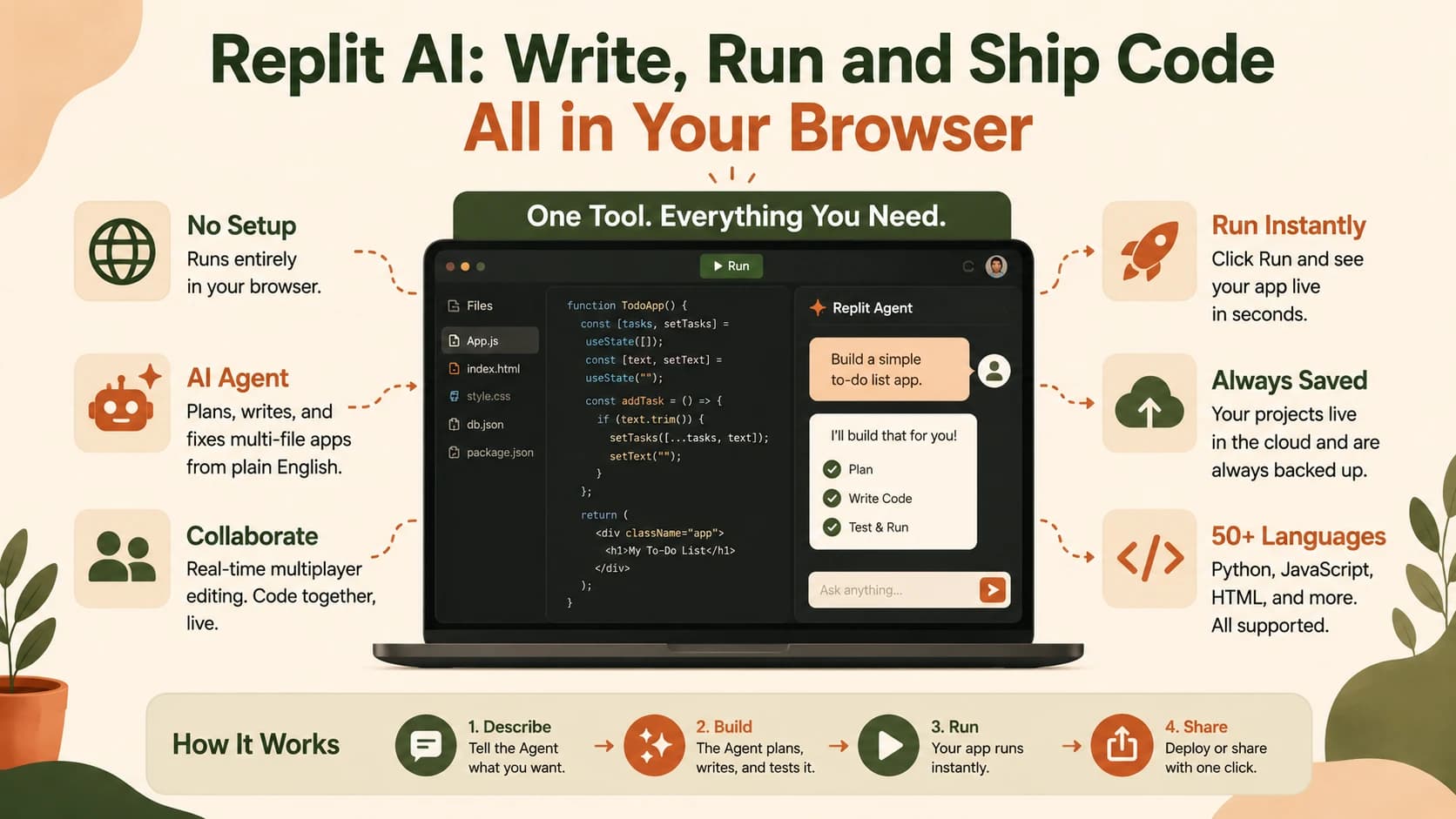
Replit is a full code editor that runs entirely in your browser, no download, no setup. It also comes with a built-in AI assistant that writes code, explains errors, and fixes bugs when you ask it to in plain English. That combination is Replit AI: a coding assistant built directly into an editor you can open from any device with an internet connection.
In this lesson you'll see what Replit AI actually does, where it fits next to everything else in Module 08, and where its real limits are. By the end, you'll know when it's worth reaching for and when it isn't.
Key Takeaways
- Replit is a browser-based code editor with built-in AI, no local install needed
- Its Replit Agent can plan, write, and test a multi-file app from a plain-English description, not just autocomplete
- It sits between the full-app generators from the last lesson and the hands-on local editors earlier in this module: real code, zero setup
- Honest limit: the Agent can introduce its own bugs while fixing something else, and heavy use is billed per credit, not a flat fee
- Best used as a scratchpad and teaching tool, not the permanent home for a serious long-term project
What Is Replit AI?
Replit AI is the artificial intelligence layer built into Replit, a browser-based code editor. It covers two different things: inline suggestions that appear as you type, and the more capable Replit Agent, which can plan, write, test, and fix an entire small application from a plain-English description, all without you installing anything locally.
You'll sometimes hear this described as "vibe coding": describe what you want, watch it appear. That's a fair description of the first draft. It doesn't remove the need to understand what's actually being built. The same architecture judgment matters whether you're typing every line yourself or reviewing what an agent just wrote for you.
Replit isn't only for AI-generated projects, either. It's a genuine code editor underneath, supporting 50-plus languages including Python and JavaScript, that happens to have AI woven into every layer of it. You can write every line yourself with the Agent turned off entirely, and it still behaves like a normal editor. Miss that distinction and you'll assume every Replit project is AI-generated by default, which trips people up the first time they open a plain, empty Repl and the Agent hasn't done anything yet.
It also has a feature none of the local editors in this module offer out of the box: real-time multiplayer editing. Two people can open the same project, watch each other's cursors move, and run code together, live, in the same browser tab. Most beginners won't need that solo, but it's worth knowing it exists for the group projects and team-workflow lessons ahead.
Where Replit Fits Between App Generators and Local Editors
Bolt.new and v0.dev generate a finished, running app from one prompt, but you're mostly watching, not editing. Claude Code, Cursor, and the other tools earlier in this module give you full control, but only after you install an editor and a terminal on your own machine.
Replit sits in the middle. You get a real code editor, one where you can read, write, and change every line yourself, with none of the local setup those earlier lessons walked through. That makes it the natural next stop if you liked how fast Bolt.new felt but want to actually touch the code this time.
Why this matters in practice: a locked-down school computer, a borrowed laptop, or a Chromebook with no admin rights can't run VS Code with a terminal. Replit runs on all of them, because everything happens on Replit's servers, not yours.
There's a second practical difference worth naming: sharing. Sending someone a live, running version of what you built takes one link, no deployment step, no hosting setup. Locally, you'd need to actually deploy the project somewhere before anyone else could see it running.
What the Replit AI Agent Actually Does
Unlike a chatbot that only answers questions, the Agent takes action. According to Replit's own documentation, it can set up a project, install what it needs, write the code, test the result, and fix problems it finds, all from one plain-English request. A Plan Mode lets you review a task breakdown before it touches any files, similar in spirit to how Cline showed its plan back in lesson 08.06.
The Agent also runs in different modes depending on the job:
- Lite handles small visual tweaks and quick fixes in under a minute
- Economy is the cost-optimized default for everyday tasks
- Power reaches for the most capable models on genuinely complex work
- Turbo is an optional, faster add-on to Power on paid plans
You don't have to memorize these, but knowing they exist explains why the same request can feel fast one day and slower the next.
This is the same underlying idea as the terminal-based agents from earlier in this module: a coding agent that acts on your behalf instead of just replying to what you type. Replit's version happens to live in a browser tab instead of a terminal window.
Reviewing that plan before anything runs matters more than it sounds like it should. Catching a wrong assumption at the plan stage costs you nothing. Catching it after the Agent has already written and tested the wrong thing costs real time, and on paid tiers, real credits.
The Honest Tradeoff: Scratchpad, Not a Permanent Home
Here's what skipping this section costs you: trusting the Agent completely and being surprised when something breaks. The first time I asked it to fix one small bug, it also quietly rewrote a function three files away that had nothing to do with my request. I only caught it because I happened to scroll past the diff. That's not a fluke, either. A detailed 2026 review of Replit that tested it hands-on reports the same pattern: the Agent's fixes can unintentionally break other parts of the app. It's a real cost of letting an AI edit a project it didn't fully plan out.
There's a money tradeoff too. Agent usage is billed by credits, not a flat monthly fee, and asking it to fix a bug it just introduced burns more credits on the same problem. Some users online describe this pattern as feeling "nickel and dimed," paying again each time the Agent tries to fix a mistake it just made. A local setup with VS Code has no per-action cost once it's installed, only your own time.
One more limit worth naming plainly: your code runs on shared infrastructure alongside thousands of other Replit users, not hardware you control. That means less predictable performance than a local machine, and it's part of why Replit isn't the right fit for a production app with strict compliance or performance requirements.
Reach for Replit when you want to experiment fast, follow a tutorial with zero setup, or share a running project with someone else via a link. For a real project you plan to maintain for months, a local setup gives you more control and a more predictable cost.
Your Task
Follow this quick Replit AI walkthrough to write and run your first script in the browser. Want the full course map instead? The Getting Started path lays out every lesson in order.
Create your first Repl
Go to replit.com and create a free account.
Click "Create Repl," choose Python as the language, and give your project a name.
Write and run code with AI help
Find the chat or AI panel, usually visible in the sidebar, and ask it to "write a hello world script." Or just write one yourself: print("Hello from Replit")
Click the Run button and confirm the output appears in the console panel.
You just wrote and ran real code entirely inside a browser tab, no local install required, unlike every other tool in this module.
Done? You've completed Lesson 08.10.
FAQ