What Are Environment Variables?
Environment variables store values like API keys so your code doesn't have to. Learn what they are, how to set one, and why every AI tutorial mentions them.
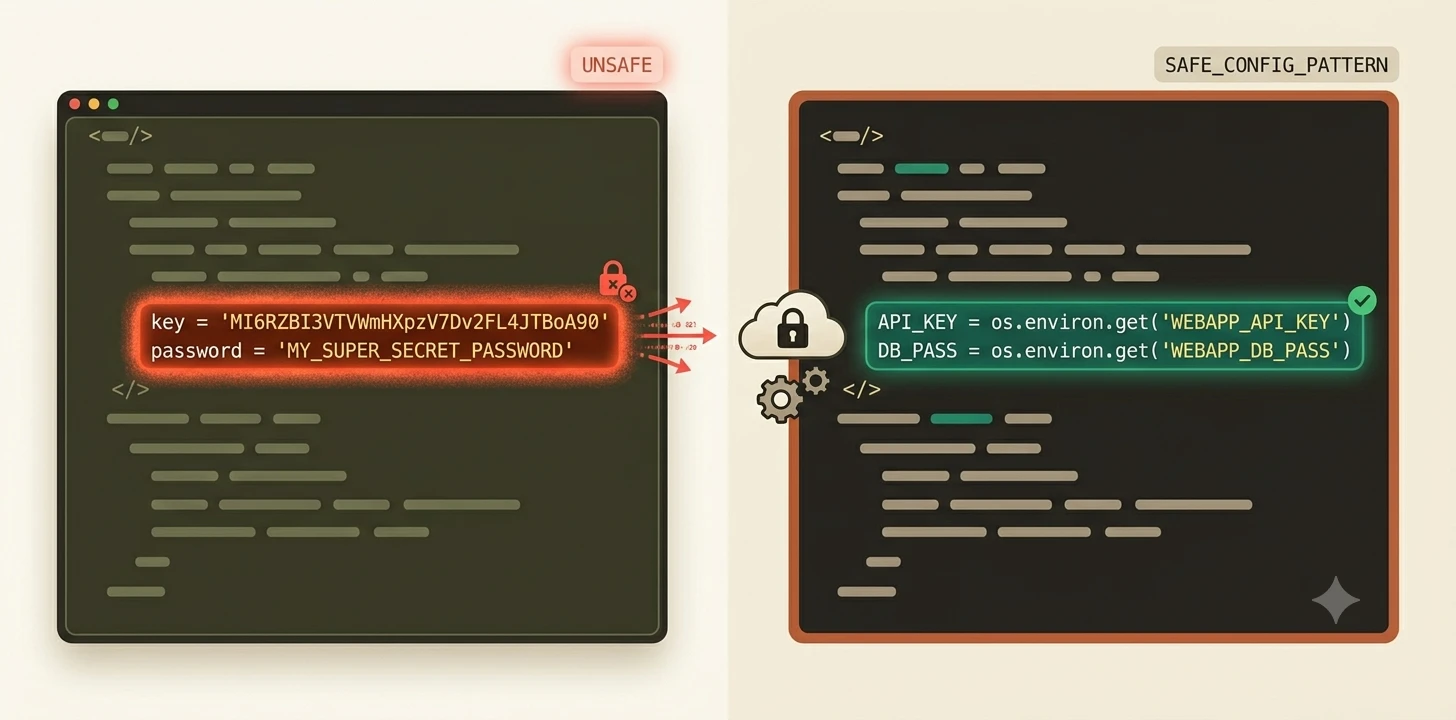
An environment variable is a value your operating system stores so that any program can read it, without you pasting it into every file. That's why AI tutorials tell you to store your API key there instead of directly in your code.
Key Takeaways
- Environment variables are named values stored by your OS that any running program can read
- Setting one temporarily in the terminal takes one command:
export KEY=value(Mac/Linux) or$env:KEY=value(Windows PowerShell)- A session-only env var disappears when you close the terminal.
.envfiles (coming in Module 03) are the permanent solution- Never paste an API key directly into code. If it reaches GitHub, it can be auto-revoked within minutes
What are environment variables and why do they exist
You're following an AI tutorial and it says: "Store your API key as an environment variable." You stare at the screen. You just finished setting up package managers, and now there's this. Nobody explains what it means. They just assume you know.
Here's the clearest way to think about it.
Imagine your computer has a whiteboard in a back room. Any program that knows to look for a variable name can walk back there and read its value off the board. You write API_KEY=abc123 once. Every script or app that needs it reads the name API_KEY, not the value hardcoded somewhere, and gets the answer.
That's an environment variable. A name paired with a value, stored by your operating system, readable by any program you run.
Environment variable names are written in ALL_CAPS by convention, like API_KEY or DATABASE_URL. It's not enforced, but you'll see it everywhere.
The value can be anything: a secret key, a file path, a setting that changes between computers. The point is that the value lives outside your code files, in the OS, where programs can find it without it being written into the source.
How to set an environment variable in your terminal
Here's the important thing to know upfront: what you're about to set is session-only. It exists only while the current terminal window is open. Close it, and the variable is gone.
That's fine for now. You're learning the concept. Module 03 covers the permanent solution (.env files).
To set an environment variable, pick your operating system:
Windows PowerShell:
$env:MY_NAME='YourName'
echo $env:MY_NAME
Mac / Linux:
export MY_NAME='YourName'
echo $MY_NAME
Run those two lines. You should see your name printed back. That value is now available to any program you run in this terminal session.
To read any existing environment variable by name, the pattern is the same:
# Windows PowerShell
echo $env:VARIABLE_NAME
# Mac / Linux
echo $VARIABLE_NAME
Close this terminal window and reopen it. Run echo $MY_NAME (or echo $env:MY_NAME on Windows) again, the variable is gone. That's expected. Session-only variables don't survive a terminal restart. The fix for this is coming in Module 03.
Why AI tutorials tell you to use env vars for API keys
Here's the tempting thing to do when you get an API key: paste it directly into your Python file. It's faster. It works immediately. No extra steps.
Here's why that's a problem — and it's one of the most common mistakes beginners make.
If that file ever reaches GitHub, even accidentally, GitHub's secret-scanning detects the key within minutes. Most API providers automatically revoke compromised keys the moment they're spotted. Your project stops working without warning. You then have to generate a new key and update everything that used it.
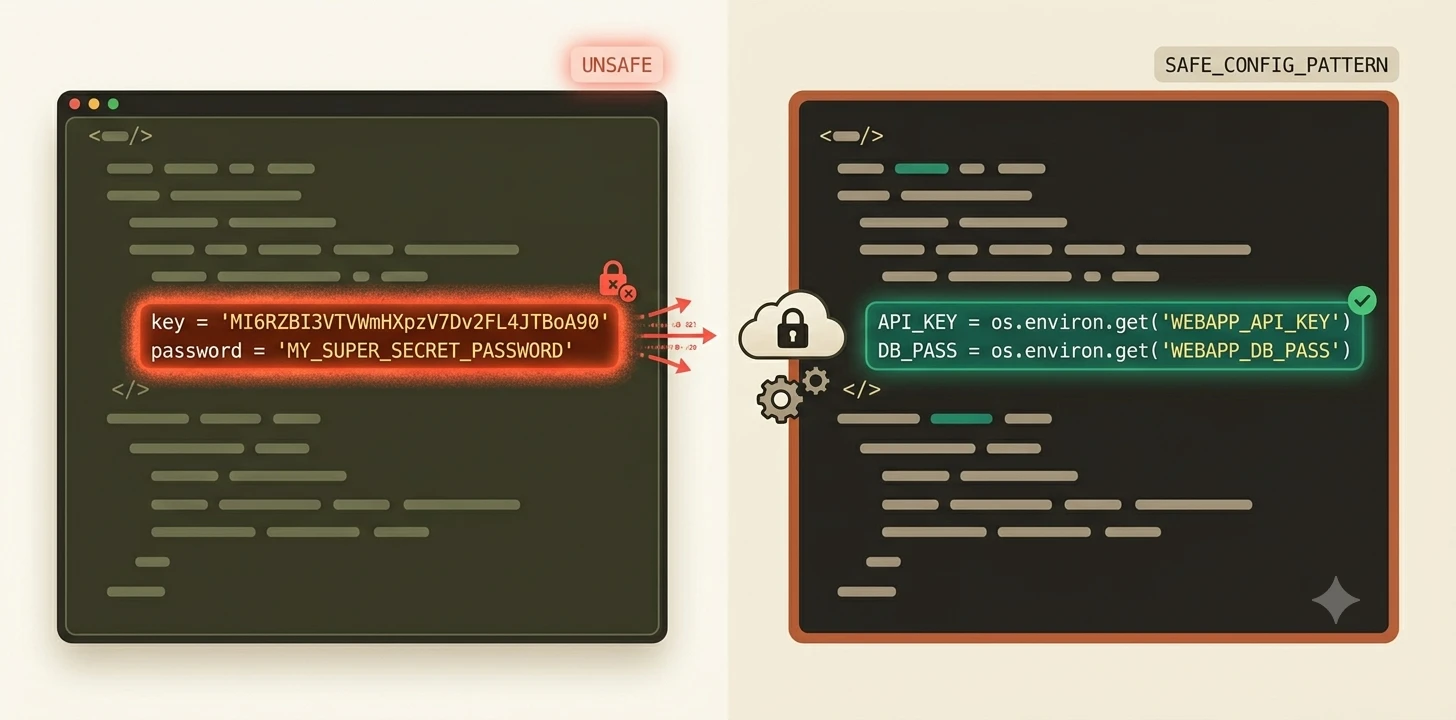
However, an environment variable fixes this cleanly. Your code references the name (API_KEY), not the value. When the program runs, it looks up the value from the OS at that moment. The actual key never appears in your file.
In Python, that looks like:
import os
api_key = os.getenv("API_KEY")
The string "API_KEY" is just a name. The real value stays in the environment, outside the file, out of version control.
For projects with multiple files and team members, the cleaner solution is a .env file: a plain text file that stores your key-value pairs and is excluded from version control. That's exactly what you'll set up in Module 03 when you create your first .env file.
Later, once your project is live on a real server, the same idea shows up one more time in a different form. Module 09 covers how environment variables work once your app is deployed.
Your Task
Set and read your first environment variable
In your terminal, run these commands one at a time.
Windows PowerShell:
$env:MY_NAME='YourName'
echo $env:MY_NAME
Mac / Linux:
export MY_NAME='YourName'
echo $MY_NAME
You should see your name printed back. That value is now available to any program you run in this terminal session.
Now close the terminal and reopen it. Run the echo command again, notice the variable is gone. That's the session-only behavior in action. It's not a bug. It's just how temporary env vars work, and it's exactly why .env files exist.
Done? You've completed Lesson 02.06.
FAQ