Python Lists & Dicts for Beginners (With Examples)
Understand Python lists and dictionaries for beginners using real Anthropic SDK code. Learn to read the messages array that powers every Claude API call.
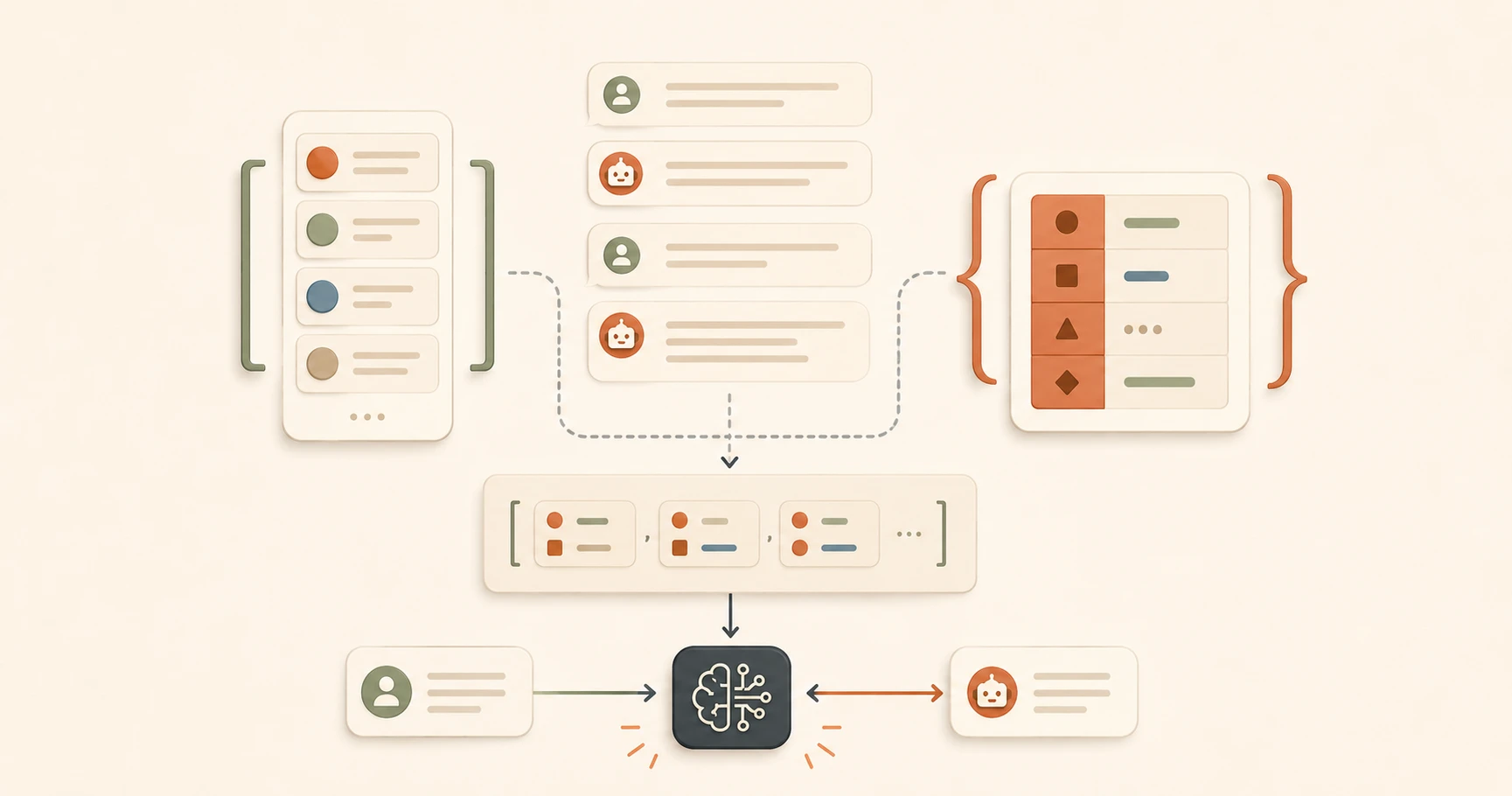
If you've ever looked at an AI API code sample and felt like you were staring at brackets and curly braces with no pattern, this is the lesson that makes it click.
Two data structures, lists and dictionaries, appear in almost every line of AI code. Learn them here, and the brackets stop being noise. If you're new to Python entirely, the Getting Started path gives you the full foundation.
Key Takeaways
- A list stores items in order, using square brackets:
["item1", "item2"]- A dictionary stores labelled values in pairs, using curly braces:
{"key": "value"}- The Claude API messages parameter is always a list of dictionaries, one per message in the conversation
- Once you can read
messages[0]["content"], you can navigate any AI API data structure
Lists: an ordered collection in square brackets
A list is a collection of items in a specific order. Think of it like a numbered playlist. Items have a position. You can add to it, read from it, and go through it one item at a time.
The syntax uses square brackets:
["apple", "banana", "cherry"]
In AI code, lists hold things that come in sequences:
- Conversation history (all the messages so far, in order)
- Tool definitions (what tools an AI agent can use)
- Search results (a list of documents retrieved for RAG)
To read a specific item from a list, you use its position number inside square brackets:
messages[0] # the first item
messages[1] # the second item
messages[2] # the third item
Lists count from zero, not one. This is called zero-based indexing, and it's the single most common source of off-by-one errors in all of programming. The first item is always [0]. Keep that in your head.
Dictionaries: labelled fields in curly braces
A dictionary stores values with labels, called keys. Think of it as a form with named fields.
{"role": "user", "content": "Hello"}
This is a form where "role" is filled in as "user" and "content" is filled in as "Hello." Each pair is a key and a value, separated by a colon. Multiple pairs are separated by commas.
In AI code, dictionaries hold structured data:
- A single message (role + content)
- A tool call result
- An API response object
- Configuration settings
To read a value from a dictionary, you use its key inside square brackets:
message["role"] # returns "user"
message["content"] # returns "Hello"
The key always goes in quotes inside the brackets. If you leave out the quotes, Python thinks you're referencing a variable name, not a dictionary key. I find this the easiest rule to remember in all of Python: if it's a key you made up, it needs quotes.
The combination: a list of dictionaries
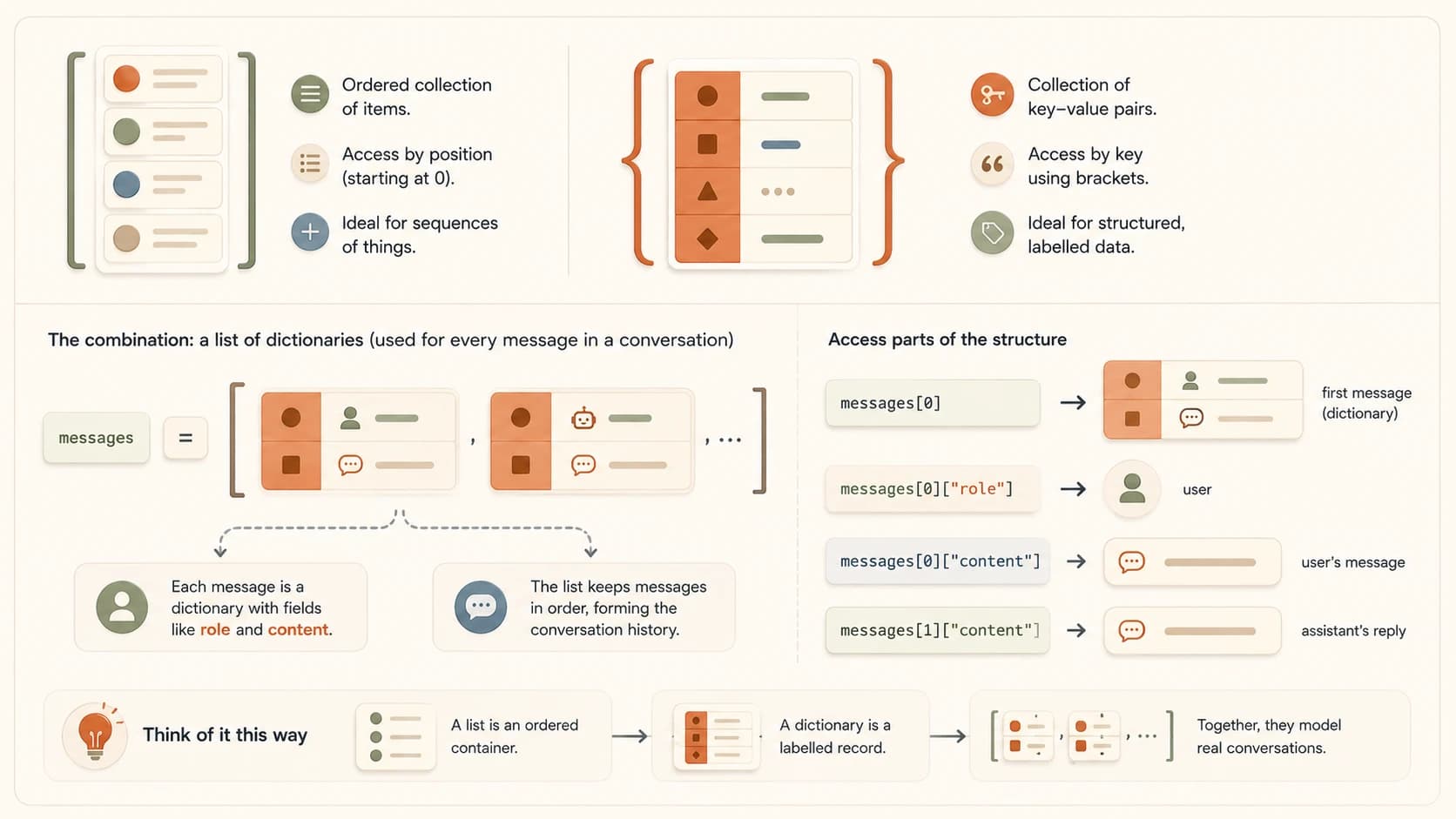
Here's where it all comes together. The Claude API messages parameter is always a list of dictionaries. Every conversation is structured this way.
Start with one message. That's one dictionary, one form filled out:
{"role": "user", "content": "What is an AI agent?"}
Now wrap it in a list, the container for the full conversation history:
[{"role": "user", "content": "What is an AI agent?"}]
Now add the assistant's response as a second dictionary:
messages = [
 {"role": "user", "content": "What is an AI agent?"},
 {"role": "assistant", "content": "An AI agent is a system that perceives its environment..."}
]
Two messages. Two dictionaries. One list. This is the exact structure passed to client.messages.create() in every Claude API call you'll ever write or read. Later in this module, you'll see this same database table shape show up again, just stored as rows instead of a Python list.
To access parts of this structure, chain your accesses together:
messages[0] # the whole first dictionary (the user message)
messages[0]["role"] # "user"
messages[0]["content"] # "What is an AI agent?"
messages[1]["content"] # "An AI agent is a system that..."
Read messages[0]["content"] out loud as: "from the messages list, get item zero, then from that dictionary get the value at key content." Say it. It works.
Why this structure? The Claude API needs to know two things about each message: who said it, and what did they say. role answers the first. content answers the second. The list keeps the conversation in order. The dictionaries hold each individual message. Once you see the purpose, the structure feels obvious.
Commas between items, not after the last one
Each item in a list or dictionary is separated by a comma. The last item doesn't need one. {"role": "user", "content": "Hello",}, that trailing comma after "Hello" can cause a syntax error in strict contexts. Look for this pattern when reading code that isn't working.
That "content" string is the one part of this whole structure you fully control. Writing better AI prompts is really just learning to write that string well.
Your Task
Navigate the Structure
Read this messages array and answer the four questions below. Use what you learned in this lesson to work through each one.
messages = [
{"role": "user", "content": "What is RAG?"},
{"role": "assistant", "content": "RAG stands for Retrieval-Augmented Generation."},
{"role": "user", "content": "Can you give me an example?"}
]
How many messages are in this conversation? Three. Count the dictionaries inside the outer list, there are three sets of curly braces.
What is messages[1]["role"]?
"assistant". messages[1] gets the second item (counting starts at zero), then ["role"] gets the value stored under the key "role".
What is messages[2]["content"]?
"Can you give me an example?". messages[2] is the third item, and "content" is the text of that message.
If you were adding Claude's response to the last question, what would the new dictionary look like?
{"role": "assistant", "content": "Here's an example of RAG: ..."}. Same structure as every other assistant message. Role is always "user" or "assistant".
Done? You've completed Lesson 05.03.
FAQ