What Is Deployment? Taking Code From Laptop to Live
Deployment means moving your code off your laptop onto a server that stays on, giving it a public URL anyone can visit. Here's how it works.

Your FastAPI server from lesson 07.01 answers every request perfectly. Your HTML page from lesson 06.01 loads instantly and does exactly what you built it to do. Then a friend asks to see it. The only honest answer is that they can't, not unless they're standing behind you looking at your screen. Right now, none of it exists anywhere but your laptop.
That gap is what deployment closes. Deployment is the process of moving your code off your own machine and onto a computer that stays on permanently, with a public address anyone can visit. Think of it like the difference between building something in your garage and opening it as a shop on a real street. The garage version works exactly the same way, but only you can walk in. Deployment moves it to the street: a permanent address, open all the time, reachable by anyone who knows where to look.
Nothing about your code changes when you deploy it. Your FastAPI server still runs the same way uvicorn ran it locally. Your HTML page still loads the same way it did when you opened index.html in a browser. What changes is where it lives, and who besides you can reach it.
Key Takeaways
- Deployment means copying your code onto a server you don't own, one that stays on permanently instead of just while your laptop is
- Your code runs exactly the same after deployment,
uvicornor a browser tab just gets replaced by a hosting company's servers- A deployed app gets a public URL, turning something only you could open into something anyone with the link can visit
- Module 09 covers this in stages: which platforms to use, how the process actually works, and how to keep secrets safe once your code is public-facing
What Does "Deployment" Actually Mean?
So what does deploy actually mean, and how does an app go live from a laptop that only you can reach? Start with the plain version: deployment is copying your finished code onto someone else's computer, one that's built to stay running all day, every day, and handing it a public address. That's the entire concept. Everything else in this module is detail on top of that one idea. Skip this part and the platform-specific steps in the next few lessons will feel like following instructions blindly instead of understanding what each click actually does.
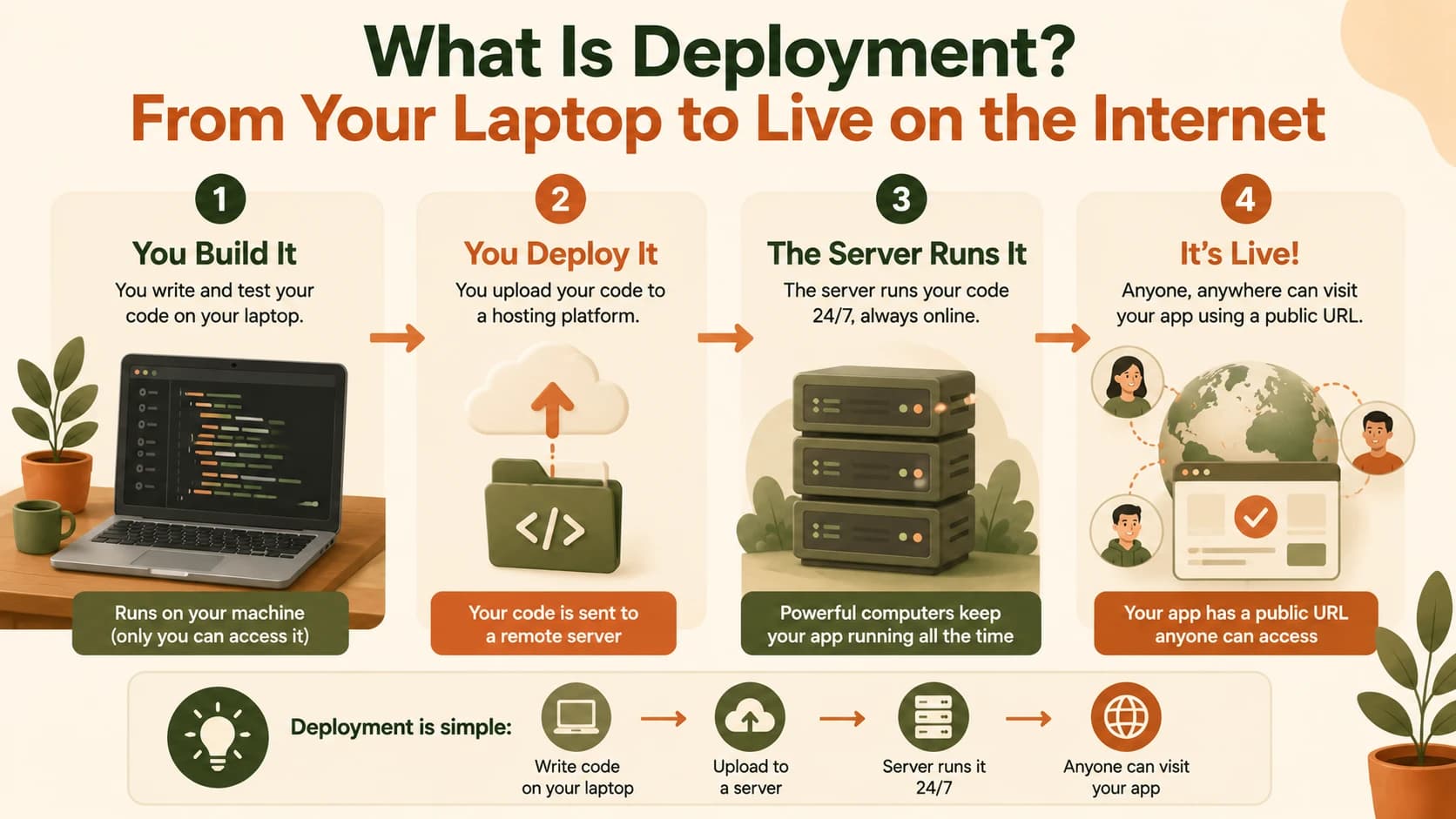
The "someone else's computer" part is a real, physical machine sitting in a data center, owned and maintained by a hosting company like the platforms you'll meet in the next few lessons. It's not magic, and it's not "the cloud" in some abstract sense (I've never liked that word, it makes something very concrete sound like weather). It's a computer, just like yours, except it never sleeps and it's always connected to the internet.
Once your code is there, that server runs it the exact same way your laptop did. If it's the backend running your agent, the server starts it with the same uvicorn command you'd type locally. If it's a static HTML page, the server just hands out the file whenever a browser asks for it, the same job your laptop was doing when you opened index.html directly.
If you want the more technical rundown at any point, MDN's guide to deployment covers the build-and-push mechanics in more depth than this lesson needs right now.
The last piece is the URL. Deployment gives your code an address, something like your-project.vercel.app, that points directly at wherever your code now lives. Type that address into any browser, anywhere in the world, and you reach the same app you built. That's the whole transformation: garage to storefront, laptop to server, private to public.
That first address is free, but it's also generic, handed out by whichever platform you deploy to. A real product usually trades it in later for something cleaner, like yourproject.com instead of yourproject-a8f3k2.vercel.app. That's a separate step from deployment itself (this course covers it later, once you've got something worth naming), so don't worry about it yet. For now, the platform-provided address does exactly what a URL needs to do: it points somewhere real.
Why Your Laptop Isn't Enough
Here's the part that makes deployment necessary instead of optional: your laptop was never built to be a server. It sleeps when you close the lid. It disconnects when you leave the house. It shares your home Wi-Fi's address with every other device in the house, which usually isn't even reachable from outside your network in the first place.
Right now, running your FastAPI server locally means three things all have to stay true at once:
- Your laptop is on
- Your terminal is still running
uvicorn - You haven't closed it
The moment any one of those stops, your app is gone. Not broken, not slow, just completely unreachable, because there's nothing left running anywhere.
Even leaving your laptop on all the time wouldn't fix it. Your home router sits between your laptop and the internet, and by default it's built to keep outside traffic out, not invite it in. Someone in another city typing your home IP address into their browser almost never reaches anything, because your router quietly drops that request before it ever gets to your machine. Getting around that on purpose (port forwarding, dynamic DNS, and similar tricks) is possible, but it's fragile, insecure by default, and exactly the kind of maintenance burden a real hosting company already solves for you.
That distinction, between a development environment and a production environment, is one you'll hear constantly once you start deploying for real. A local dev server and a production server run the exact same code. The difference isn't what the code does, it's whether the machine underneath it is designed to stay on and be reachable by strangers.
This is also why "it works on my machine" is such a common and mostly harmless problem during development, and such a serious one once you deploy. On your laptop, only you are testing it, so quirks stay invisible. Once it's live, anyone can hit it, at any hour, from any device, which is exactly why the next several lessons spend real time making sure what goes live actually works the way it did locally.
What Happens Next in This Module
Now that you know what deployment means, the rest of Module 09 is about doing it for real, one piece at a time.
You'll start with the two platforms this course uses by name, Vercel for frontend files and a running backend process (lessons 09.03 and 09.04). After that comes a quick tour of the wider landscape of alternatives. Frontend and backend deploy differently, and the very next lesson breaks down exactly why, before you deploy either one. That order matters: understanding the split first means neither platform feels arbitrary when you actually click "deploy" on it.
After that, you'll learn the actual workflow professional teams use: connect your GitHub repository to a platform once, and every git push from then on triggers a new deployment automatically, no manual upload step, ever (lesson 09.07).
Then comes the part every beginner eventually needs and nobody explains well: your deployed backend still needs real API keys to function, the same ANTHROPIC_API_KEY you've kept safely out of GitHub since lesson 04.07's .gitignore lesson. Lesson 09.08 shows you exactly where that value goes once your code is public-facing, and why the protection you already learned still holds.
None of this happens in one lesson, and it isn't supposed to. Deployment has a few distinct pieces: choosing where your code lives, connecting the workflow, and keeping secrets safe. This module walks through each one with the project you've already built, so by the end, it's live instead of local. This lesson is part of the Getting Started path, the same sequence that's gotten you this far.
Explain deployment in one sentence
Imagine explaining deployment to a friend who has never coded. Write exactly one sentence describing what deployment means, using an analogy if it helps (a garage becoming a shop, a draft becoming a published book, pick your own).
Read it back. Would it make sense to someone with zero technical background? If not, simplify it further.
This is the same skill as writing a good README from Module 04: clarity over precision.
Done? You've completed Lesson 09.01.
FAQ