npm install and pip install: What They Do for Beginners
npm install and pip install explained simply. Learn what package managers do, the difference between npm and pip, and run your first install command.
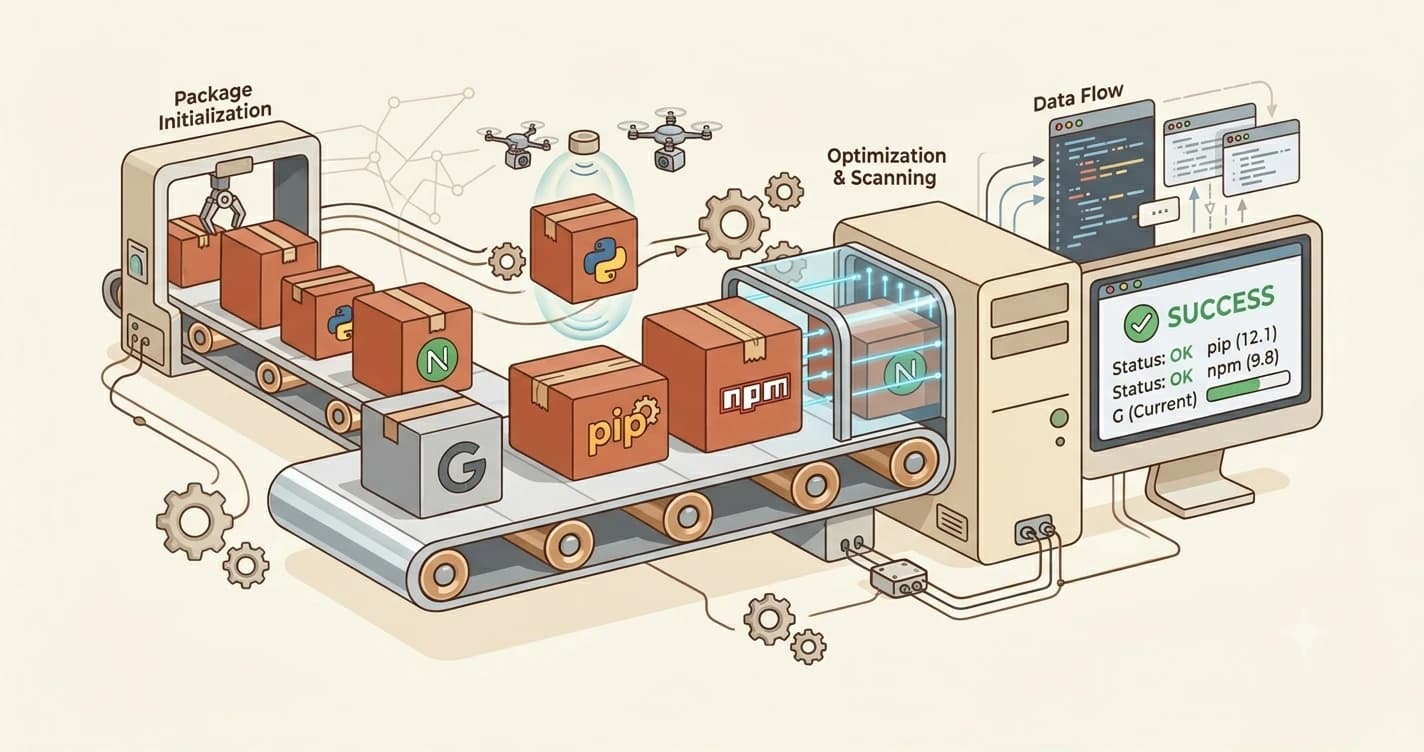
A tutorial told you to run npm install or pip install anthropic. A progress bar ran. A moment later, files had appeared on your computer. You had no idea what just happened.
That was a package manager doing its job. In this lesson, you'll learn what package managers are, why they exist, and how to use the two you'll encounter most in this course: npm and pip. By the end, you'll understand exactly what happens when that progress bar runs.
Key Takeaways
- A package manager installs other tools for you, automatically, with all their dependencies
- npm handles JavaScript and Node.js tools; pip handles Python tools; AI projects often use both
npm install -ginstalls globally (available everywhere in your terminal); plainnpm installinstalls locally (current project only)- When a tutorial says
npm install, you need Node.js; when it sayspip install, you need Python
What Does a Package Manager Do?
Think of a package manager as an app store for code.
When you install an app on your phone, you don't download a zip file, unzip it manually, and track down every piece it depends on. You tap "Install." It handles everything. A package manager does the same thing for code libraries and developer tools.
When you run npm install [something] or pip install [something], here's what actually happens:
- It connects to an online registry, a massive catalog of packages (npmjs.com for npm, pypi.org for pip)
- It finds the package you asked for and checks what other packages it depends on
- It downloads everything, the package and all its dependencies
- It puts the files where your code can find them
That progress bar you saw? That's step three in action.
Dependencies are packages that a package needs in order to work. Every package is built on top of other packages. Instead of you tracking all of that manually, the package manager reads the dependency list. Then it installs everything automatically.
Without package managers, setting up a development project meant downloading dozens of files in the right order, in the right versions, and hoping they worked together. Nobody does that anymore.
What Is npm and How Do You Use It?
npm (Node Package Manager) comes bundled with Node.js. If Node.js is installed on your machine, npm is already there. It manages JavaScript packages and hosts over two million of them at npmjs.com.
If you followed the file paths lesson, you already know how to navigate folders in the terminal. That same skill applies here: when you run npm install, the packages land in a folder called node_modules inside your current directory.
The three npm commands you'll use in this course:
npm install [package-name] # install into current project only
npm install -g [package-name] # install globally (available everywhere)
npm install # install everything a project needs
A real example you'll run later in this course:
npm install -g @anthropic-ai/claude-code
That installs Claude Code as a global tool, which is why you can then type claude anywhere in your terminal, not just inside one project folder. We run this exact command in Module 03 — when you see it there, you'll know exactly what it does.
npm i is shorthand for npm install. Both do the same thing, you'll see both in tutorials and documentation.
What Is pip and When Do You Need It?
pip comes with Python 3.4 and above, so if Python is installed, pip is already there. It installs Python packages from PyPI (the Python Package Index), which hosts over half a million packages.
The pip commands you'll use:
pip install [package-name] # install a package
pip install anthropic # the Anthropic Python SDK
pip install requests # a popular HTTP library
When you run pip install anthropic, pip downloads the Anthropic SDK from PyPI and installs it so your Python scripts can import and use it. This same command runs again automatically when you deploy, as part of your project's build step.
pip installs packages system-wide by default, meaning any Python script on your computer can use them. In Module 04, you'll learn about virtual environments, which keep packages isolated per project. For now, system-wide is fine.
npm vs pip, which one do you need?
The simple rule: if a tutorial says npm install, you need Node.js. If it says pip install, you need Python. Most AI development projects use both.
| You're installing... | Use |
|---|---|
| Claude Code CLI | npm install -g |
| Anthropic Python SDK | pip install |
| Any JavaScript tool or CLI | npm install -g |
| Any Python library | pip install |
If you're working on an AI project, it's common to have Python handling the AI backend (using pip packages) and npm handling CLI tools or frontend code. That's normal, the two package managers don't interfere with each other.
You'll install both Node.js (which includes npm) and Python (which includes pip) in Module 03. The task below is a preview of what that will look like.
Your Task
Install your first packages
In your terminal, run both of these commands one at a time:
pip install requests
npm install -g nodemon
After each one, you should see a progress bar and a success message.
If pip fails: make sure Python is installed (covered in Module 03, lesson 03.04).
If npm fails: make sure Node.js is installed (covered in Module 03, lesson 03.03).
Both succeeded? You've just installed your first packages. This is how most AI development tooling gets set up.
Done? You've completed Lesson 02.05.
FAQ