JSON Explained for Beginners: A Real API Response
json explained for beginners python: decode a real Claude API response key by key, using the dicts and lists you already learned in this course.
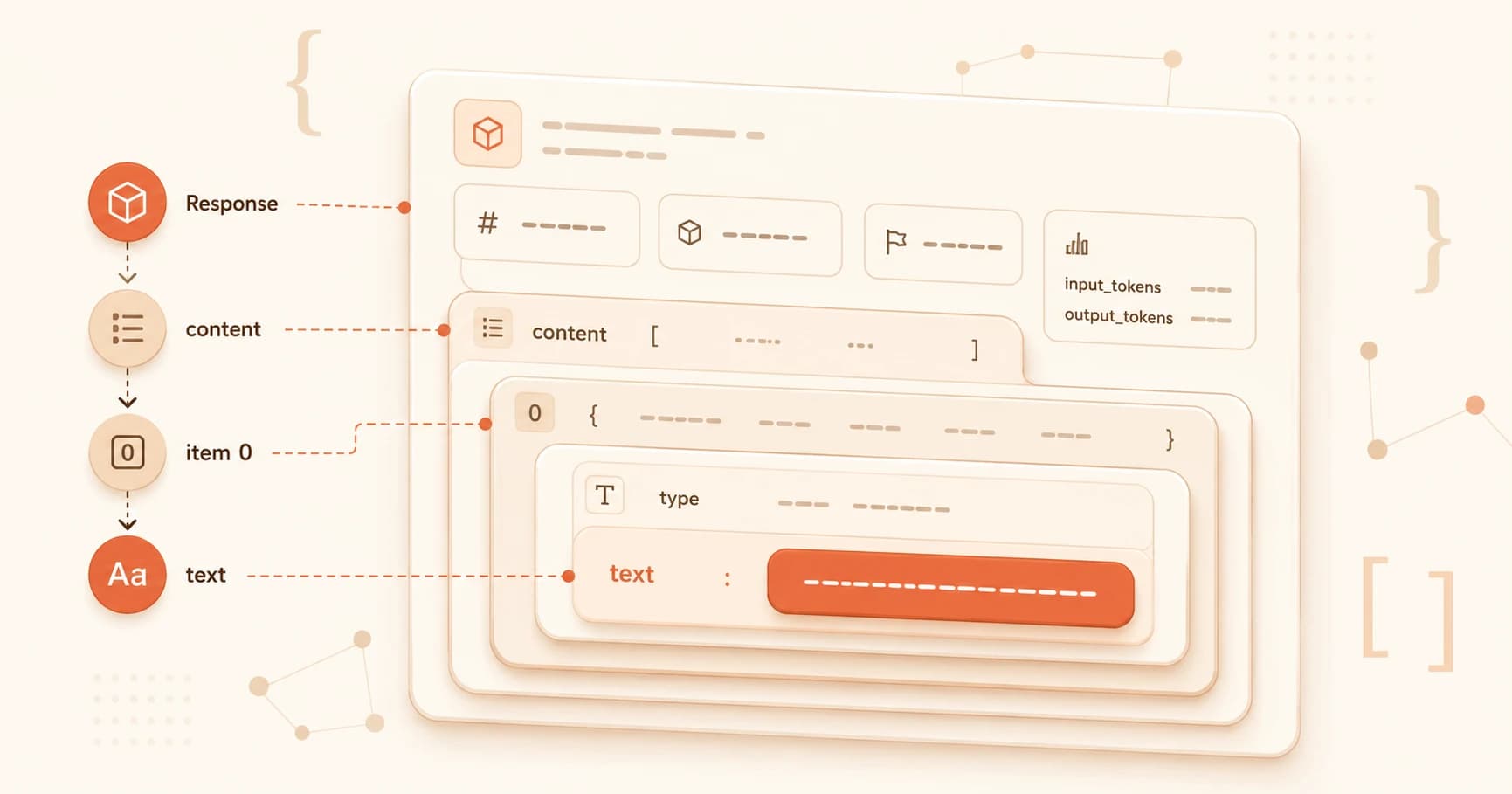
In lesson 05.09, you saw message.content[0].text. You understood it, it's list indexing and dictionary access from lesson 05.03.
But that response object holds much more than the text you printed. This lesson decodes the full thing: json explained for beginners python, using the exact API response you already have on your screen.
Key Takeaways
- JSON is dicts and lists written as text, so they can travel over the internet
json.loads()turns a JSON string into a Python dict/list;json.dumps()does the reverse- Every value in a nested response is reached by chaining
["key"]and[index]accessesstop_reasontells you why Claude stopped generating, and it drives every agent loop you'll read laterusage.input_tokens+usage.output_tokensis how you calculate what an API call cost
What JSON Actually Is
JSON stands for JavaScript Object Notation. Ignore the name, it has nothing to do with JavaScript in practice. It's a universal text format for structured data, and every major API speaks it.
Here's the connection you need: JSON is lists and dictionaries written as text. Period.
A Python dictionary: {"role": "user", "content": "Hello"}
The same thing as JSON: {"role": "user", "content": "Hello"}
They look identical because they are, structurally. The difference is what they are: JSON is a string, plain text that can travel over a network connection. A Python dict is a live object sitting in memory. json.loads() is the function that turns one into the other.
The Full Claude API Response
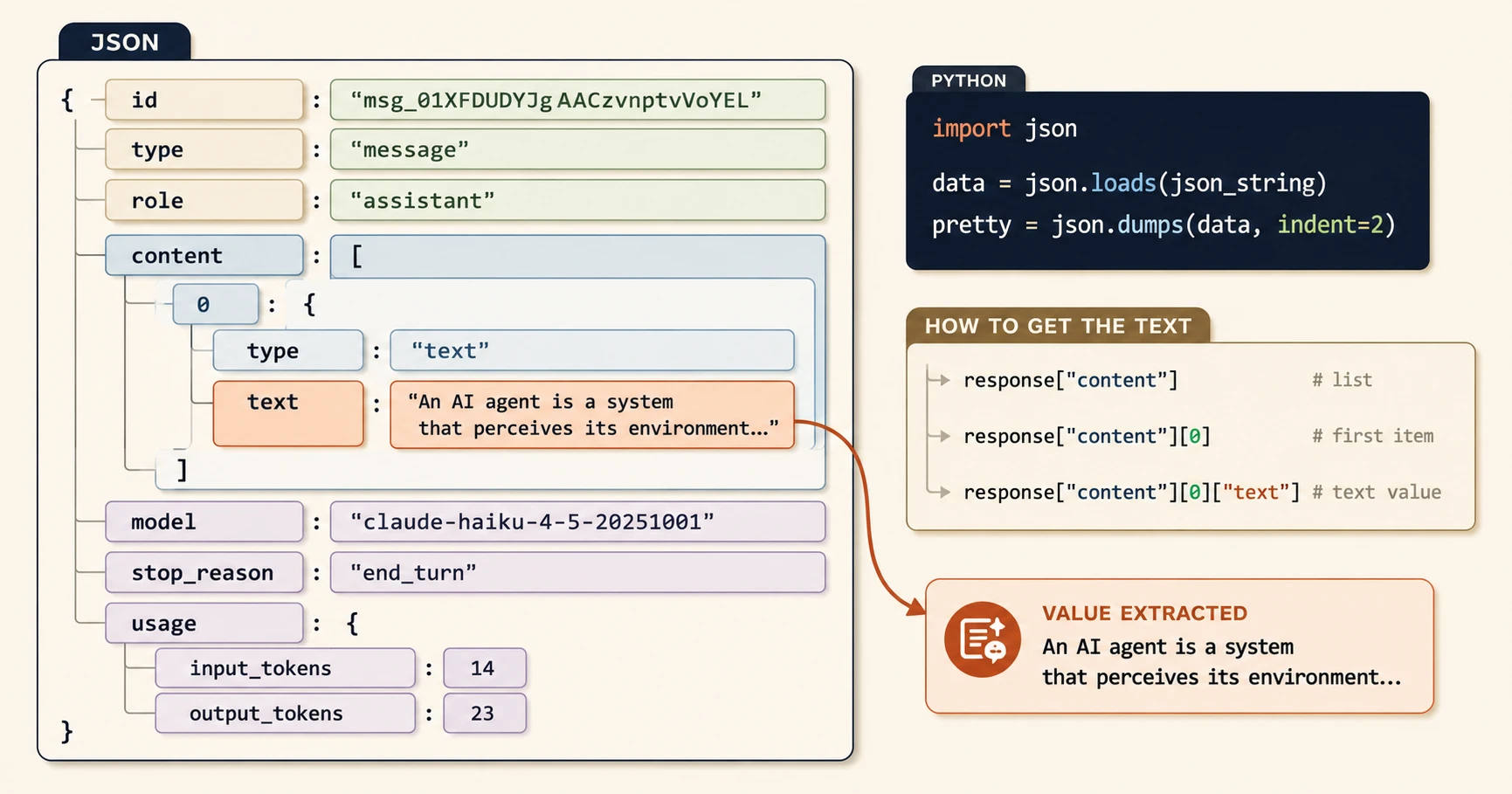
When you call the Claude API, you get back a full JSON document every time, not just the text you printed in 05.09. Here's a stripped-down real one:
{
 "id": "msg_01XFDUDYJgAACzvnptvVoYEL",
 "type": "message",
 "role": "assistant",
 "content": [
 {
 "type": "text",
 "text": "An AI agent is a system that perceives its environment..."
 }
 ],
 "model": "claude-haiku-4-5-20251001",
 "stop_reason": "end_turn",
 "usage": {
 "input_tokens": 14,
 "output_tokens": 23
 }
}
Walk through it key by key:
id→ a unique identifier for this specific message, useful when logging requeststype→ always"message"for text responsesrole→ always"assistant", this is Claude's turncontent→ a list of content blocks, usually one text blockcontent[0].type→"text"for a normal reply (vs"tool_use"when Claude wants to call a tool)content[0].text→ the actual response text, what you printed in 05.09model→ which model handled the requeststop_reason→ why generation stopped (more on this below)usage.input_tokens/usage.output_tokens→ what your prompt and Claude's reply each cost in tokens
Multiply input_tokens + output_tokens by the per-token price for the model, and that's the cost of one call. This is how you track spending.
Parsing JSON in Python
The SDK returns Python objects automatically, you won't parse manually for normal API responses. But raw JSON strings show up constantly in logs, webhooks, and tool results. Two functions cover almost everything:
import json

data = json.loads(json_string) # string -> dict/list
readable = json.dumps(python_object, indent=2) # dict/list -> formatted string
loads loads a string into Python. dumps dumps a Python object out as a string. The indent=2 argument makes the output human-readable, it's your best debugging tool when a response looks wrong.
I still reach for json.dumps(response, indent=2) as the first thing I run whenever an API response isn't behaving the way I expect. Printing the raw object before touching any keys saves more debugging time than almost anything else in this lesson.
Navigating Nested Structures
Every access follows the same pattern: go deeper by chaining accesses.
response["content"] # the content list
response["content"][0] # first item in that list
response["content"][0]["text"] # the text value from that item
response["usage"]["input_tokens"] # the input token count
Read each line as a sentence: "go into content, get item 0, get the text key." Say it out loud while you're reading someone else's code. It works every time, no matter how deep the nesting gets.
stop_reason and Agent Code
Once you start reading agent code, you'll see this pattern constantly:
if message.stop_reason == "tool_use":
 # agent wants to call a tool
elif message.stop_reason == "end_turn":
 # agent is done
stop_reason tells you exactly why Claude stopped: "end_turn" means it finished naturally, "max_tokens" means it hit your limit and got cut off mid-thought, "tool_use" means it's asking to call a tool instead of answering directly. Understanding this one field means you can follow what an agent loop is doing at any point without guessing.
json.loads vs json.dumps, which direction? loads = load a string into Python (string → dict). dumps = dump a Python object out to a string (dict → string). The "s" in both names stands for "string", the thing being converted from or to. When debugging, you almost always want dumps with indent=2 to see a readable version of a response object.
Navigate the Response
Using the response object from above, work through these:
Q1: How would you get the text of Claude's response?
response["content"][0]["text"], or with the SDK object directly: message.content[0].text.
Q2: How would you check if Claude stopped because it hit the token limit?
response["stop_reason"] == "max_tokens". If that's True, the response was cut off, you'd need to raise max_tokens or shorten the input.
Q3: How would you get the total tokens used, input plus output?
response["usage"]["input_tokens"] + response["usage"]["output_tokens"].
Q4: What does it mean if stop_reason is "tool_use"? The agent wants to call a tool instead of giving a final answer. The response contains a tool_use content block instead of, or alongside, a text block. This is how agent loops know to keep going.
Q5: You're building a cost tracker. What two values do you need from this response?
usage.input_tokens and usage.output_tokens. Multiply each by that model's per-token price and add them together, that's the cost of one call.
The stop_reason field is one of the most important things in agentic AI. In the next module, you'll see exactly how it drives agent decision-making.
Your Task
Parse a response and print its token total
Save this as a Python script and run it:
import json

raw = '''
{
"id": "msg_01XFDUDYJgAACzvnptvVoYEL",
"type": "message",
"role": "assistant",
"content": [{"type": "text", "text": "Hello there."}],
"model": "claude-haiku-4-5-20251001",
"stop_reason": "end_turn",
"usage": {"input_tokens": 14, "output_tokens": 23}
}
'''

response = json.loads(raw)
total_tokens = response["usage"]["input_tokens"] + response["usage"]["output_tokens"]
print(f"Reply: {response['content'][0]['text']}")
print(f"Total tokens used: {total_tokens}")
Confirm you get Reply: Hello there. and Total tokens used: 37.
Done? You've completed Lesson 05.10.
FAQ