How Frontend, Backend, Database Connect in One Request
See how frontend, backend, and database connect in one request: a chat message travels through all three layers and back, traced in seven concrete steps.
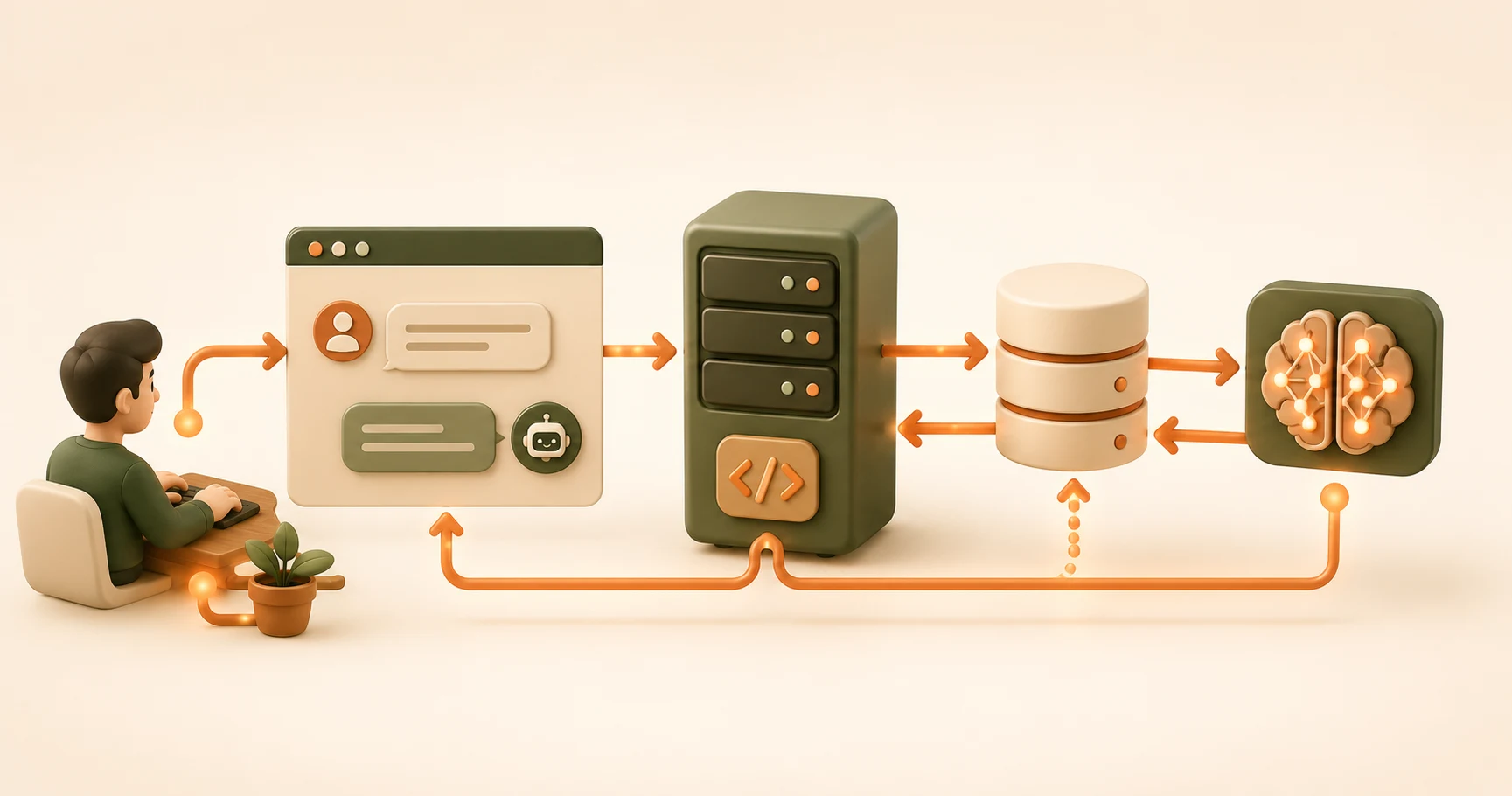
You type "What is RAG?" into a chat box and hit send. For a half-second, nothing visible happens. Then an answer appears, and somehow it's still there if you close the tab and come back an hour later.
Here's what actually happened in that half-second: your message crossed three separate systems in a loop, seven times over. That's how frontend, backend, and database connect on every single request, and nothing about that loop is new to you. You've built a piece of every layer in it over the last two modules. This lesson just wires the pieces together.
Key Takeaways
- A single chat message makes a round trip through the frontend, the backend, and the database, in that order and back
- The backend saves both the user's message and the AI's reply as separate rows in the database, which is why the conversation survives a page refresh
- The frontend never talks to the database directly. It only ever talks to the backend
- The API key that calls Claude lives on the backend only, never in code the browser can see
- This exact loop, one LLM call per request, is the same core pattern behind ChatGPT and Claude.ai
What Happens When You Hit Send? Frontend, Backend, and Database in Order
One request touches all three layers, in this order: frontend, then backend, then database, then back out the same way. Walk through it one step at a time, using the exact tools you've already built.
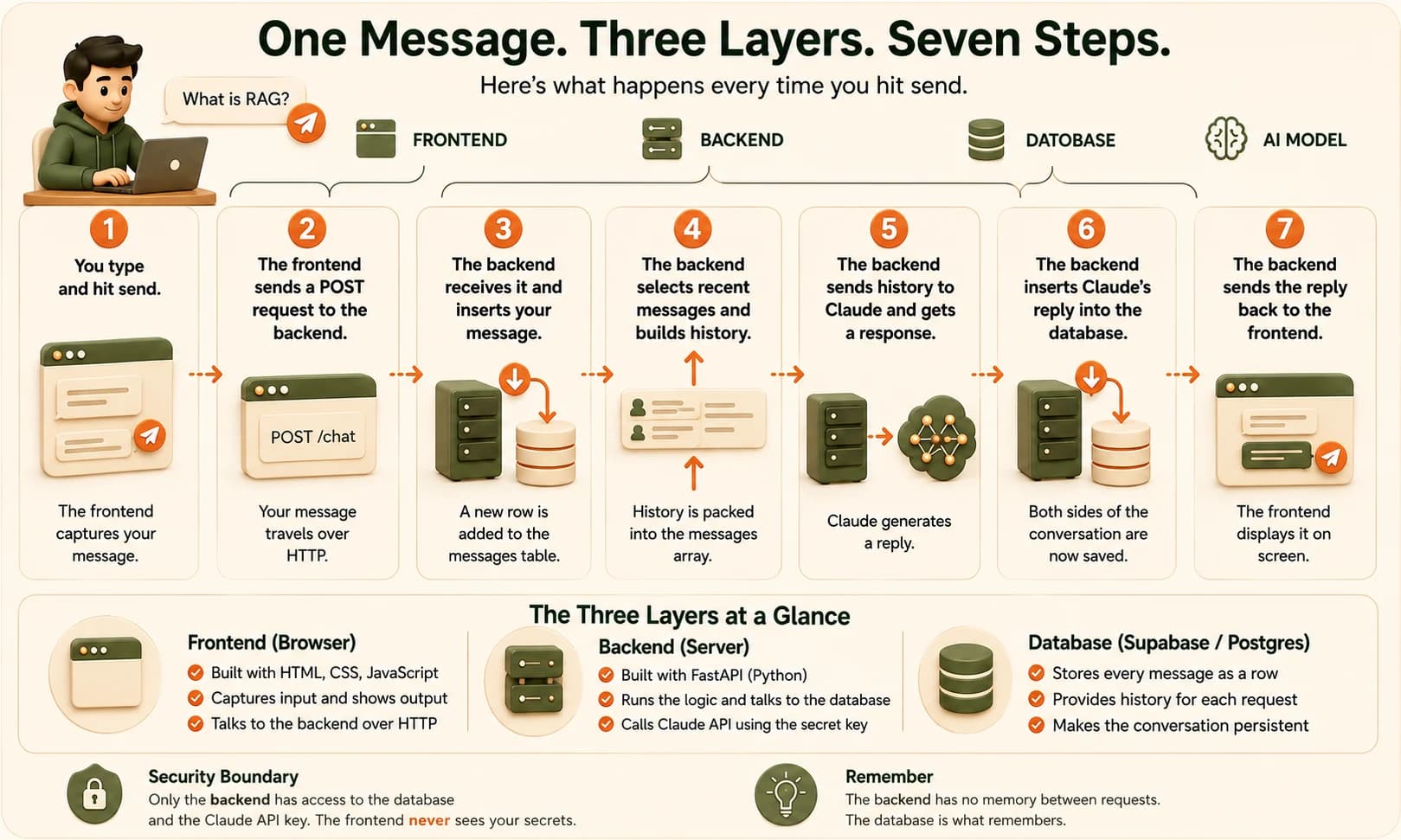
Here's the request lifecycle, step by step:
- You type and hit send (frontend). The HTML/CSS/JavaScript from Module 06 captures your message.
- The frontend sends a POST request to the backend with your message as the body, the same request/response pattern from the frontend/backend diagram, now with a real payload attached.
- The FastAPI backend from lesson 07.01 receives the request and INSERTs your message into the messages table as a new row.
- The backend SELECTs recent rows from that same table to rebuild the conversation history, then packs them into the messages array format from Module 05 and sends that to the Claude API.
- Claude responds, and the backend INSERTs that reply into the messages table too. Both sides of the exchange are now saved.
- The backend sends Claude's reply back to the frontend as the response body.
- The frontend displays it on your screen.
Every single arrow in that list is something you've already built or read about. Nothing new got introduced here, this lesson is pure wiring.
Two of those seven steps are database writes — step 3 and step 5 — and one is a database read, step 4. That's the whole footprint a chat message leaves behind. This whole exchange follows the same HTTP request/response cycle your browser uses for every page load, just with a chat message as the payload instead of a webpage.
The FastAPI backend from step 3 is just running the same kind of route you wrote in lesson 07.01, described in FastAPI's own tutorial docs, now with a real database call inside it instead of a hardcoded reply.
Why the Database Makes the Conversation Persistent
Close the tab. Restart your laptop. Come back tomorrow. The conversation is still there, because it never lived in the backend's memory in the first place.
The backend itself forgets everything the moment it finishes responding. It has no memory between one request and the next — by design, it's just a program that wakes up, does one job, and goes back to sleep.
What actually persists is rows in a table. Every message you've ever sent through this app is sitting in Supabase as a row with an id, a role, and content — exactly the shape from lesson 07.07. "The AI remembering you" is really just step 4 above: a SELECT query pulling those rows back out.
If your backend restarted right now, mid-conversation, you wouldn't lose anything. The next message you send would trigger a fresh SELECT and pull the same history out of the database. That's possible because Postgres — the database running underneath Supabase — writes every row to disk, not to memory.
Where Does the API Key Actually Live?
The API key that calls Claude belongs on the backend only, never in any file that ships to the browser. I once put a Claude API key directly in a piece of frontend JavaScript, thinking it was fine because "it's just a variable." It wasn't.
I opened my browser's dev tools, checked the page source, and there it was in plain text — visible to literally anyone who loaded the page.
Keep the Claude API key in the backend's .env file (Module 04/06.09) only. The frontend never sees it, and it doesn't need to. It just sends a plain message and waits for a plain response.
That's the real reason the three-layer split exists, and not just as an organizational habit. The backend is the only layer with secrets: your API key, your database credentials, all of it. The frontend is public by definition — anyone can view its source. Keep anything sensitive on the side of the wall the reader can't see.
This same backend box is also where AI agents actually run, as a loop wrapped around the exact Claude API call described above.
Trace a message through all three layers
Using the numbered journey from this lesson as a guide, write out each of the seven steps in your own words, for a message you imagine typing into an AI chat app.
For each step, note which layer it happens in: Frontend, Backend, or Database.
When you're done, count how many steps touch the database. The answer is three: one INSERT for your message, one SELECT to build the history, and one INSERT for the AI's response.
This trace, how frontend, backend, and database connect on a single request, is the mental model behind every AI chat product you will ever use or build.
If you want the wider map this lesson sits inside, the Getting Started path lays out every step from here to your first agent.
Done? You've completed Lesson 07.08.
FAQ