SQL vs NoSQL Explained for Beginners (No Jargon)
SQL stores data in tables, NoSQL stores it as flexible documents. Learn the real difference and which one to pick for your first project.
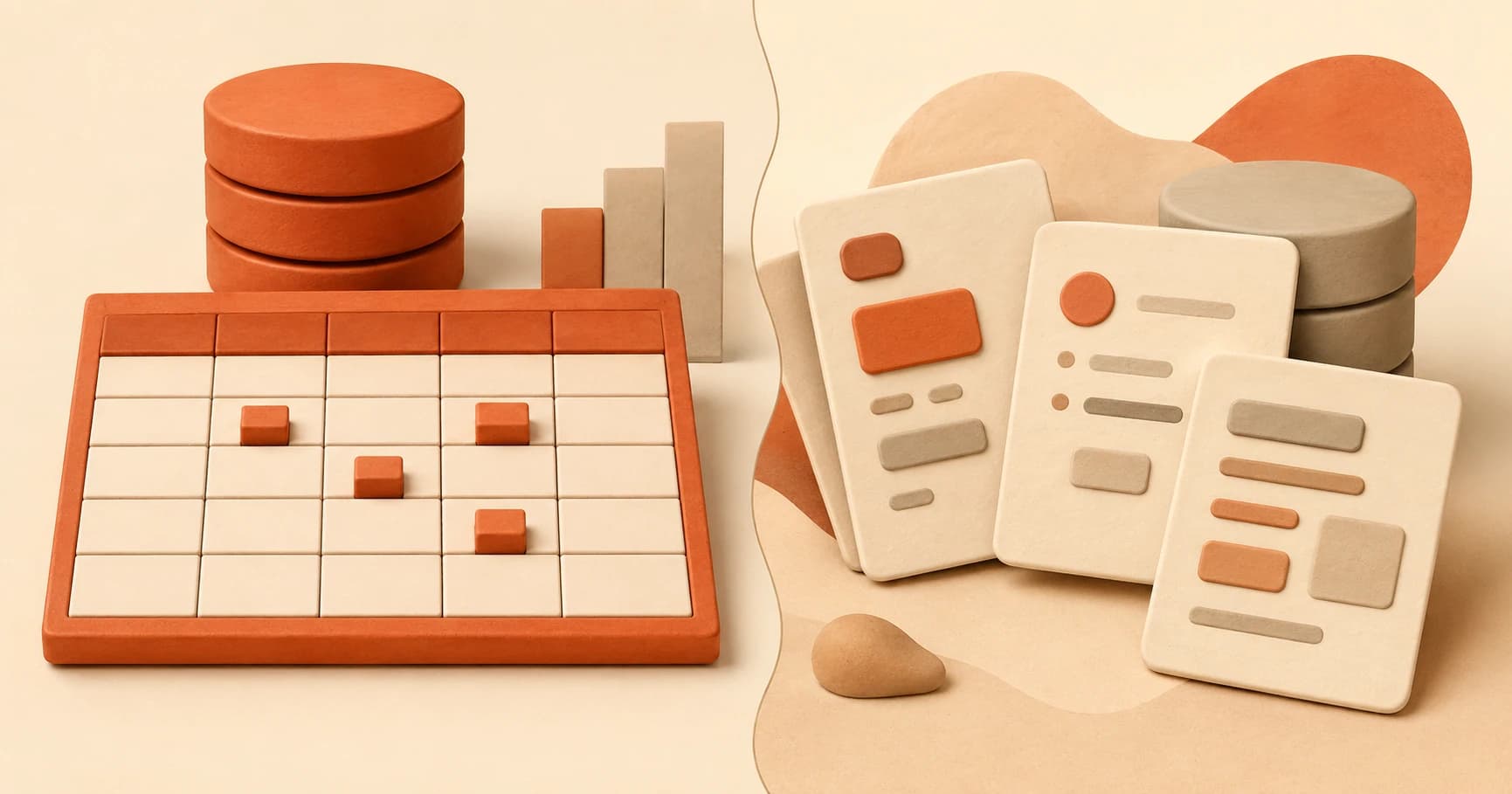
You open your new Supabase project, feeling good about having a real database. Then you search "database tutorial" and land on a video about MongoDB, "NoSQL," and a completely different way of storing data. Did you just set up the wrong thing?
You didn't. SQL and NoSQL are two families of databases, not a right-and-wrong choice. Supabase, which you set up in your first database, is a SQL database (specifically Postgres). This lesson explains what makes SQL and NoSQL different, and why SQL is the sensible default for what you're building here.
Key Takeaways
- SQL databases store data in strict tables where every row has the same columns, like a spreadsheet.
- NoSQL databases store data as flexible documents, where each record can have a different shape.
- Neither one is "better," they're built for different kinds of data.
- Supabase (Postgres) is a SQL database, and it's a fine, sensible default for almost any beginner AI project.
What Is a SQL Database?
A SQL database organizes information into tables with a fixed structure: every row follows the same columns, decided ahead of time. A users table might always have id, name, and email, and every single user row fills in those exact same three fields, nothing more, nothing less.
That rigidity is a feature, not a limitation. It means the database can enforce relationships between tables, a message row can point to exactly one user row, and SQL can ask precise questions across both at once. PostgreSQL's own documentation describes this relational model as the reason SQL databases stay reliable even as an app's data gets more connected and complex.
Skip understanding this, and structured data like user accounts or chat sessions starts to feel harder to organize than it needs to be, because you're fighting the tool instead of using its actual strength.
What Is a NoSQL Database?
A NoSQL database stores data as flexible documents instead of fixed rows, closer to the JSON objects from earlier lessons. One user's document might have five fields, another user's might have eight, and the database doesn't complain either way.
That flexibility matters when your data's shape genuinely changes often, or when you don't know in advance what every record will contain. A product catalog with wildly different attributes per item (a book has an author, a laptop has a processor) is a classic NoSQL-friendly case. GeeksforGeeks' comparison of the two models covers this tradeoff in more technical depth if you want it.
Miss this distinction, and a beginner picks NoSQL by default assuming it's more "modern," then fights the lack of structure the moment their data actually does have clear, repeatable relationships, which is exactly the case for almost every early AI project.
The Same Data, Two Ways
Here's the same piece of information, stored the SQL way and the NoSQL way. First, a row in a SQL messages table:
id | role      | content
1  | user      | What is an AI agent?
Now the same information as a NoSQL-style document:
{
  "id": 1,
  "role": "user",
  "content": "What is an AI agent?"
}
Same three pieces of information, organized two different ways. The SQL row lives inside a table where every other row must match that same shape. The NoSQL document stands on its own, and the next document in the same collection could have extra fields or missing ones without breaking anything.
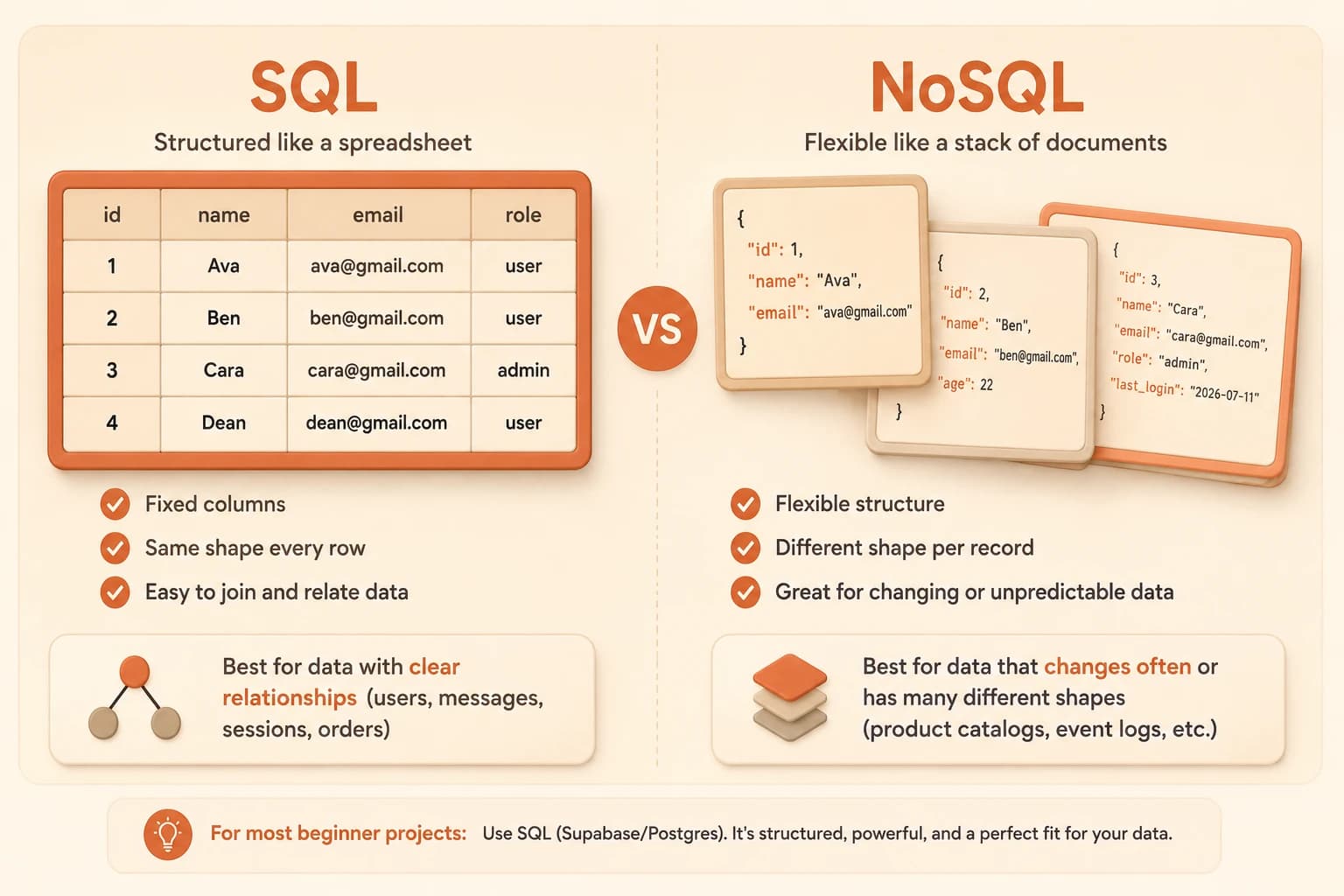
I still find it worth seeing both side by side even after years of mostly writing SQL, because it's easy to forget that "structured" and "unstructured" describe the same underlying facts, just organized with different amounts of enforced consistency. Miss that, and the WHERE clauses you write in the next lesson feel like memorized incantations instead of questions about rows you can already picture.
Neither format is storing "better" data here, they're storing identical data. The difference is entirely in how strict the container around it has to be.
So Which One Should You Use?
SQL vs NoSQL, at a glance
| SQL | NoSQL | |
|---|---|---|
| Structure | Fixed columns, same shape every row | Flexible, shape can vary per record |
| Best for | Structured data with clear relationships | Data that changes shape often |
| Example | Users, messages, sessions | Product catalogs with wildly different fields |
| Used in this course | Yes, via Supabase/Postgres | Not needed |
For this course, and for most beginner AI projects, use SQL, specifically the Supabase/Postgres setup from the last lesson. Your data (users, messages, sessions) is structured and the relationships between those things matter, exactly what SQL is built for.
NoSQL is worth knowing exists. It's not worth learning deeply right now, and switching to it later isn't something you need to plan for in advance. Pick the tool that fits the data you actually have, and right now, that's SQL.
View a table as rows and columns
In your Supabase project's SQL Editor (left sidebar), run this query against any existing table (Supabase projects include a small sample schema, or use a table you create in a later lesson):
SELECT * FROM your_table;
Replace your_table with an actual table name visible in your Table Editor.
Look at the result: rows going down, columns going across. That's the exact SQL structure from this lesson, not an abstraction.
Done? You've completed Lesson 07.05.
FAQ