Where Do AI Agents Run in an App? Inside the Backend
Where do AI agents run in an app? Inside the backend you already built, as a loop that calls the LLM and tools until the task is done.
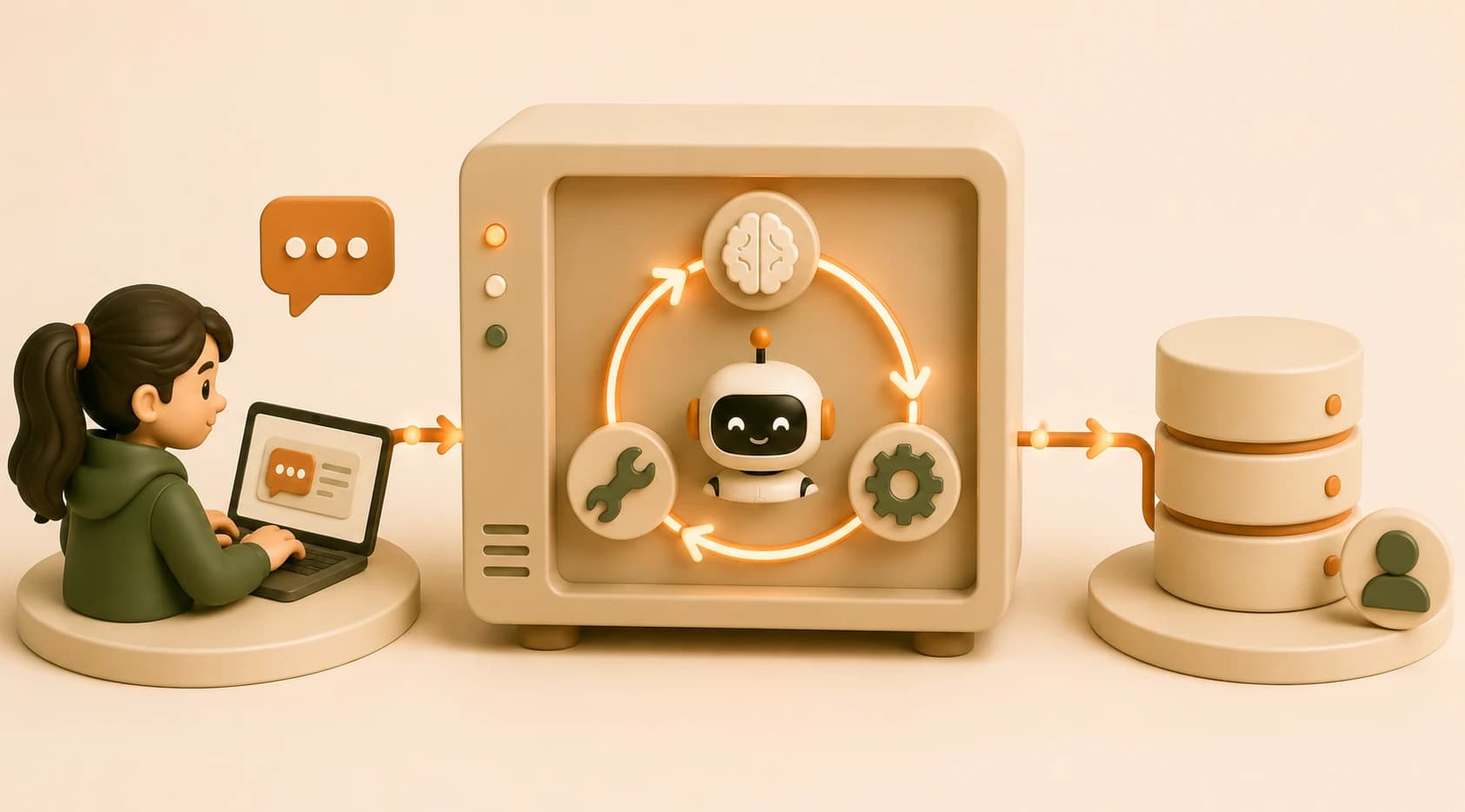
It's 11pm, your chat app just answered a question by actually looking something up instead of guessing, and you go to find the "agent" in your code so you can show a friend. You can't find it. There's no agent.py file, no separate agent server running on its own port, nothing labeled "agent" at all. That's not a bug in your project. That's the whole point of this lesson.
So where do AI agents run in an app? Not in a separate box. An agent runs inside the backend you already built in lesson 07.01, as a loop, sitting right where a single Claude API call used to sit in a plain chatbot. Everything in this lesson zooms into step 4 of the three-layer request flow, the moment the backend talks to Claude, and shows you exactly what changes when that one call becomes a loop.
Key Takeaways
- An agent is a pattern of backend code, not a separate service, server, or architectural box
- The difference between a chatbot and an agent is one LLM call versus a loop of LLM calls checking for
stop_reason == "tool_use"- Tools (web search, database queries, calculators) run as real code on the backend, never inside the model itself
- The frontend never sees individual tool calls, it just waits and gets the final answer like any other request
Chatbot vs Agent: One Call vs a Loop
The distinction below is worth pinning down properly, since it's easy to blur, see Chatbot vs Agent for the deeper dive once you're past this lesson.
A plain chatbot is the simplest possible version of step 4: the backend gets a user message, sends it to Claude, gets one response back, and sends that response to the frontend. One LLM call, done. That's everything you built through Module 07 so far.
An agent changes what happens after that first call. Instead of always returning a final answer, Claude can respond with stop_reason == "tool_use", essentially saying "I need more information before I can answer this." If you skip this branch, your agent silently behaves like a plain chatbot that occasionally gives worse answers, because it never gets the chance to look anything up.
I've shipped a version of this where I checked the response text for phrases like "I would need to search" instead of checking stop_reason properly, and it missed cases constantly. Check the field the API actually gives you, not a guess about the wording.
What Happens Inside the Loop
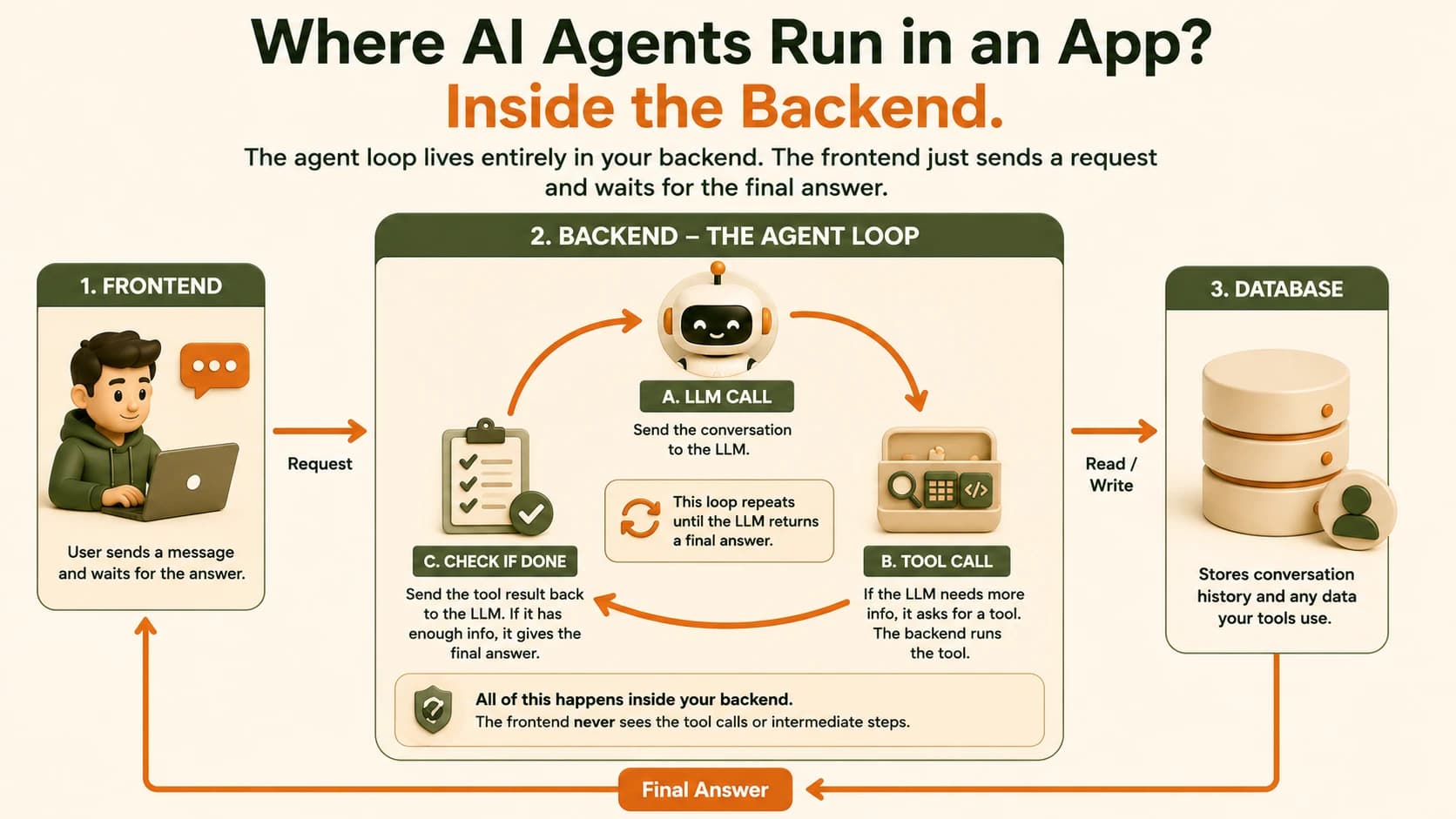
When Claude returns tool_use, the backend runs this sequence, same while loop shape from lesson 05.05:
- Run the requested tool: a web search, a database query, a calculation, whatever real code the tool actually is
- Send the tool's result back to Claude as part of the conversation
- Claude either asks for another tool, or returns a final answer
- If it's a final answer, exit the loop. If not, repeat from step 1
Skip step 4's exit check and you get a real production problem: the loop runs forever, burning API calls and money with nothing to show for it. Most real agents cap the loop at a fixed number of rounds (ten is common) as a hard backstop, independent of whatever logic decides the task is done.
The tool itself is never AI. A web search tool is a function that calls a search API. A database tool is the SELECT/WHERE query from lesson 07.06. Claude decides when to call a tool and what to call it with, your backend code does the actual calling.
Where Does Agent Logic Actually Live?
Agent logic lives entirely inside the backend, as a loop wrapped around the same LLM call from lesson 07.01. Frontend sends one request, same as always. Backend runs the loop (LLM call, check tool_use, run tool, LLM call again, repeat) as many times as needed. Database stores the conversation the same way it did in lesson 07.07, one row per message, tool calls included if you want that history preserved.
The frontend never sees any of the intermediate rounds. It sends one POST request and gets one response back, exactly like the plain chatbot in lesson 07.01. If your agent takes three tool calls to answer a question, the frontend waits a little longer for that one response. It doesn't need a single line of new code to "support" an agent, because from its point of view, nothing changed.
If you're building this for real: log every round of the loop (which tool ran, what it returned) somewhere you can read later. The first time an agent loops five times instead of the one you expected, that log is the only way to see why.
You Now Have Every Piece You Need
Look back at what got you here. The terminal from Module 02. Git from Module 04. Python, dictionaries, and that same while loop from Module 05. The request/response pattern and JSON from Module 06. The backend server, the database, and the full three-layer journey from this module. None of it was wasted, and none of it was separate from what an agent is. An agent is just those pieces, arranged into one loop, doing the thing you've been building toward the whole time.
This is what the rest of Seekvana, the Agentic AI pillar, is about. You now have every piece you need to start. The last step is getting all of this off your laptop and onto a server the whole internet can reach. That's next. Keep going on your path when you're ready for what comes next.
Detect a tool_use response in code
Create a file called check_tool_use.py with this content:
response = {
    "stop_reason": "tool_use",
    "content": [
        {
            "type": "tool_use",
            "name": "web_search",
            "input": {"query": "AI agent frameworks 2026"}
        }
    ]
}

if response["stop_reason"] == "tool_use":
    tool_call = response["content"][0]
    print(f"Claude wants to call: {tool_call['name']}")
    print(f"With input: {tool_call['input']}")
else:
    print("Claude gave a final answer, no tool needed.")
Run it: python check_tool_use.py
You should see:
Claude wants to call: web_search
With input: {'query': 'AI agent frameworks 2026'}
Now change "stop_reason" to "end_turn" and re-run it. You should see the else branch print instead.
This if response["stop_reason"] == "tool_use" check is the entire branch that separates a chatbot from an agent, everything else in this lesson's loop hangs off this one line.
Done? You've completed Lesson 07.09.
FAQ