What Is a Build Process? A Plain-English Explainer
A build process transforms your source code into a production-ready form before it goes live. Here's what happens during that step and why it matters.

You push your code, and a screen says "Building..." Nothing else. No details, just a spinner and a timer ticking up, and you have no idea if it's supposed to take this long or if something has quietly gone wrong.
A build process is the step where your platform takes your raw source code and turns it into the exact form a server needs to actually run it: installing your dependencies, checking for errors, and sometimes compiling or bundling files together. It's not decoration and it's not optional. It's the thing standing between "code that works on my laptop" and "code that works on the internet," the same problem you solved for environment variables last lesson.
Key Takeaways
- A build process installs dependencies, checks your code for errors, and sometimes compiles or bundles files, before anything goes live
- You've already watched this happen twice, in lesson 09.03 (Vercel) and lesson 09.04 (Render), without it being named
- Your Python backend's build is simple: mostly just installing packages from
requirements.txt- If a build fails, your old, working version usually stays live instead of breaking
What Actually Happens During a Build?
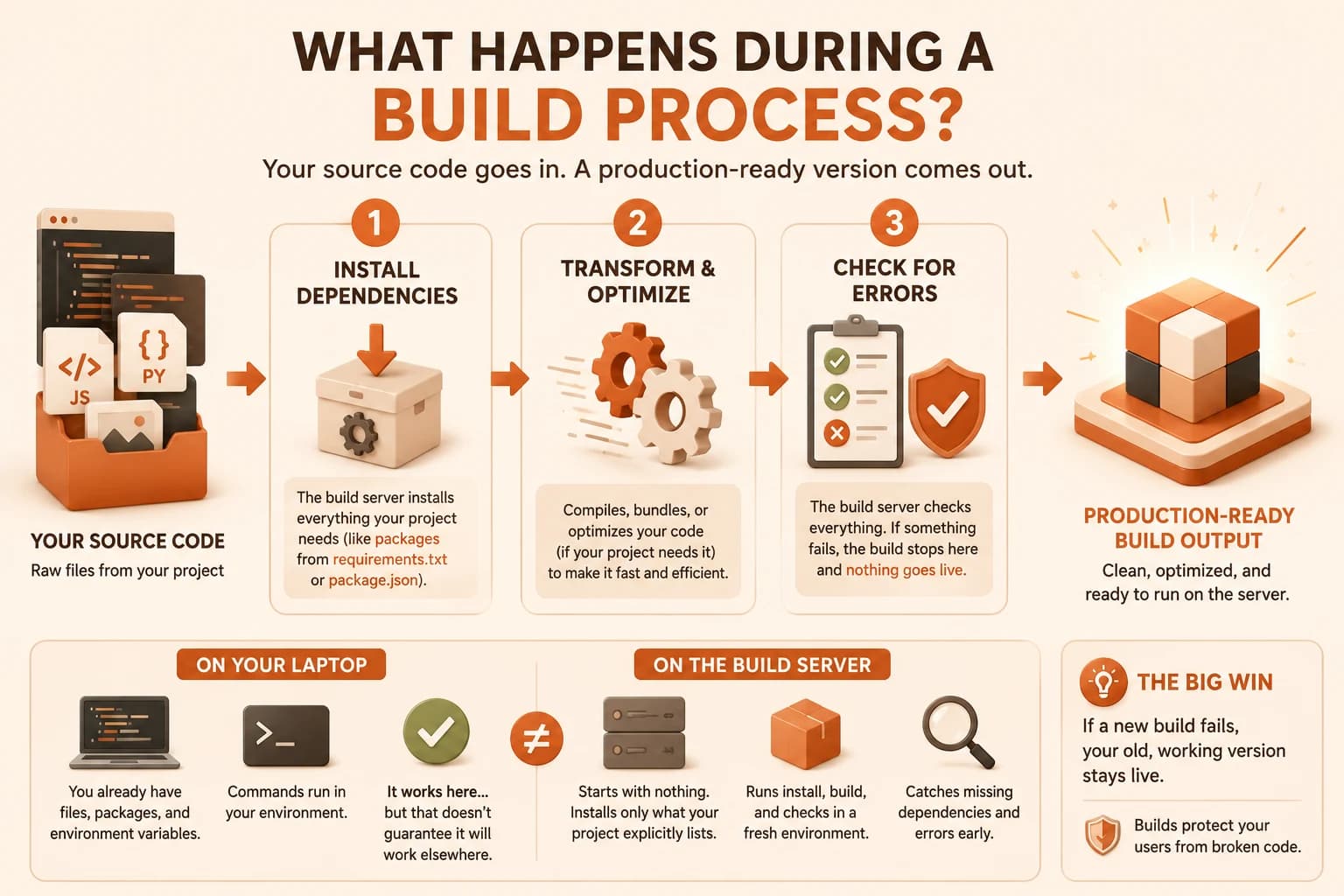
A build takes three passes over your project, in order. First, it installs every dependency your code needs, the same job your package manager does on your own laptop, just running on someone else's machine this time. Second, if your project uses a framework or needs compiling, it transforms your source files into the leaner, faster form a browser or server actually runs.
Third, and this is the part that matters most, it checks whether any of that failed.
That third pass is the whole reason this step exists. A platform won't let broken code anywhere near your live URL. If a dependency is missing, or your code has an error significant enough to stop the process, the build fails right there, before your users ever see it.
For a simple static frontend, made only of HTML, CSS, and plain JavaScript, there's often barely a build at all. Vercel can serve those files directly. The build step becomes something you actually notice once a project has dependencies or a framework attached, which is exactly the two projects you deployed in this module.
Your Backend's Build Is Already Simple
Your FastAPI app from lesson 07.01, deployed to Render in lesson 09.04, already goes through this exact process, and you've already watched it happen. When Render builds your project, it reads your requirements.txt and runs the same pip install your terminal ran locally, just on Render's server instead of yours. That's the entire build for a small Python backend: install the packages, confirm nothing's missing, then start the server with uvicorn main:app.
There's no compiling, no bundling, no minifying, none of the extra steps a JavaScript framework's build does. I still find that reassuring even now: the smaller the build, the less that can go wrong in it, and yours is about as small as builds get.
A more complex frontend project, one using React or another framework, has a heavier build: npm run build bundles multiple JavaScript and CSS files into fewer, optimized ones, so the browser loads less and loads faster. This project's own npm run build command does exactly that. Same concept, different amount of work, depending on what the project actually needs.
Locally, pip install -r requirements.txt and npm run build feel like separate, unrelated commands you learned at different points in the course. On a deployment platform, they're doing the same job: preparing your code to run somewhere that isn't your laptop.
Why a Failed Build Doesn't Break Your Live Site
Here's the part that should actually make builds feel safer, not scarier: if a new build fails, your platform doesn't touch your currently live version. The old, working deployment keeps serving traffic exactly as it was, while the broken new version simply never goes live at all.
This is the opposite of the old manual way of shipping code, where uploading a broken file directly overwrote whatever was working before, and your site went down until you fixed it and re-uploaded.
A build failing loudly, before it reaches your users, is the system working as intended. It's not a wall stopping you. It's a gate that keeps a mistake from ever becoming your users' problem.
That's also why reading a build log calmly matters more than panicking when you see a red "Failed" message. The failure already did its job. Nothing broke publicly. You just need to find the one line that says what went wrong. It's one more skill on the Getting Started path you're working through.
A "Building..." spinner that runs longer than you expected almost always means it's still installing dependencies or bundling files, not that anything's stuck. Give it a minute before assuming something's wrong.
Read a real build log
Go to your Vercel dashboard, open your most recent deployment from lesson 09.07 (or whatever deployment is most recent now if that one has aged out), and click into its details.
Find the "Build Logs" section and read through it.
Identify: what commands ran (look for words like "install" or "build"), and roughly how long the whole process took.
Write one sentence describing, in your own words, what you think happened during that build, based on what you read.
Done? You've completed Lesson 09.09.
FAQ