Vercel Alternatives for Deployment: The Full Landscape
Netlify, GitHub Pages, Cloudflare Pages, Railway, and Fly.io explained simply: what each is for and whether you need to switch.

You finish wiring up your production database, feeling good, and then open a tutorial that says "just push to Railway." Your stomach drops a little. Did you pick the wrong tool back when you deployed your backend? Is there a "correct" platform you missed?
There isn't. Vercel and Render are excellent, widely-used defaults, not the only options that exist. This lesson gives you a fast map of the other names you'll run into: Netlify, GitHub Pages, and Cloudflare Pages on the frontend side, Railway and Fly.io on the backend side. By the end, you'll recognize these platforms when they come up and know roughly what each one is for.
Key Takeaways
- Netlify, GitHub Pages, and Cloudflare Pages all do the same job as Vercel: host your frontend and auto-deploy when you push to GitHub
- Railway and Fly.io do the same job as Render: run your backend and database
- Railway no longer has a permanent free tier: it dropped that in 2024, unlike when many older tutorials were written
- These platforms overlap heavily; picking one and shipping beats researching all six
Frontend Alternatives to Vercel
These three do what Vercel did for you: connect to your GitHub repo and redeploy automatically every time you push.
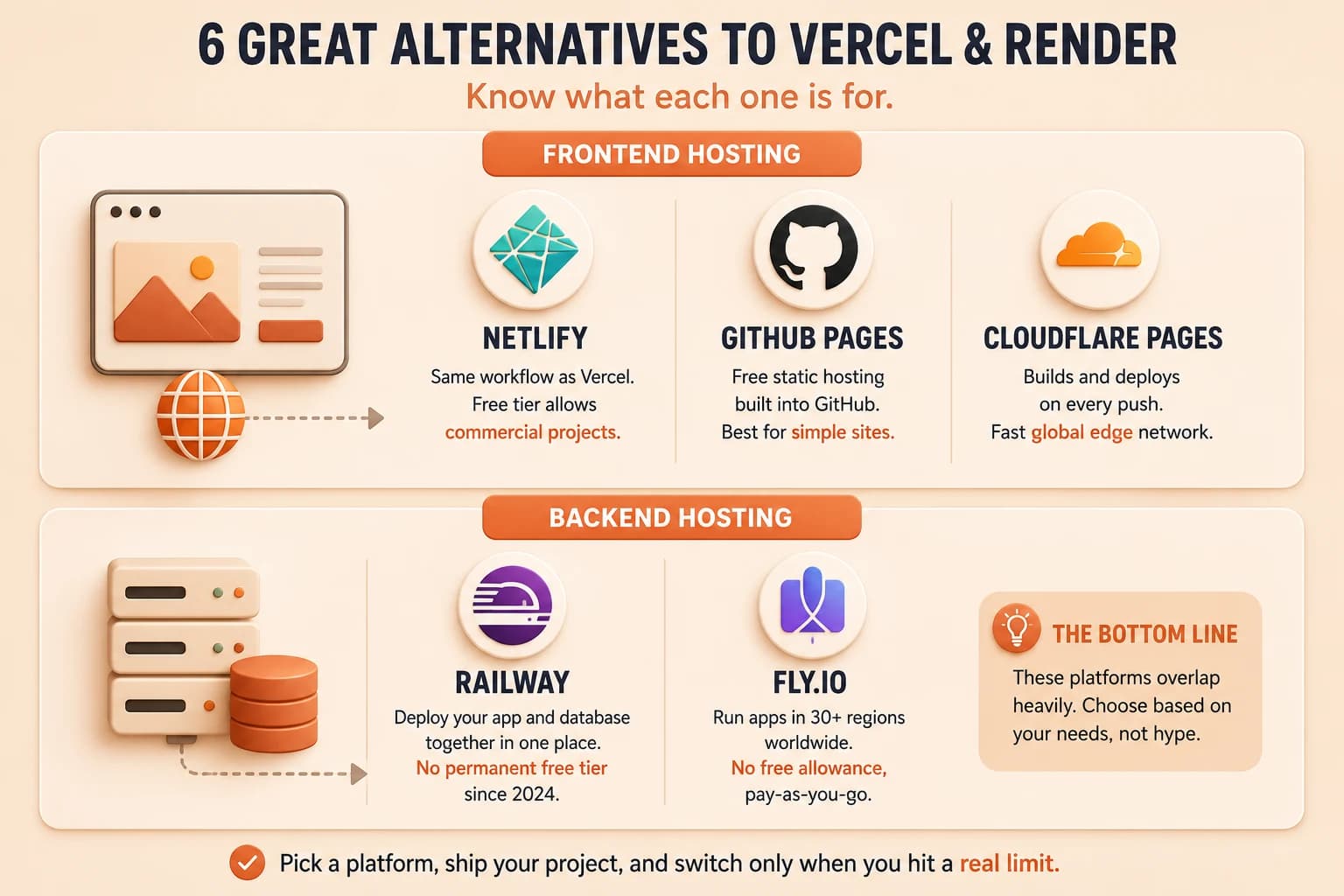
Netlify works almost identically to Vercel: same git-connected workflow, same automatic preview deployments for pull requests. The one real difference worth knowing: Netlify's free tier permits commercial projects, while Vercel's free "Hobby" plan is for personal, non-commercial use only. If you ever plan to sell something on the site you're building, that distinction matters later.
GitHub Pages is free static hosting built directly into GitHub itself: no separate signup, no new account to manage. It only serves static files (HTML, CSS, client-side JavaScript), so it can't run the kind of backend you built in lesson 09.04. For a simple portfolio or docs site with no backend at all, it's the least setup of any option here.
Cloudflare Pages works like Netlify: connect your repo, and Cloudflare builds and deploys on every push. What sets it apart is Cloudflare's edge network: your site gets served from whichever of Cloudflare's global locations is closest to each visitor, which shows up as faster load times for people far from the US.
Skip any of these and nothing breaks. Not knowing GitHub Pages exists, though, means you might pay for hosting a static site that GitHub would host for free.
Frontend platforms at a glance
| Platform | Same category as | Best for |
|---|---|---|
| Netlify | Vercel | Commercial projects on a free tier |
| GitHub Pages | Vercel (static only) | Simple static sites already on GitHub |
| Cloudflare Pages | Vercel | Global audiences, fastest edge delivery |
Backend Alternatives to Render
These two do what Render did for you: run your server code and, usually, your database.
Railway has a dashboard and workflow a lot like Render's: deploy your backend and database from one place. Here's the part worth getting right, because a lot of older tutorials get it wrong: Railway does not have a permanent free tier anymore. It dropped that in August 2024. New accounts get a one-time trial credit worth a few dollars that expires in about a month, and after that you're on a paid Hobby plan starting around five dollars monthly. If you follow a guide that says "deploy for free on Railway," check the date on it first. I've been caught by this exact thing on an older tutorial: the steps were fine, the pricing assumption underneath them wasn't.
Fly.io gives you more control over exactly where your app physically runs. It deploys containers across more than thirty regions worldwide, which matters if your users are spread out and latency between regions is a real concern. That control comes with more configuration than Render asks for, and no free allowance either: even a minimal always-on app runs a couple of dollars a month.
Assuming either of these is free the way Render's free tier still is will cost you a surprise charge on a card you forgot you'd linked. That's the actual risk here, not picking the "wrong" backend platform.
Backend platforms at a glance
| Platform | Same category as | Best for |
|---|---|---|
| Railway | Render | Compute + database in one dashboard, usage-based pricing |
| Fly.io | Render | Latency-sensitive apps needing specific server regions |
Render's own free tier (used in lesson 09.04) still exists as of this writing: free static hosting, 750 hours of instance time a month, and a Postgres database that expires after 90 days. Always double-check current pricing on the platform's own site before committing, since these terms change.
Do You Need to Switch Platforms?
Almost certainly not right now. These five platforms overlap heavily in what they do: three do roughly the same job as Vercel, two do roughly the same job as Render. Reading this lesson doesn't mean you should evaluate all six before your next project; it means you'll recognize these names the next time a tutorial or a coworker mentions one, instead of wondering if you missed something important. When it is time to pick for a specific project, a three-question decision framework makes the call for you.
Real developers switch platforms when they hit a specific, concrete limit: a cost that gets too high at scale, a region their users need that their current platform doesn't offer, or a feature only one platform has. That's a decision you make later, with a real reason in front of you, not something to research speculatively today. If you want to see where this fits into the bigger picture, the Getting Started path lays out the full sequence.
Note one reason for and against each platform
Using the comparison in this lesson, write one sentence for each of the five alternative platforms (Netlify, GitHub Pages, Railway, Fly.io, and Cloudflare Pages) explaining why you would or would not choose it for your own next project. There's no wrong answer here, the goal is recognition, not a final decision. You already have working deployments on Vercel and Render; this just expands your map.
Done? You've completed Lesson 09.06.
FAQ