ReAct Agent Pattern Explained: Build the Loop Yourself
ReAct interleaves reasoning and tool calls through the tool_use stop reason. Build the raw loop yourself and see exactly what LangChain automates.
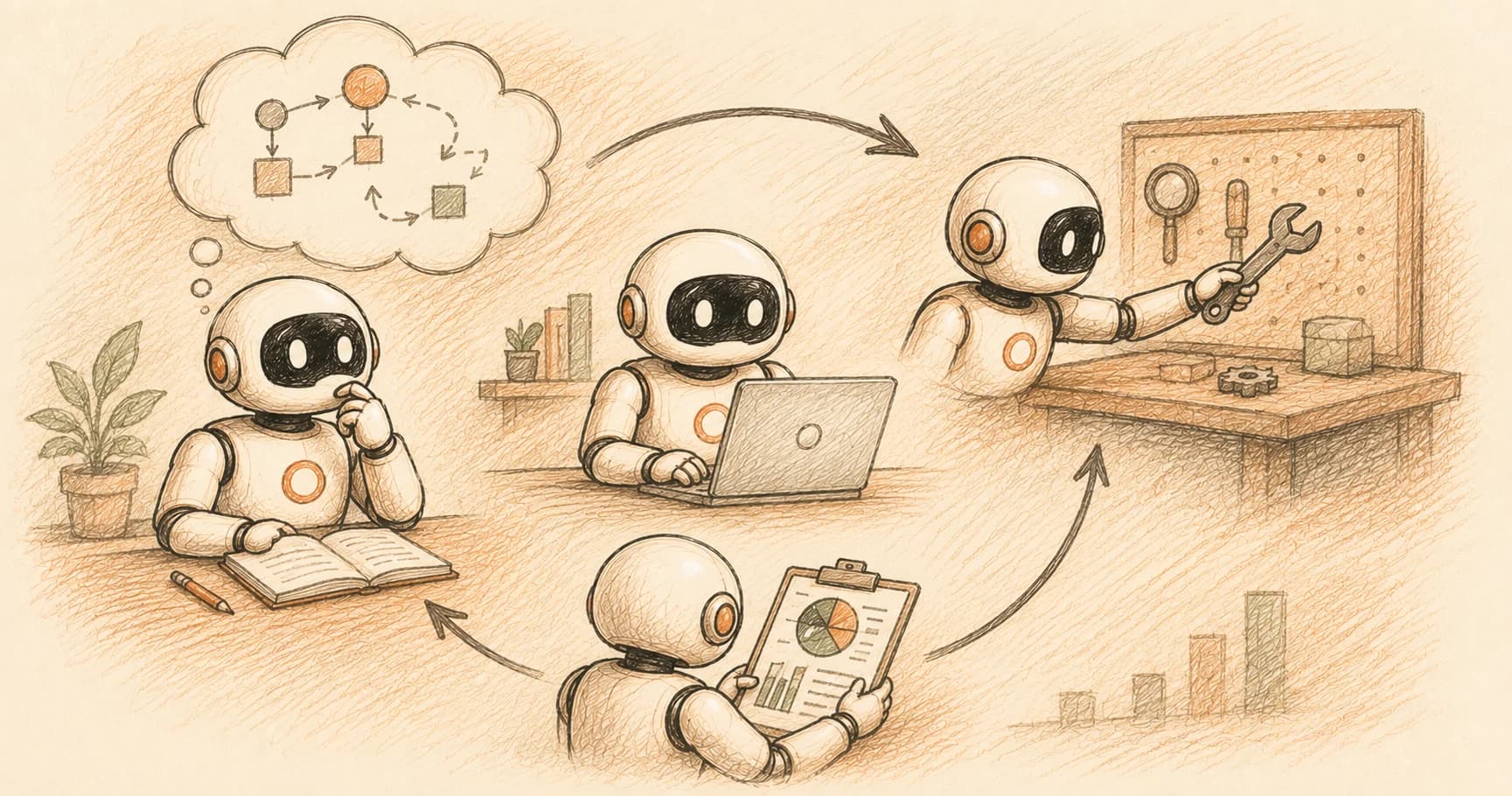
My first hand-built agent loop hung for eleven seconds on the second turn. I'd written the code assuming that once the model decided to call a tool, the model would somehow just... call it. It doesn't. The model names the tool and stops talking. Your code is the one that has to notice, run it, and hand the result back. Until you write that part, the loop just sits there.
ReAct (Reason + Act) is an agent pattern where the model alternates between an explicit reasoning step and a tool call, reading back the result before deciding what to do next. Mechanically, each tool call is the model pausing generation with a tool_use stop reason: it names a tool and its arguments, your code executes it, and you send the result back as a tool_result so the loop can continue. This is the mechanism that LangChain's create_react_agent and Claude Code's own loop are both built on top of.
Key Takeaways
- ReAct interleaves a Thought (reasoning), an Action (tool call), and an Observation (tool result) in a repeating loop until the model has enough to answer.
- The model never runs a tool itself, it stops with
stop_reason: "tool_use", and your code is responsible for execution.- Each tool call carries a
tool_use_idthat ties the result you send back to the specific call the model made, which matters once more than one call is in flight.- You can hand-build a working ReAct loop in under 40 lines of Python against the raw API, no framework required to understand the mechanism.
- Frameworks like LangGraph automate this exact loop plus retries, streaming, and multi-tool orchestration, which is why they're worth adopting once you've seen what's underneath.
What Is the ReAct Agent Pattern?
ReAct is a prompting and agent-design pattern where a language model interleaves reasoning traces with actions, so that each decision about what to do next is informed by an explicit "thought" step rather than jumped to directly. The name comes from the 2023 paper "ReAct: Synergizing Reasoning and Acting in Language Models", written by researchers at Princeton and Google Research and presented at ICLR. Skip this distinction and an agent quietly reverts to plain chain-of-thought: it reasons well but never checks its reasoning against anything real, so a confident wrong guess sails through unchallenged.
The core loop has three parts, repeated as many times as needed:
- Thought, the model reasons about the current state and what it needs to do next
- Action, the model calls a tool to gather information or take a step
- Observation, the result of that tool call gets added to what the model can see
You already met the reasoning half of this in the last lesson's chain-of-thought work. ReAct is what happens when that reasoning step is no longer just producing better prose, but deciding which tool to call and with what arguments. This is the same territory the agentic AI field maps out more broadly: reasoning and acting, combined. The paper itself found this combination beat both reasoning-only and acting-only baselines on multi-hop question answering and interactive decision-making, because the reasoning traces help the model track a plan across turns while the actions let it pull in real information instead of guessing.
Before agents had first-class tool calling, ReAct was implemented purely through prompting: a system prompt taught the model to output literal Thought:, Action:, and Observation: lines as text, and your code parsed those strings to figure out what to do. If you want the prompting-only version of this idea, Beyond the Prompt covers it as a technique in its own right.
The React Agent Pattern's Mechanical Heart: the tool_use Stop Reason
A ReAct loop's Action step is, under the hood, the model responding with stop_reason: "tool_use" instead of finishing its answer. When you give Claude a tool definition and it decides to use one, the API response stops early and includes one or more tool_use content blocks, each with an id, a name, and an input object holding the arguments. Your application reads that block, runs the actual tool, and sends the result back in a new message as a tool_result block tagged with the matching id.
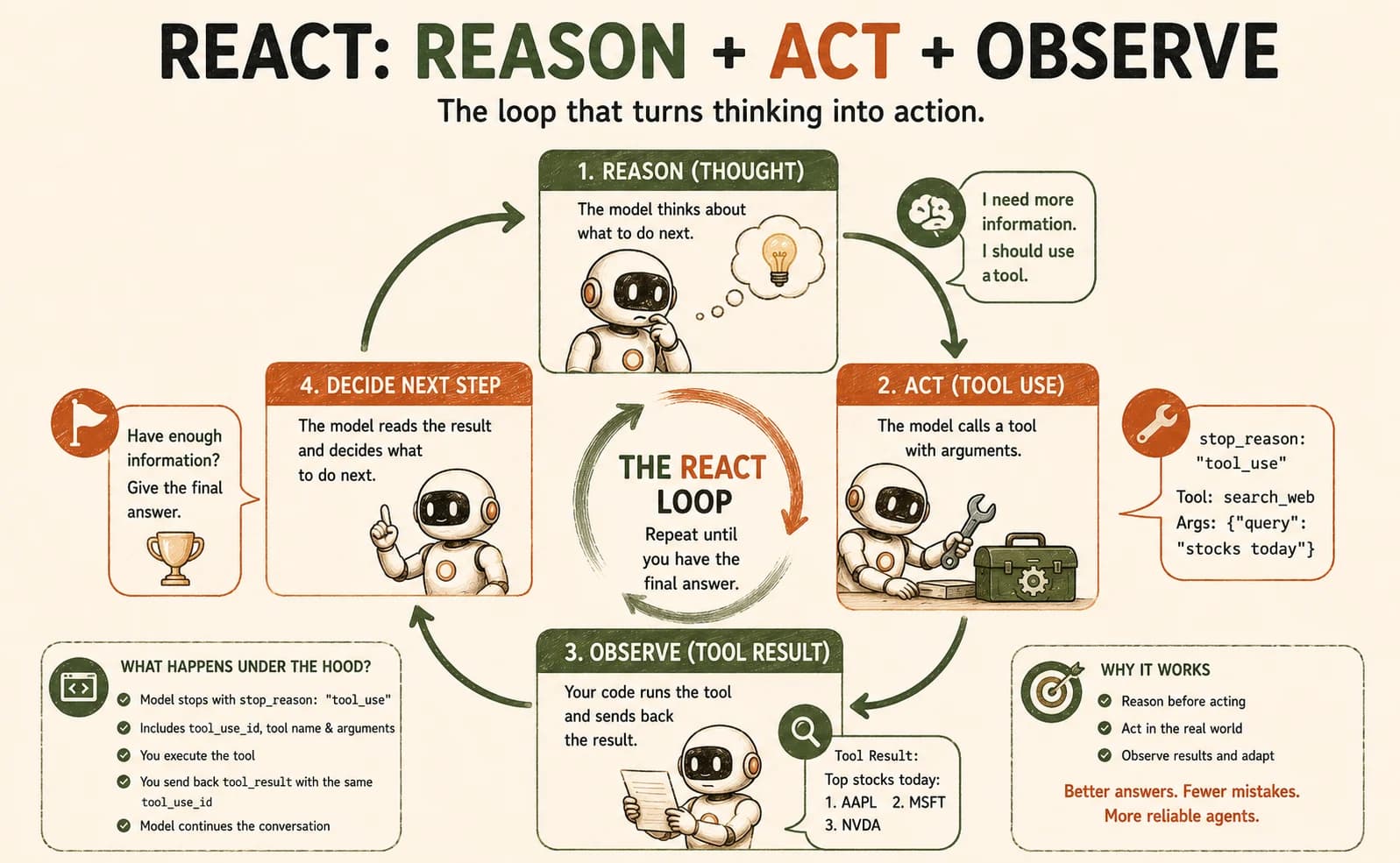
That round trip is the entire mechanism. There's no step where the model executes code, hits an API, or touches a database: it only ever produces text describing what it wants called. Miss this and you'll write a loop that waits forever for the model to do something it was never going to do. Here's what that looks like end to end, using a minimal search tool:
import anthropic

client = anthropic.Anthropic()

tools = [{
    "name": "search",
    "description": "Search for information on a given query.",
    "input_schema": {
        "type": "object",
        "properties": {"query": {"type": "string"}},
        "required": ["query"],
    },
}]

messages = [{"role": "user", "content": "How tall is the Burj Khalifa?"}]

response = client.messages.create(
    model="claude-sonnet-5",
    max_tokens=1024,
    tools=tools,
    messages=messages,
)

# response.stop_reason is "tool_use" here: the model wants to call `search`
tool_use = next(b for b in response.content if b.type == "tool_use")
print(tool_use.name, tool_use.input)  # "search" {"query": "Burj Khalifa height"}
Nothing has actually searched anything yet. The model handed you a request; running it is on you.
By default, tool_choice is set to {"type": "auto"}, meaning the model decides per turn whether a tool call is warranted or a direct answer will do. You can force a tool call with a different tool_choice value, but for a ReAct loop the default is usually correct. You want the model reasoning about whether to act, not just how.
Build Log: Hand-Building a Minimal ReAct Loop
Building the loop itself is smaller than it looks once you see the shape: check the stop reason, and either you're done or you have work to do.
def run_search(query: str) -> str:
    # Stand-in for a real search call: return a short fact string.
    return "The Burj Khalifa is 828 meters (2,717 feet) tall."

while True:
    response = client.messages.create(
        model="claude-sonnet-5",
        max_tokens=1024,
        tools=tools,
        messages=messages,
    )
    messages.append({"role": "assistant", "content": response.content})

    if response.stop_reason != "tool_use":
        final_text = next(b for b in response.content if b.type == "text")
        print(final_text.text)
        break

    tool_use = next(b for b in response.content if b.type == "tool_use")
    result = run_search(tool_use.input["query"])

    messages.append({
        "role": "user",
        "content": [{
            "type": "tool_result",
            "tool_use_id": tool_use.id,
            "content": result,
        }],
    })
That eleven-second hang I mentioned at the top happened because my first draft of this loop had no break condition tied to stop_reason. I was checking whether the response contained a tool_use block instead of whether the model had actually stopped for one, and a stray tool reference in the model's own explanation kept the loop convinced there was more work to do. Reading stop_reason directly, not guessing from content, is what fixed it.
Run this on a real question and the model will keep calling search and reading results back until it has enough to answer directly. At that point stop_reason flips to "end_turn" and the loop exits.
Annotating the Transcript: Reason / Act / Observe
Labeling a real transcript this way is what lets you spot which step actually failed when an agent gives a wrong answer, instead of blaming "the model" for a bug that was really in your Observation formatting. Here's what a real two-turn run of that loop produces, with each step labeled against the classic ReAct vocabulary:
Thought (implicit in the model's tool choice, made visible if you ask it to reason before acting): the user is asking about a specific measurement I don't have memorized precisely; I should search for it.
Action: tool_use block, search({"query": "Burj Khalifa height"}), carrying a tool_use_id like toolu_01A9q90qw90.
Observation: the tool_result block sent back with content: "The Burj Khalifa is 828 meters (2,717 feet) tall.", tagged with that same tool_use_id.
Thought → final answer: on the next turn, the model has the fact it needed and responds with stop_reason: "end_turn" and a text block giving the height directly.
That tool_use_id matching is the detail that matters most once you have more than one tool call in flight. It's how the model, and your code, knows which result answers which question, rather than assuming results arrive in the order they were requested.
What LangChain/LangGraph Actually Automates
LangGraph's create_react_agent builds exactly the loop above, plus the plumbing you'd otherwise write yourself. It manages the message history, retries a failed tool call, streams intermediate steps, and gives you hooks for logging. The decision logic underneath, though, is the same check-stop-reason-then-branch structure you just wrote by hand.
Knowing the raw loop changes what breaks look like once you're inside a framework. If a LangGraph agent seems to ignore a tool result, or repeats the same call, you can now guess the actual cause: a mismatched ID, a response the framework didn't recognize as tool_use, a tool that returned something the model couldn't parse. That's a real diagnosis instead of treating the framework as a black box you can only restart.
Raw loop vs. framework loop
Raw tool_use loop (this lesson) | LangGraph create_react_agent | |
|---|---|---|
Who checks stop_reason | You, explicitly | The framework, internally |
| Retries on a failed tool call | You write it | Built in |
| Streaming intermediate steps | You write it | Built in |
| What you can debug when it breaks | Everything, because you wrote it | Only what the framework exposes |
Your Lab
Set up a scratch file
Create a new Python file (or have Claude Code scaffold one) with the Anthropic SDK installed. Define one simple tool, a calculator or a search stand-in like the one above, with a clear name, description, and input_schema. If you're hand-writing the Python yourself rather than directing an agent, Getting Started covers the basics this lab assumes.
Write the loop
Hand-write the while-loop from the Build Log section above: call the API, check response.stop_reason, and either print the final answer or run the tool and send back a tool_result. Don't copy a framework's implementation, type it yourself or direct Claude Code to write it while you trace every line.
Run it on a real task
Ask a question your tool can actually answer (a calculation, a lookup your stand-in function covers) and run the loop until it produces a final answer. Print stop_reason and the tool name at every turn so you can see the pattern.
Annotate the transcript
In a new file, paste the printed transcript and label each turn as Thought, Action, or Observation, the same way the "Annotating the Transcript" section above does. Note the tool_use_id on at least one Action/Observation pair.
Commit to learning-log.md
Commit the scratch file and your annotated transcript to learning-log.md in your repo.
Done? You've completed Lesson 16.02.
FAQ