MCP Architecture: How Host, Client, and Server Work
MCP architecture has three roles, host, client, server, talking over JSON-RPC. Here's how a real request actually flows, traced hop by hop from start to finish.
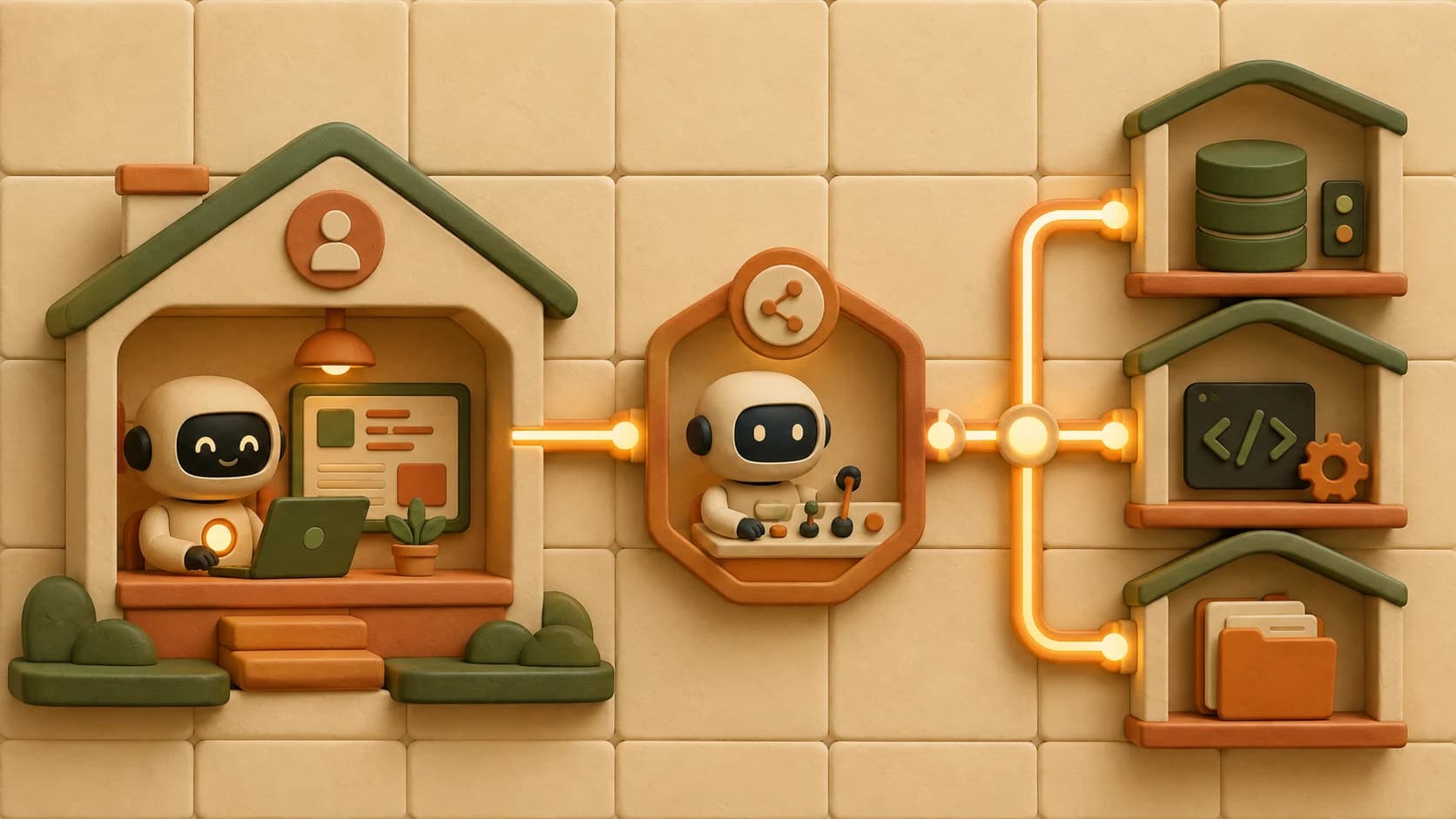
You added an MCP server, restarted your editor, and the tool just isn't there. No error, no red banner, nothing in the chat. You're left guessing whether the problem is the server, the config, or something in between.
The previous lesson covered why MCP exists at all: the N×M integration problem it replaces. This one covers the "how", the actual pieces that make an AI agent able to reach a tool through MCP in the first place.
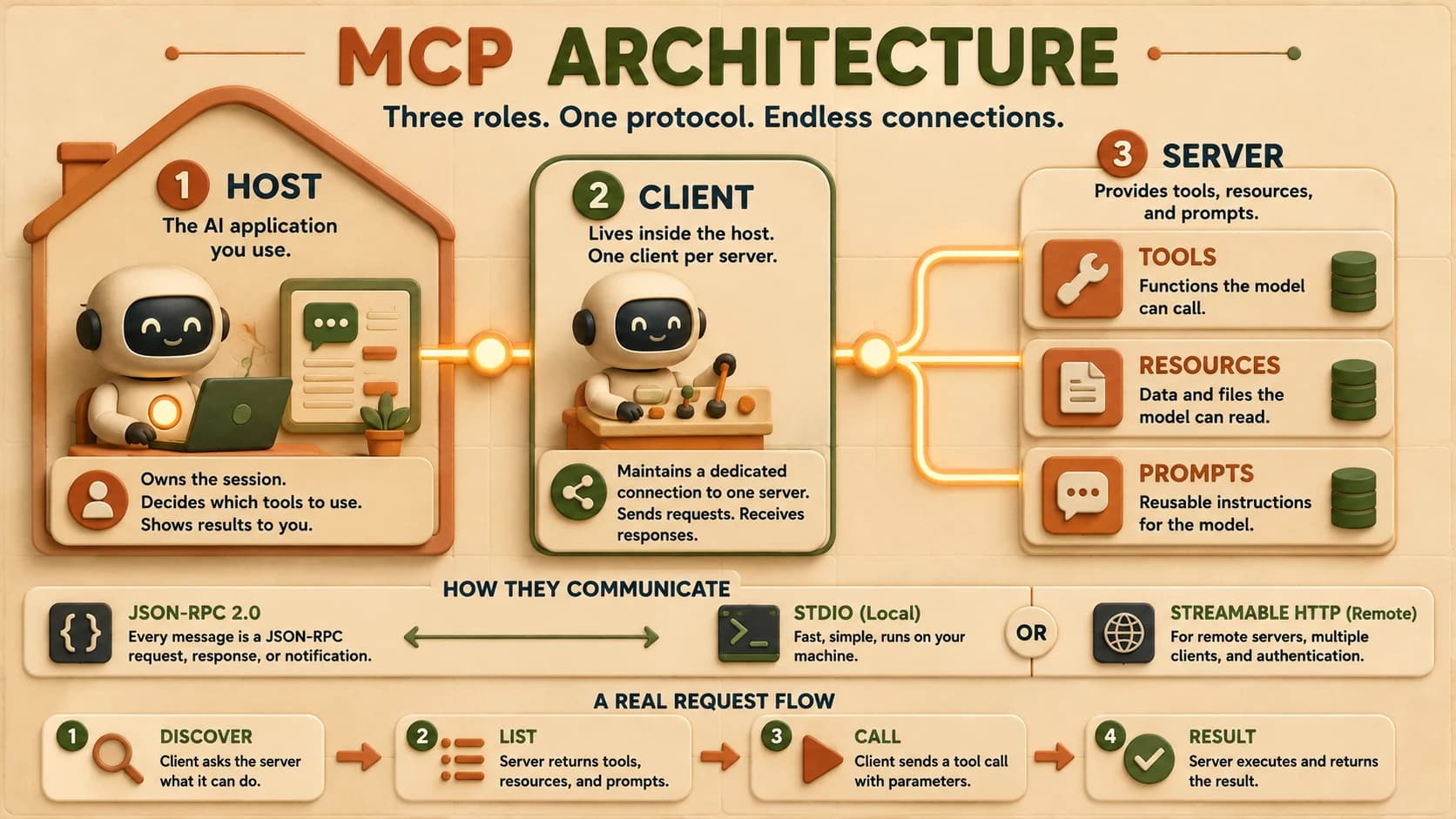
MCP architecture has three roles: a host (the AI application itself), a client living inside that host (one per connected server), and a server that exposes tools, resources, and prompts. All three talk to each other in JSON-RPC 2.0, sent over stdio for a local server or Streamable HTTP for a remote one. Once you know which of those three pieces owns which job, "the tool isn't there" stops being a mystery and becomes a specific hop you can check.
Key Takeaways
- MCP is a client-server protocol with three roles: host, client, server, not two, and not one
- The client is not a separate app; it's a component inside the host, with exactly one client per connected server
- Every exchange is JSON-RPC 2.0, whether it travels over stdio (local) or Streamable HTTP (remote)
- A request's real lifecycle is discover → list → call → result, and each hop is a place something can silently fail
- The protocol's exact terms shift over time; this lesson dates its terminology to keep you from debugging against a stale mental model
What Is MCP Architecture?
MCP architecture is the division of labor between three participants: the host application, the client component inside it, and the server that provides context. Each has one job, and confusing them is the single most common source of "why isn't this working" moments.
Think of it like a phone system. The host is the building, the client is the extension inside it dialing out, and the server is whoever picks up on the other end. You don't call "the building," you call through a specific extension to a specific line, and if the wrong extension is unplugged, nothing rings.
The Host: Where the Agent Lives
The host is the user-facing application you actually open: Cursor, Claude Code, Claude Desktop, or any custom app that embeds a model.
It owns the whole session. When you type a message, the host is what decides which connected servers might be relevant, hands the model their tool definitions, and routes any tool call the model wants to make out to the right place. If MCP breaks in a way that affects every server at once, that's usually a host-level problem: a stale restart, a config file the host isn't reading, a permission setting blocking all outbound connections.
You've already met this role without the label. Every time you've opened Cursor or Claude Code and it "just knows" what tools are available, that's the host doing its coordination job in the background.
The Client: One Connection, One Server
The client is where most people's mental model goes wrong first: it is not a separate application you install. It's a component that lives inside the host, and the host creates a new one for every server it connects to.
Connect to a filesystem server and a GitHub server at the same time, and the host spins up two distinct client instances, each maintaining its own dedicated connection. Add a third server and you get a third client.
This one-client-per-server rule is deliberate: it keeps each connection's state, capabilities, and failures isolated from the others, so a broken GitHub connection doesn't take down your filesystem tools too.
If a specific server's tools vanish while everything else still works, the problem almost always sits in that one server's dedicated client connection, not in the host as a whole. That isolation is the fastest triage signal you have.
This is also why "restart the MCP client" isn't really a command you run directly. You restart the host (or the specific server), and the host recreates the client connections underneath it.
The Server: What Gets Exposed
The server is the program that actually does something: it exposes tools, resources, and prompts, and it can run locally on your machine or remotely on someone else's.
A local server is just a process the host launches and talks to over stdin/stdout. A remote server is a real network service, reachable over Streamable HTTP, that can serve many clients from many hosts at once. Same protocol, same three primitives, different deployment shape. "MCP server" refers to the program serving context, regardless of where that program happens to be running.
Get this wrong and you'll design a server for the wrong deployment from day one, building auth into something meant to stay local, or shipping a stdio-only tool that a teammate can never reach.
JSON-RPC 2.0: the Shared Language
Every exchange between client and server, no matter which transport carries it, uses JSON-RPC 2.0 as the message format. It's a compact, well-established spec for encoding a method call and its response as JSON.
A request names a method and carries parameters; a response carries either a result or an error, matched back to the request by an id; a notification is a one-way message that expects no reply at all. Here's the shape of a real request:
{
  "jsonrpc": "2.0",
  "id": 2,
  "method": "tools/list",
  "params": {}
}
That's the entire wire format for asking a server what tools it has. Everything MCP does, tool discovery, resource reads, prompt templates, notifications about changes, rides on this same small structure. Skip understanding this shape and every log line you look at later stays noise instead of a diagnosable message.
Stdio vs Streamable HTTP in MCP Architecture
MCP defines two transports, and choosing between them comes down to one question: does anything besides you, on this one machine, need to reach this server?
Stdio launches the server as a subprocess and talks to it over standard input and output. There's no network, no firewall question, and critically, no authentication handshake at the transport level, a stdio server is expected to pull any credentials it needs straight from the environment it's running in. That makes it fast and simple, and exactly right for a personal tool running on your own laptop.
Streamable HTTP turns the server into a real network service, reachable at a URL over HTTP POST with optional streaming for long-running responses. It supports standard web authentication (bearer tokens, API keys, OAuth), and it's the only option once you need a server reachable by more than one client, by people who aren't you, or from a browser-based app.
The decision in one line: start with stdio while you're prototyping alone, move to Streamable HTTP the moment a second person, a second machine, or an auth requirement shows up.
Registering either transport with a host is a one-line command in Claude Code; see adding MCP servers to Claude Code for the exact syntax and how project scope shares that config with a team.
A Request's Full Lifecycle, Traced
Theory is easy to nod along to and hard to debug against. Here's what an actual tool call looks like as it crosses the host → client → server boundary and comes back.
First, the client asks the server what it can do:
{
  "jsonrpc": "2.0",
  "id": 2,
  "method": "tools/list",
  "params": {}
}
The server replies with the tools it exposes, including a name, description, and input schema for each one. The host folds that list into what it hands the model. When the model decides to use one, the client sends a call:
{
  "jsonrpc": "2.0",
  "id": 3,
  "method": "tools/call",
  "params": {
    "name": "weather_current",
    "arguments": { "location": "San Francisco" }
  }
}
The server executes whatever real work sits behind weather_current and replies with a result, which the client hands back to the host, which folds it into the model's context as the tool's output. That's the whole loop: discover, list, call, result. Every one of those four hops is a place a server can be unreachable, a schema can mismatch, or a permission can quietly block execution, and knowing the hops means you know exactly where to look first.
I've had a tools/call request sit there with no visible error at all, and the only way I found the actual cause was turning on the host's MCP log output and watching which hop the request never made it past. The UI told me nothing; the log told me everything.
Why the Terminology Keeps Shifting (2026 Note)
As of the protocol's 2026-07-28 revision, the capability-negotiation step is called server/discover, not the older initialize handshake that a lot of still-circulating tutorials describe. The same revision deprecated the Sampling and Logging client primitives in favor of direct LLM-provider integration and standard logging tools. This module is flagged for quarterly re-verification for exactly this reason: treat any specific method name here as dated to 2026-07-28, and check the current spec before you build against it months from now.
Your Lab
Turn on MCP logging
In Cursor or Claude Code, enable verbose MCP logging for one connected server (both tools expose this in their MCP settings/output panel). If you don't have a server connected yet, use any local reference server you can install in a few minutes.
Trigger one tool call
Ask the agent a question that can only be answered by calling that server's tool. Watch the log output appear as the request goes out.
Label every hop
In the raw log, find and label four things: the discovery/list request, the server's tool list response, the actual tools/call request with its arguments, and the final result that came back. Copy the relevant lines into a new section of your notes.
Commit it
Save the annotated log as a new entry in learning-log.md (the same file you started in Module 17, or a fresh one), with a short note on what each hop was doing. Commit it with a message like "18.02: traced one MCP tool call."
Done? You've completed Lesson 18.02.
FAQ