Cursor Rules and AGENTS.md: Portable Agent Memory
Cursor rules live in .cursor/rules/, but AGENTS.md is the open standard many agents read. Here's how to write both so memory travels with you.

You write a rule telling Cursor to never leave a stray console.log in committed code. A week later, one shows up in a diff anyway. You go check the rule file, confused, half-convinced the model just ignored you, which is exactly the complaint that shows up on Cursor's own community forum: "If we can't trust it to use our rules how can we rely on any output?"
Usually the rule wasn't ignored. It never loaded in the first place.
Cursor rules are scoped .mdc files that live in .cursor/rules/ and only Cursor reads them; AGENTS.md is a plain-markdown, cross-tool standard that Cursor, Claude Code, Codex, and twenty-plus other agents read natively. Writing your agentic memory in both formats means the same house rules travel with you between editors, instead of living in just one, and understanding how each one activates is what stops a rule from silently going quiet.
Key Takeaways
- Cursor rules live in
.cursor/rules/*.mdc, each with one of four activation modes; the old single.cursorrulesfile is deprecated- AGENTS.md is a Linux Foundation-stewarded open standard: plain markdown, no frontmatter, read by 20+ agents including Claude Code
- The most common "broken" Cursor rule is actually a scoping or activation-mode mismatch, not a bad rule
- Nested AGENTS.md files follow the same "closest file wins" precedence you already learned for the CLAUDE.md hierarchy
- Writing the same instruction twice, once per format, costs a few minutes and buys you portability across every agent you touch
What Are Cursor Rules?
Cursor rules are project-specific instructions, stored as .mdc files inside a .cursor/rules/ directory, that steer how Cursor's agent behaves without you retyping the same guidance into every chat.
Each .mdc file carries a small YAML frontmatter block and a markdown body:
---
description: Enforce no console.log in committed backend code
globs: ["src/server/**/*.ts"]
alwaysApply: false
---
Never leave a console.log statement in code you're about to commit.
Use the project's logger (src/lib/logger.ts) instead.
That frontmatter is what decides when the rule fires, and it's the part most people skip reading. Cursor supports four activation modes:
- Always Apply, loaded into every single request, no matter what file you're touching. Equivalent to the old
.cursorrulesbehavior. - Apply Intelligently, the agent reads the rule's
descriptionand decides for itself whether the current task is relevant. - Apply to Specific Files, scoped by the
globsfield, like thesrc/server/**/*.tspattern above; it only loads when you're working inside a matching path. - Apply Manually, dormant unless you explicitly mention it with
@rule-namein chat.
The legacy format, a single .cursorrules file sitting in your project root, still works. Cursor keeps reading it, but it's deprecated and frozen: every activation mode above, plus per-rule scoping, only exists for .mdc files, per Cursor's own rules documentation. If you're still on .cursorrules, migrating is three steps: create a new rule from the command palette, paste your old content in, set it to Always Apply, then delete the original file.
When a rule you're sure is correct doesn't seem to fire, check its activation mode before you touch the wording. A rule scoped to Apply Manually or to a glob that doesn't match your current file is doing exactly what it was configured to do: nothing, in this context.
What Is AGENTS.md?
AGENTS.md is a plain-markdown file at the root of a repository that works as a "README for agents", a single, predictable place for build commands, code style, and conventions that any coding agent can read, not just Cursor's. Skip it, and every new tool that touches the repo starts from zero: a teammate's Codex session, a CI agent, or Claude Code on a machine that's never seen your .cursor/rules/ all have to be told the same things again.
There's no required structure. No frontmatter, no special syntax, no schema to validate against: it's markdown, and an agent parses whatever text you put there. A typical file covers setup commands, how to run tests, code-style conventions, and anything the agent needs before it touches your code:
# AGENTS.md

## Setup
Run `npm install` then `npm run dev`. Node 20+ required.

## Testing
Run `npm test` before committing. All new logic needs a test.

## Code style
No console.log in committed code: use src/lib/logger.ts.
Prefer named exports over default exports.
The format was formalized as an open specification in August 2025, led by OpenAI with Google, Cursor, and Factory participating, and in December 2025 it was donated to the Linux Foundation's Agentic AI Foundation for long-term governance, per the official AGENTS.md project. More than 60,000 repositories now use it, and it's read natively by Codex, Cursor, Copilot, Gemini CLI, Aider, Windsurf, Zed, Claude Code, and over a dozen other tools.
Like the CLAUDE.md hierarchy from the previous lesson, AGENTS.md supports nested files: a subdirectory can carry its own AGENTS.md, and an agent reading the tree uses the closest file to whatever it's editing, falling back to the root file for everything else.
Cursor Rules vs AGENTS.md vs CLAUDE.md
Cursor rules, AGENTS.md, and CLAUDE.md compared
Cursor Rules (.mdc) | AGENTS.md | CLAUDE.md | |
|---|---|---|---|
| Format | Markdown + YAML frontmatter | Plain markdown, no frontmatter | Plain markdown |
| Read by | Cursor only | 20+ agents (Cursor, Claude Code, Codex, Copilot, Gemini CLI…) | Claude Code |
| Activation control | Four modes: always, auto-attached, agent-requested, manual | Always read in full (root or nearest nested file) | Always loaded per session |
| Nesting / precedence | Team Rules > Project Rules > User Rules | Nearest file in the directory tree wins | Root vs user vs path-scoped, @import-able |
| Best for | Fine-grained, Cursor-specific scoping | Cross-tool instructions any agent should follow | Claude Code-specific project memory |
The practical takeaway: if a rule only matters inside Cursor and needs precise scoping (a lint rule that should only load for files matching a glob, say), write it as a .mdc file. If it's a fact every agent touching this repo needs regardless of which one shows up, AGENTS.md is the one file that reaches all of them, Claude Code included.
Writing One Scoped Cursor Rule and Its AGENTS.md Equivalent
The same instruction, expressed twice, looks like this. Here's a rule against leaving debug output in committed backend code, first as a Cursor .mdc file at .cursor/rules/no-console-log.mdc:
---
description: Block committed console.log statements in backend code
globs: ["src/server/**/*.ts"]
alwaysApply: false
---
Never leave a console.log statement in code you're about to commit
in src/server/. Use the project logger at src/lib/logger.ts instead,
which tags output with a severity level and a request ID.
And as a section inside the repo's root AGENTS.md, where any agent, not just Cursor, will read it:
## Code style

Never leave console.log statements in committed server code
(src/server/). Use the logger at src/lib/logger.ts, which adds
a severity level and request ID that plain console output lacks.
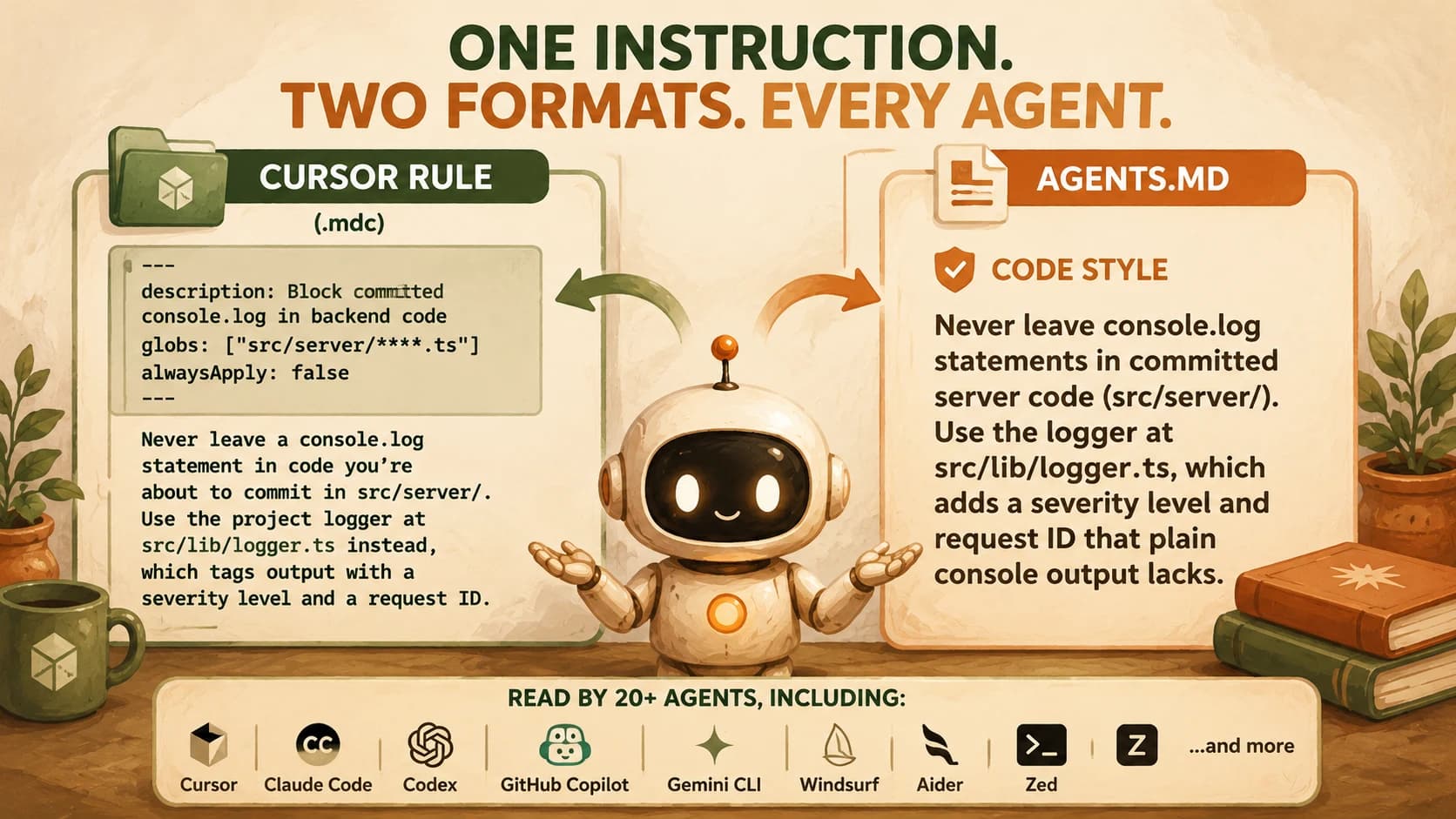
The content is identical; only the container changes. In Cursor, open a file under src/server/ and ask the agent to add a debug line: the .mdc rule should surface in its reasoning or refuse outright. In Claude Code, open the same repo and ask it the same thing: it should cite the AGENTS.md section instead, since that's the file it reads by default when there's no CLAUDE.md present.
If a repo has both a CLAUDE.md and an AGENTS.md, Claude Code prefers its own file. Keeping the two in sync (or just @import-ing shared content into CLAUDE.md, per the hierarchy from last lesson) avoids the two files quietly drifting apart.
Which File Loads Where?
Every rule format resolves conflicts the same way: the most specific, closest file wins over a broader one, and an agent-specific file wins over a shared one.
For Cursor, the precedence order is Team Rules (organization-wide, server-managed) over Project Rules (.cursor/rules/, version-controlled) over User Rules (synced to your account across machines). For AGENTS.md, it's purely about proximity: an agent looks for the nearest AGENTS.md in the directory tree above the file it's editing, so a packages/api/AGENTS.md overrides the root file for anything inside packages/api/.
I've had a Cursor rule sit for weeks doing nothing because it was set to Apply Manually back when I first drafted it and never got flipped to Always Apply once it stopped being experimental. The fix was a one-line frontmatter edit, but finding it meant opening the rule file itself, not re-reading the instructions inside it for the tenth time. That's the debugging move worth remembering: when a rule seems ignored, check how it loads before you touch what it says.
Your Lab
Write a scoped Cursor rule
In a real repo open in Cursor, create .cursor/rules/your-rule.mdc. Pick one real convention from your own project (a naming pattern, a forbidden function, a required test). Give it a description, a globs pattern scoped to where it applies, and set alwaysApply: false.
Confirm it fires
Open a file matching your glob and ask Cursor's agent to do something that would violate the rule. Confirm it follows the rule or explicitly cites it. Then open a file that does NOT match the glob and confirm the rule stays silent: that's the scoping working correctly, not a bug.
Write the AGENTS.md equivalent
In the same repo's root, create or open AGENTS.md and add a ## Code style (or equivalent) section containing the same instruction in plain markdown, no frontmatter.
Confirm it steers Claude Code
Open the same repo in Claude Code (a fresh session, no CLAUDE.md present, or delete it temporarily) and ask it to do the same violating action. Confirm it follows or cites the AGENTS.md instruction.
Commit and log
Commit both files. In learning-log.md, paste the two file contents and a one-line confirmation of what each tool did when tested.
Done? You've completed Lesson 19.08.
FAQ