How Does Tool Calling Work: The tool_use Loop Explained
How does tool calling work? The model stops mid-turn, emits a tool_use block naming a tool and its input, and your code runs it and returns a tool_result.
I once spent twenty minutes convinced a framework had "decided" to call the wrong tool. Then I printed the raw response and saw the actual problem: two tools with near-identical descriptions, and the model had no way to tell them apart. The framework's log didn't show that. The raw JSON did.
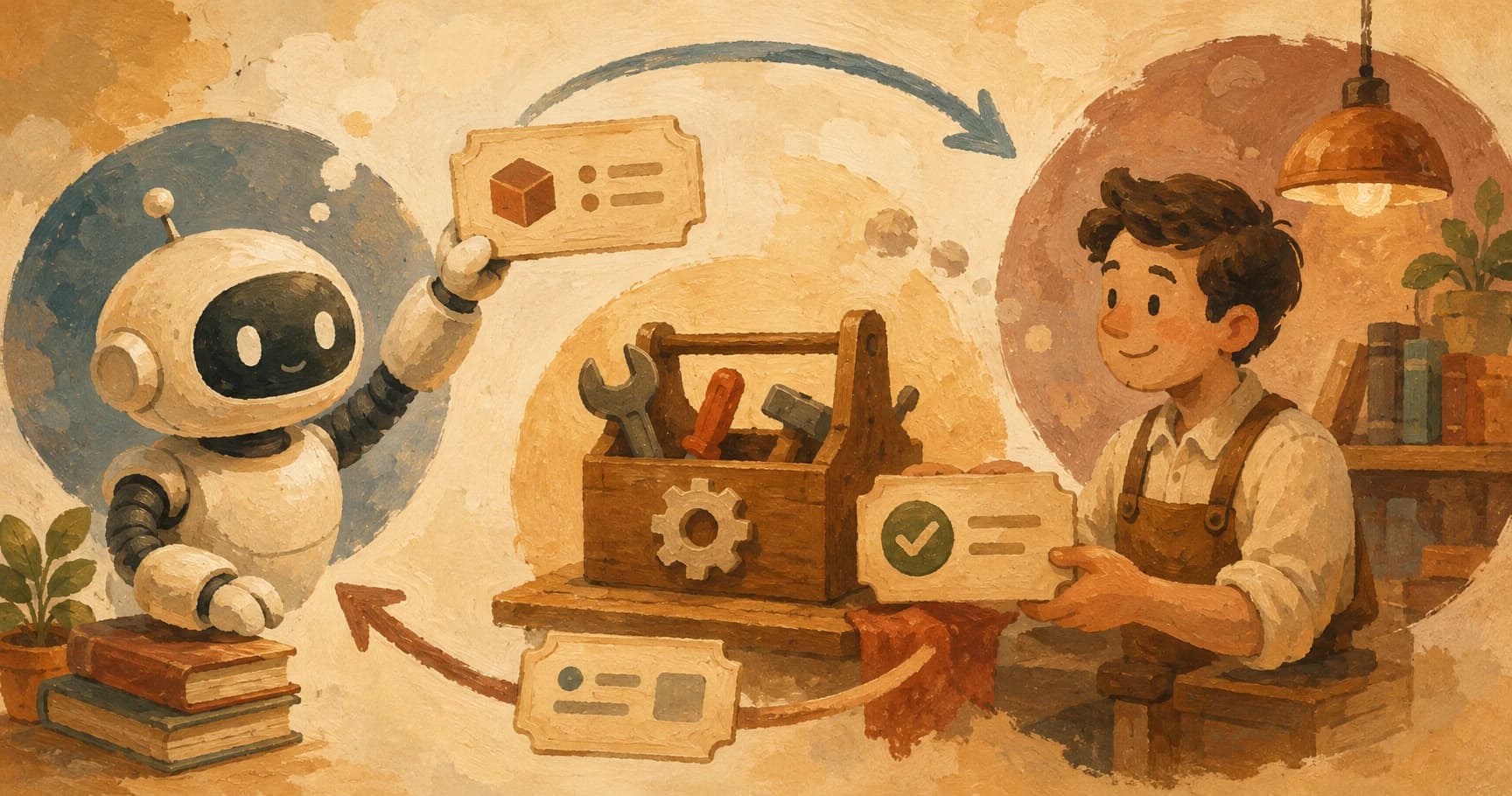
So how does tool calling work, exactly? The model never calls the tool itself, it stops, emits a tool_use block naming a tool and its arguments, and hands control back to your code. Your code runs the real operation, appends the result as a tool_result, and sends everything back so the model can continue. Execute, append, repeat, until the model has what it needs to answer. (You'll also see this called function calling, same mechanism, different name.)
Key Takeaways
- The model never executes a tool itself, it emits a structured request and stops
- A
tool_useblock always has three parts: anid, aname, and aninputobject- Your code runs the real operation and sends the result back as a
tool_resulttagged with that sameid- The loop keeps running as long as
stop_reasonis"tool_use", any other stop reason means the model is done- This mechanism is nearly identical across Claude, OpenAI, and custom harnesses, only the field names shift slightly
What Tool Calling Actually Means
Tool calling is a contract, not an action: you describe what a tool does and what shape its inputs take, and the model decides when to invoke it, but never runs it.
That word "contract" matters more than it sounds like it should. When you give a model a tools array in your request, you're handing it a menu, not a remote control. The model reads the menu, decides an item fits what it needs to do, and asks for it by name. It has no way to reach past that request and actually execute anything, no filesystem access, no network call, nothing. If a tool call happens, it's because your application chose to run it. This handoff is the exact hinge point that turns a plain model into something worth calling an agent.
This is the piece most tutorials gloss over by jumping straight to a working code snippet. The snippet works, but it hides the actual handoff: the model stops. It doesn't keep generating text and quietly run a function in the background. It ends its turn early, with a specific signal saying "I need this before I can keep going," and waits.
That printed-raw-response moment I mentioned earlier is worth being specific about: the framework I was using logged a single line, [Tool: search_docs] called, and nothing about why. Only the raw tool_use block showed the actual input the model had generated, and from there the fix, a clearer tool description, was obvious in under a minute. The abstraction that's supposed to save you time can also be exactly what hides the bug.
If you've read this path's lesson on the ReAct loop, this will feel familiar. ReAct describes how agents call tools at the reasoning level (think, act, observe); tool calling is the specific protocol-level mechanism that makes the "act" step possible.
The Four Fields That Make Up a Tool Call
A tool_use block always carries the same three fields plus one you defined ahead of time: an id, a name, an input object, and the input_schema you declared for that tool.
Here's what a raw block actually looks like when the model wants to call a tool:
{
  "type": "tool_use",
  "id": "toolu_01A2b3C4d5",
  "name": "get_current_time",
  "input": {
    "timezone": "America/New_York"
  }
}
Four things are doing all the work here:
id: a unique tag for this specific call. You'll need it again in a moment.name: which tool from your declared list the model is asking for.input: the arguments, shaped to match theinput_schemayou defined when you declared the tool.input_schema: not shown above, it lives in your original request. This is the JSON Schema that constrains whatinputis allowed to look like.
Get any one of these wrong and the failure is invisible until it isn't: a mismatched schema produces a malformed input, and your code either crashes on a missing field or silently runs with the wrong argument. This is the same idea as a function signature in any programming language: a name and a set of typed parameters. The only real difference is that the caller proposing the call is the model, not another part of your own code.
How Does Tool Calling Work, Step by Step?
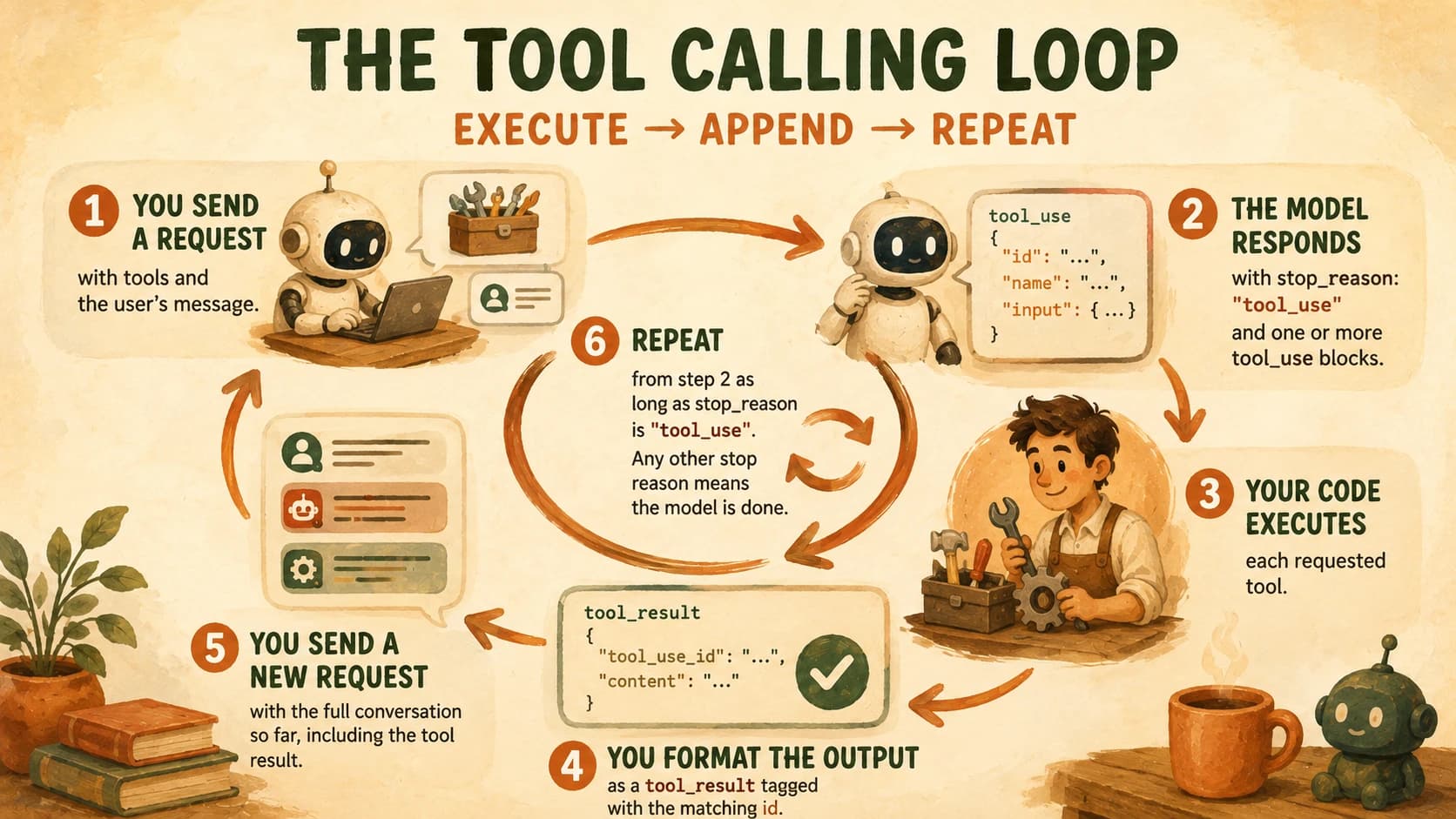
A single tool call is one round trip inside a bigger cycle, sometimes called the function-calling loop, and skipping any one of its six steps is exactly where a "the agent just hangs" bug comes from.
The round trip looks like this every time:
- You send a request with a
toolsarray (the menu of what's available) and the user's message. - The model responds with
stop_reason: "tool_use"and one or moretool_useblocks. - Your code executes each requested tool, using the
nameandinputfrom the block. - You format the output as a
tool_resultblock, tagged with the matchingid. - You send a new request containing the full conversation so far, including the model's tool request and your tool result.
- Repeat from step 2 as long as
stop_reasonkeeps coming back as"tool_use".
The loop ends the moment stop_reason is anything else. Most often that's "end_turn": the model has what it needs and is giving you a final answer in plain text instead of another request. Anthropic describes this same canonical loop as a while loop keyed on stop_reason, matching the shape above exactly.
It's worth sitting with how mechanical this actually is. There's no hidden intelligence in step 3. Your code is just a dispatcher, checking a name against a list of functions you wrote and calling the matching one. The "smart" part happened entirely in step 2, when the model decided a tool was needed and which one. Everything after that is plumbing.
What the Model Sees After You Run the Tool
After your code runs a tool, it sends the output back as a tool_result block matched to the original request by tool_use_id, so the model knows exactly which call the result answers.
The model has no memory of running the tool itself, because it didn't. All it knows is what you put back into the conversation. A tool_result looks like this:
{
  "type": "tool_result",
  "tool_use_id": "toolu_01A2b3C4d5",
  "content": "2026-08-13T14:32:00-04:00"
}
That tool_use_id has to match the id from the original tool_use block exactly. This matters most once a turn involves more than one tool call at a time. The model needs to know which result answers which request, and it can't infer that from order alone if calls come back out of sequence.
Mismatched or missing tool_use_id values are the single most common way a multi-tool turn breaks. It won't throw an obvious error either, the request usually just silently fails validation or the model gets confused about which result belongs to which call. If a multi-tool agent is behaving strangely, check the IDs before you check anything else.
If the tool itself failed (a bad API key, a timeout, invalid input), you still send back a tool_result, just marked as an error with a description of what went wrong. The model can then decide to retry, try a different tool, or explain the failure to the user. Silently dropping a failed call, instead of reporting it, is what leaves a conversation hanging with no tool_result to match an outstanding tool_use_id.
Why the Loop Keeps Going (or Stops)
One field decides everything: stop_reason. The loop keeps running exactly as long as that value is "tool_use", and treating any other value as "just keep looping" is how an agent quietly ships a truncated or refused response as if it were a real answer.
What each value tells your code to do:
tool_use, the model wants a tool run. Keep looping.end_turn, the model has a final answer. Stop and show it to the user.max_tokens, the response hit its length limit mid-generation. The model didn't choose to stop, it ran out of room.stop_sequence, a custom stop string you configured was hit.refusal, the model declined to continue, usually for a safety reason.
Anthropic's full reference on stop reasons covers a couple of rarer values too, but these five cover nearly every turn you'll actually see in a tool-calling loop.
This is why "while stop_reason == "tool_use"" is such a clean way to describe the entire agentic loop in one line. Everything the agent does between the first request and the final answer is just that condition staying true. The moment it flips to anything else, the loop is done, whether that's a clean answer or something that needs handling, like a truncated response from max_tokens.
One JSON tool_use block per turn is the mechanism, but it isn't the only way an agent can act: a model can also write and run code that chains several tool calls into a single turn, see CodeAct vs JSON tool calls for when that trade is worth making.
Your Lab
You already practiced labeling raw fields by hand in your decision log, this lab asks for the same discipline, just against a live tool call instead of a hypothetical one.
Set up a tiny tool
In a fresh Python file in Cursor or Claude Code, define one small function and its schema:
def word_count(text: str) -> int:
    return len(text.split())

word_count_tool = {
    "name": "word_count",
    "description": "Counts the number of words in a string of text.",
    "input_schema": {
        "type": "object",
        "properties": {
            "text": {"type": "string", "description": "The text to count words in."}
        },
        "required": ["text"]
    }
}
Send one request
Call the Claude API with this tool declared and a prompt that requires it:
import anthropic

client = anthropic.Anthropic()

response = client.messages.create(
    model="claude-opus-5",
    max_tokens=1024,
    tools=[word_count_tool],
    messages=[
        {"role": "user", "content": "How many words are in this sentence: 'Tool calling is a contract, not an action.'?"}
    ]
)

print(response)
Print the full, raw response object, not a summarized version.
Label every field
In learning-log.md, copy the raw tool_use block from the response and label each part by hand: the id, the name, and the input object.
Run the tool and build the result
Call your word_count function with the arguments from input, then build the matching tool_result block using the same tool_use_id you labeled in step 3:
tool_use_block = next(b for b in response.content if b.type == "tool_use")
result = word_count(**tool_use_block.input)

tool_result = {
    "type": "tool_result",
    "tool_use_id": tool_use_block.id,
    "content": str(result)
}
Send the second request and capture the answer
Send a new request with the original message, the model's tool request, and your tool_result:
follow_up = client.messages.create(
    model="claude-opus-5",
    max_tokens=1024,
    tools=[word_count_tool],
    messages=[
        {"role": "user", "content": "How many words are in this sentence: 'Tool calling is a contract, not an action.'?"},
        {"role": "assistant", "content": response.content},
        {"role": "user", "content": [tool_result]}
    ]
)

print(follow_up.content)
Paste the model's final text answer into learning-log.md, alongside your labeled fields from step 3.
Done? You've completed Lesson 17.01.
FAQ