Claude Code Slash Commands: Built-In & Custom Guide
Claude Code slash commands are saved prompts run with /name. Learn the built-ins like /clear and /compact, then build custom ones with $ARGUMENTS.

A Claude Code slash command is a saved prompt you run by typing /name instead of writing the same instructions over again. Some come built in, like /clear for wiping your conversation or /compact for freeing up context. You can also write your own: turn "review this diff for our house style, checking naming, error handling, and test coverage" into /review, save it once, and run it forever.
Key Takeaways
- A slash command is a saved, reusable prompt: type
/nameinstead of retyping the same instructions every session- Built-in commands like
/clearand/compactmanage session hygiene; custom ones like/reviewautomate your own repeated prompts- Custom commands live as Markdown files in
.claude/commands/, and$ARGUMENTSlets you pass in whatever text follows the command name- Commit
.claude/commands/to your repo and every teammate who pulls it gets the same commands
What Are Claude Code Slash Commands?
Claude Code slash commands are shortcuts: type / followed by a name, and Claude runs a saved action instead of a fresh conversational prompt. Before writing your own, learn the built-in ones first, since a few of them solve problems you'll hit in your very first week with the extensibility stack.
The built-in commands worth knowing first
| Command | What it does |
|---|---|
/clear | Starts a new conversation with an empty context: the old one stays on disk |
/compact | Summarizes the current conversation to free up context without losing the working thread |
/cost | Shows token usage and spend for the session |
/model | Switches which model the session uses |
/init | Generates a starting CLAUDE.md for the current project |
/review (alias /code-review) | Runs a review of your recent diff, PR, or branch |
/clear and /compact matter more than they look. A long session that never gets cleared or compacted accumulates dead weight: old file reads, resolved errors, decisions you've already made. Pull that lever before you ever touch a custom command. Anthropic maintains the full, current list of built-in commands in its Claude Code commands reference, worth a bookmark since new ones ship often.
How to Create a Custom Claude Code Slash Command
A custom slash command is a Markdown file that becomes a prompt. Save one at .claude/commands/review.md in your project (or ~/.claude/commands/review.md for a personal command available everywhere), and typing /review runs its contents as a prompt.
Here's a real one, the kind you'd build for a house code-review standard:
---
description: Review a diff against our house code-review standards
argument-hint: [file-or-pr]
---
Review $ARGUMENTS for: naming consistency, missing error handling,
unclear function boundaries, and test coverage gaps. Flag anything
that would fail our team's PR checklist.
The YAML frontmatter between the --- markers is optional but useful: description shows up as help text, and argument-hint shows a hint in autocomplete so you remember what to type after the command name. allowed-tools pre-approves specific tools for the turn that runs the command, so a /commit command can run git add and git commit without a permission prompt every time. model lets one command override the active model, handy when a fast, cheap model is plenty for a lint check but you want your default model for anything that involves judgment. Two fields quietly don't apply here: name and paths are ignored in files under .claude/commands/. They only matter for the newer, more feature-rich skills format.
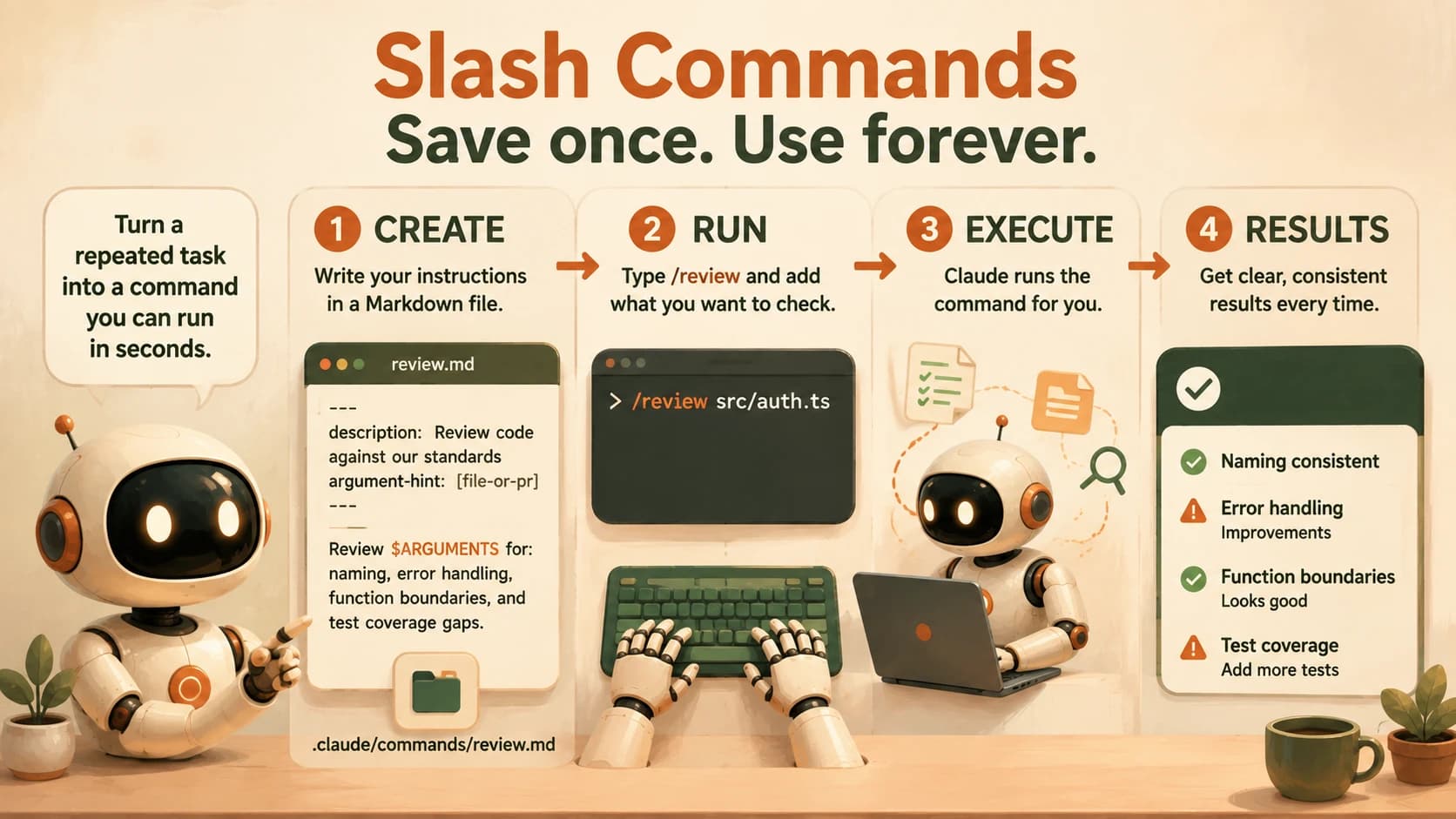
The first /review command I wrote for this site kept re-explaining our house style from scratch every time I invoked it as a plain prompt, because I never remembered to type the full checklist the same way twice. As soon as I moved that checklist into the command file itself, the review got sharper, not because Claude got smarter, but because the instruction stopped depending on my memory.
Passing Arguments with $ARGUMENTS (and $1, $2)
$ARGUMENTS is a placeholder that captures everything you type after the command name, and it substitutes as one string. Run /review src/auth.ts against the command file above, and Claude receives "Review src/auth.ts for: naming consistency, missing error handling..."
For more structure, you can pull out individual arguments by position with $1, $2, and so on (or the equivalent $ARGUMENTS[0], $ARGUMENTS[1]):
---
description: Review a PR with a stated priority level
---
Review PR #$1 with priority $2. Flag anything at or above that
priority level first, then note lower-priority issues separately.
Running /pr-review 412 high fills $1 with 412 and $2 with high. One gotcha catches almost everyone the first time: multi-word arguments need quotes to stay together. /branch "implement dark mode toggle" passes the whole quoted phrase as one argument; without the quotes, each word becomes a separate positional argument and $1 only gets implement.
Sharing Slash Commands With Your Team
Commands in .claude/commands/ are just files in your project, which means git already knows how to share them. Commit the folder, and everyone who pulls the repo gets the exact same /review, /commit, or /deploy command: no separate install step, no copy-pasting a prompt into Slack.
Keep personal, project-agnostic commands in ~/.claude/commands/ instead. A /summarize command you use across every project belongs there; a /review command tuned to one codebase's specific standards belongs in that project's .claude/commands/, committed alongside the code it reviews. Skip this step and every teammate quietly drifts back to typing their own version of the review prompt, which is exactly the inconsistency a shared command exists to prevent.
One thing to flag if you've used custom commands before: Anthropic's skills documentation confirms it folded .claude/commands/ into a broader system called skills in 2026. A file at .claude/commands/deploy.md and a skill at .claude/skills/deploy/SKILL.md both create /deploy and behave identically: your existing command files keep working exactly as written. Skills add extra features on top, like auto-triggering without typing the command name at all.
Common Mistakes
Most of the confusion people hit with custom commands comes down to two problems.
The command doesn't show up in the / menu at all. This is almost always a location problem: the file has to sit directly in .claude/commands/ (project) or ~/.claude/commands/ (personal), named exactly as you want the command to be called. A file in the wrong folder, or one Claude Code hasn't picked up yet in a freshly opened nested directory, silently fails to register.
$ARGUMENTS looks empty or wrong. This is almost always the quoting issue from the section above: an unquoted multi-word argument gets split across $1, $2, and so on instead of landing whole in $ARGUMENTS. If a command reads oddly, check whether the input needed quotes.
Your Lab
Write the /review command
Create .claude/commands/review.md in a project you're actively working on. Use the exact command file from the "How to Create a Custom Claude Code Slash Command" section above, adjusting the checklist items to whatever your own team or personal standards actually are.
Run it on a real diff
Make a small change to a file in that project, then run /review (or /review path/to/file.ts if you want to point it at a specific file). Read the output Claude produces.
Test positional arguments and quoting
Create a second command file, .claude/commands/pr-review.md, using the exact PR-review example from the "Passing Arguments" section above (it uses $1 and $2). Run /pr-review 412 high, then run /pr-review "412 urgent" ship-blocker. Compare what lands in $1 and $2 each time, and confirm you can explain why the quotes changed the result.
Commit it
Add .claude/commands/review.md to git and commit it. Write down, in learning-log.md, the command file's final contents and a short note on what the review output caught.
Done? You've completed Lesson 20.02.
FAQ