Claude Progress File: The Shift Log That Resumes Sessions
A claude progress file is a done/in-progress/next/blockers log an agent updates, so a fresh session resumes cleanly instead of re-deriving state.

Nine o'clock the next morning, I opened a brand-new Claude Code session on a build I'd stopped mid-feature the night before. No --resume, no chat history, nothing pasted in.
The first thing the agent did was read one file. The first thing it said back was exactly what I'd have told a human teammate walking in cold: here's what's done, here's what I'm about to do next, here's the one thing blocking it.
A claude progress file, usually saved as claude-progress.txt, is a short status log an agent writes and updates as it works, recording what's done, what's in progress, what's next, and what's blocked. A fresh session reads that file before touching anything else, so it resumes from the actual state of the work instead of re-deriving it from scratch or, worse, quietly redoing something already finished. Think of it as a shift log: the note one worker leaves for whoever clocks in next.
Key Takeaways
- A claude progress file is a short, current-state log covering done / in-progress / next / blockers, overwritten each shift, not a full history.
- It solves a specific failure: a session that ends mid-task leaves the next one guessing, even when the conversation was compacted along the way.
- It's not the same tool as
--resume, a notes file, or a decision log, each of those answers a different question about a project's memory.- The proof isn't a diagram. It's starting a genuinely fresh session and watching it resume correctly from the file alone.
What Goes Into a Shift Log
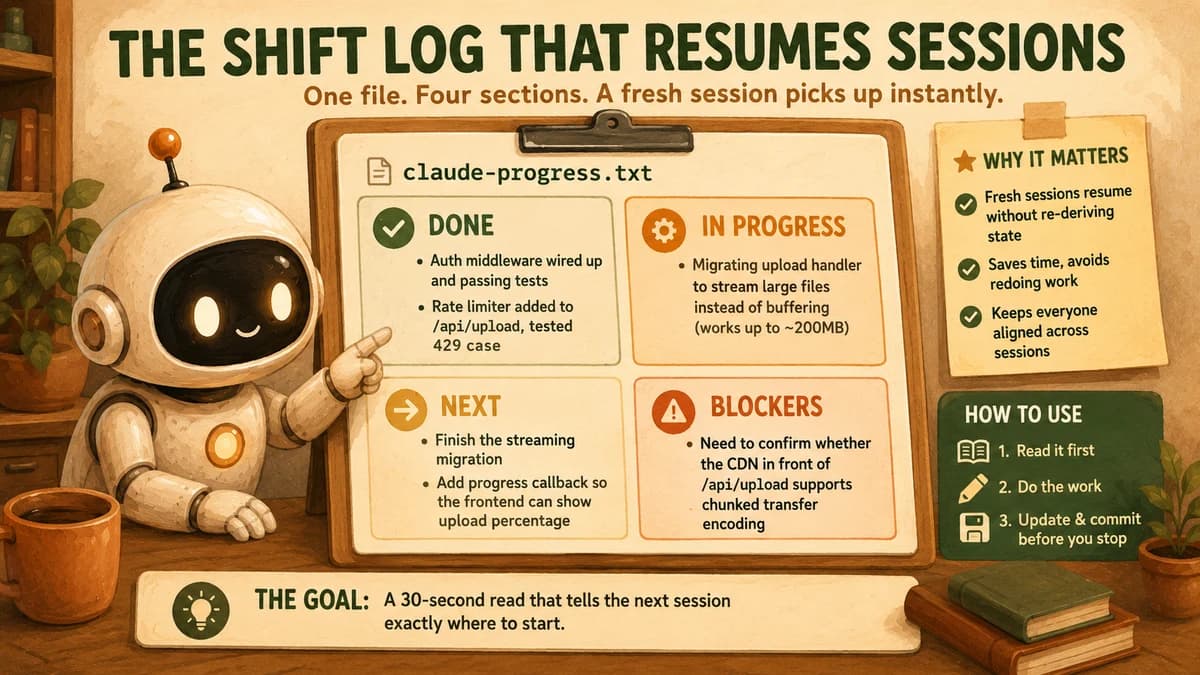
A shift log is four short sections, each a few lines, never a transcript. The whole point is a 30-second read that tells the next session exactly where to start.
// claude-progress.txt

DONE:
- Auth middleware wired up and passing its test suite
- Rate limiter added to /api/upload, tested against a 429 case

IN PROGRESS:
- Migrating the upload handler to stream large files instead of buffering
  (buffering approach works, but stalls above ~200MB)

NEXT:
- Finish the streaming migration
- Add a progress callback so the frontend can show upload percentage

BLOCKERS:
- Need to confirm whether the CDN in front of /api/upload supports
  chunked transfer encoding, or the streaming approach won't help
Notice what's absent. No code, no error messages pasted in full, no play-by-play of every tool call. Those already live in the git log and the conversation history, and pasting them into the progress file just recreates the bloat this whole module has spent eight lessons teaching you to avoid. The file's job is narrower and more valuable: state, not history.
The blockers field earns its place more than any other line. Skip it, and a fresh session will cheerfully re-attempt the exact thing that stalled the last one, burning a full round of tool calls to rediscover a wall you already found.
Why --resume Alone Isn't the Same Thing
Claude Code's --continue and --resume flags pick up an existing session and replay its conversation history, the SDK writes that history to disk automatically as you work. A progress file solves a different problem: what happens when there is no session to resume, on purpose or otherwise.
That gap shows up more often than it should. A session gets compacted partway through, and even with a summary in place, the fine-grained "what exactly was I about to do" detail can thin out. A terminal closes, a machine restarts, or you deliberately want a clean context window because the last one was cluttered. In every one of those cases, --resume either doesn't apply or hands you back less than you need. Anthropic's own engineering writeup on long-running agents names the failure mode directly: without an external record, a session that ran out of context mid-implementation leaves the next one to "guess what happened" and burn real time recovering.
Use --resume and a progress file together, not as alternatives. Resume gets you back the conversational texture when the session lineage is intact. The progress file is your fallback, and your record of intent, for every case where it isn't.
A progress file is deliberately smaller than a transcript because that's the feature, not a limitation. A transcript replays everything that happened. A shift log tells a stranger, or a version of the agent with zero memory of any of it, exactly what to do next. That's what makes a project's state genuinely resumable across a multi-session agent build: not the length of what got written down, but whether a fresh reader could act on it correctly. A resumable agent session, in this sense, isn't a technical mode you switch on, it's a property the progress file earns by being specific about multi-session agent state instead of vague about it.
Table: How a claude progress file compares to two adjacent memory practices
| Artifact | What it captures | Written | Read |
|---|---|---|---|
| Progress file (this lesson) | Current state only: done / in-progress / next / blockers | Continuously, overwritten each shift | At the start of every new session, before any work begins |
| Notes file (19.04) | Working facts inside one task's lifetime, extracted from tool output | As facts are learned, mid-task | Whenever a fact needs recalling later in the same task |
| Decision log (16.09) | Permanent history: what was chosen, why, and what was rejected | Once per real decision, append-only, never overwritten | Whenever a past decision might get re-argued |
The three aren't competing tools, they answer different questions. A notes file is scratch memory for a task still running. A decision log is a project's permanent paper trail. A progress file is neither, it's a snapshot of exactly where things stand right now, replaced the moment that changes.
The Pattern Anthropic Actually Uses
Anthropic's own engineering team documents this exact pattern in a writeup on effective harnesses for long-running agents, and the name claude-progress.txt comes directly from it. Their setup splits the work across two roles: an initializer agent that sets up the project on the very first run (repo structure, a feature list, and the progress file itself), and a coding agent that does the actual work, session after session.
Every new coding-agent session follows the same onboarding step before writing a line of code: read the git log and the progress file to understand what was recently worked on. Every session ends the same way too, a commit paired with a progress update, so the two artifacts move together instead of drifting apart.
That pairing matters. Git tells you what changed. The progress file tells you why it's not finished yet and what's next, which a commit message alone rarely does well.
This lesson gives you the file and the discipline of updating it by hand, on a single agent, across sessions you start yourself. Wiring an initializer agent to set this up automatically, on a fully autonomous harness that runs for many sessions without you in the loop, is its own topic, coming later in this module. What you're building here is the exact artifact that pattern depends on. Get the habit right at this scale, and scaling it up later is a wiring problem, not a new concept.
Your Lab
Start the first session and pick a real, multi-step task
Choose something with at least three distinct pieces of work, for example, "add input validation to a form, write a test for it, and update the README." In your project root, create claude-progress.txt with the four-section format from this lesson (DONE / IN PROGRESS / NEXT / BLOCKERS), starting empty or with just a one-line goal.
Do part of the task, then update the file yourself
Work through only part of the task in this first session, deliberately stop partway, ideally mid-step rather than at a clean boundary. Before ending the session, update claude-progress.txt by hand: move what's finished into DONE, describe exactly what's half-done under IN PROGRESS, name the very next action under NEXT, and log any real blocker you hit. Commit the file along with whatever code exists so far.
Close everything and start a genuinely fresh session
Close the terminal or start a brand-new Claude Code session with no --resume and no --continue, in the same project directory. Don't paste anything in or summarize what happened yourself. Ask only: "Check claude-progress.txt and tell me where we left off, then continue."
Confirm it resumed from the file alone
Read what the fresh session reports back. It should describe your actual DONE/IN PROGRESS/NEXT state accurately, without you correcting it. If it gets something wrong or vague, that's a sign your update in Step 2 wasn't specific enough, tighten the file and try the fresh-session test again.
Commit the proof to learning-log.md
In learning-log.md, paste the exchange from Step 3 (your one-line prompt and the agent's response), plus the version of claude-progress.txt you handed it. Add one sentence: did the fresh session pick up exactly where you left off, using the file alone, with nothing re-explained?
Done? You've completed Lesson 19.09.
FAQ