How to Build a RAG Pipeline in Cursor
Learn how to build a RAG pipeline in Cursor: ingest, chunk, embed with Voyage AI, retrieve, and generate with Claude, shipped behind a CLI.
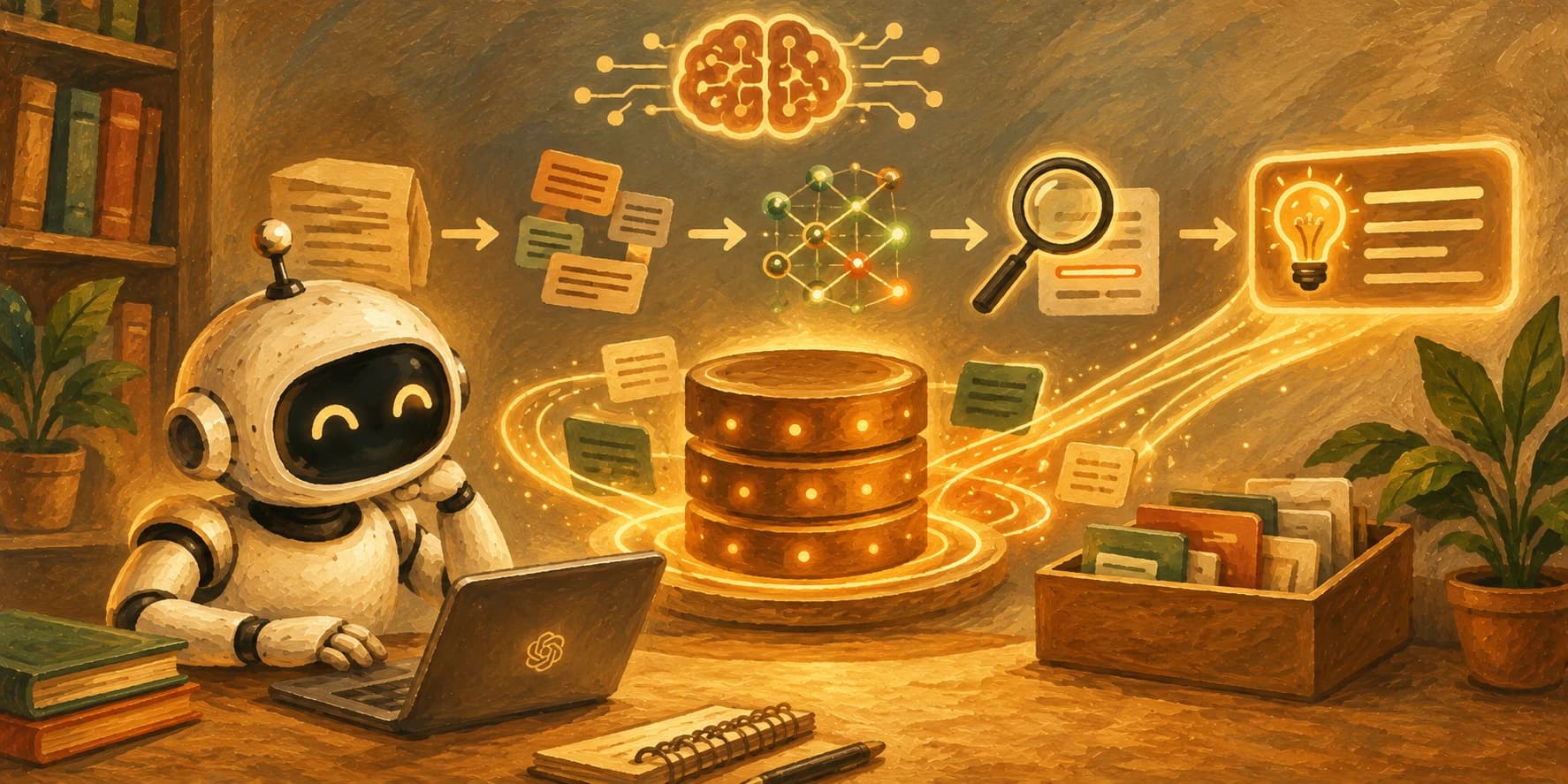
The first version of this pipeline ran clean for six test questions, then went blank on the seventh. The document clearly had the answer. The chunk that held it had been sliced mid-sentence during ingestion, and the half-sentence embedding wasn't close enough to the question to ever surface.
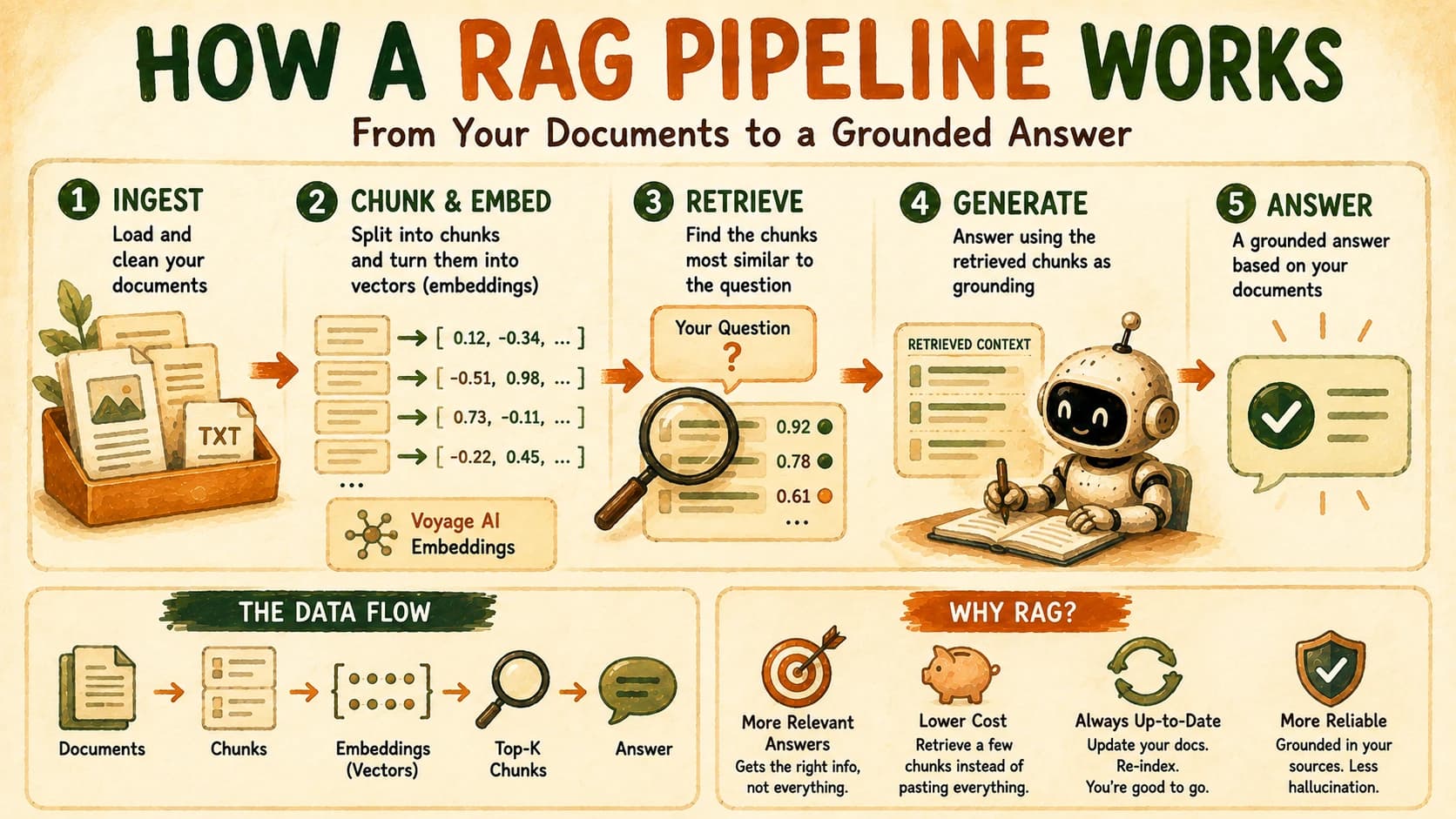
To build a RAG pipeline, you need four working parts: ingest your documents, chunk and embed them into a searchable store, retrieve the closest chunks to a question, and generate an answer grounded in them. This lesson builds all four end to end in Cursor, no framework hiding the mechanics, and ships the result behind a real CLI, versioned in Git from the first commit.
Key Takeaways
- A RAG pipeline is four stages, ingest, chunk and embed, retrieve, generate, and nothing more than that underneath the tooling.
- Chunking quality, not model quality, is where most RAG pipelines actually fail.
- Anthropic's own recommended pairing is Claude for generation and Voyage AI for embeddings, no OpenAI dependency required.
- This build is deliberately framework-light, no LangChain, so every mechanic (the chunk list, the raw vectors, the similarity search) stays visible.
- The repo you commit here is the exact one the next lesson upgrades into agentic RAG, and the one after that evaluates, so keep it clean.
What Is a RAG Pipeline, in Four Stages?
A RAG pipeline retrieves relevant chunks of your own documents and hands them to a language model as grounding before it answers, instead of relying only on what the model already knows. It's one of the core retrieval patterns in the agentic AI toolkit. The four stages are ingest (load and clean your source documents), chunk and embed (split them into pieces and convert each piece into a vector), retrieve (find the chunks closest to a question), and generate (answer using those chunks as context).
Most tutorials teach this through a framework like LangChain, which wires all four stages together behind a few method calls. That's convenient once you already understand the mechanism, and confusing before you do, because you never see the actual chunk boundaries, the actual numbers in a vector, or the actual similarity score deciding what gets retrieved. Skip understanding any one stage and the pipeline doesn't crash, it just quietly gets worse: a bad chunk means nothing gets retrieved, a bad prompt means the model ignores what you retrieved, and either failure looks identical from the outside, an agent that "just doesn't know the answer." This lesson builds each stage as plain, readable code instead, so when something breaks, you know exactly which stage to blame.
The four stages of a RAG pipeline
| Stage | What it does | File in this build |
|---|---|---|
| Ingest | Loads and cleans your source documents | ingest.py |
| Chunk + embed | Splits text into pieces and converts each into a vector | ingest.py, embed.py |
| Retrieve | Finds the stored vectors closest to the question | retrieve.py |
| Generate | Answers using the retrieved chunks as grounding | generate.py |
If you haven't covered embeddings, vector stores, and why RAG works yet, that's the lesson explaining what a vector actually is and why similarity search finds the right chunk, this one assumes that and goes straight to building.
This project needs Python, a virtual environment, and comfort making an API call, all covered in Getting Started. If any of that feels shaky, backlink there first, this lesson won't re-teach it.
Setting Up the Project in Cursor
Open Cursor, create a fresh folder, and initialize a Git repo before writing a single line, since this exact project is what the next lesson extends.
mkdir chat-with-docs && cd chat-with-docs
git init
python -m venv .venv
source .venv/bin/activate
pip install anthropic voyageai numpy
git add .
git commit -m "init: empty repo"
The dependency list is intentionally short. anthropic calls Claude for generation, voyageai calls Voyage for embeddings, and numpy does the vector math for retrieval. No vector database, no orchestration framework, nothing hidden.
Drop three or four plain-text or Markdown documents into a corpus/ folder, anything you actually have (project notes, a README, a policy doc) works as the test corpus for this build.
Stage 1: Ingesting and Chunking the Corpus
Chunking is the step that decides what your pipeline can ever retrieve, since a chunk that's cut wrong stays wrong no matter how good the embedding model or the language model is downstream. Load every file in corpus/, then split it into overlapping chunks along sentence boundaries, never at a fixed character count.
# ingest.py
import glob
import re

def load_corpus(path="corpus/*.md"):
    docs = []
    for filepath in glob.glob(path):
        with open(filepath, "r", encoding="utf-8") as f:
            docs.append({"source": filepath, "text": f.read()})
    return docs

def chunk_text(text, max_chars=800, overlap_sentences=1):
    sentences = re.split(r"(?<=[.!?])\s+", text.strip())
    chunks, current, current_len = [], [], 0

    for sentence in sentences:
        if current_len + len(sentence) > max_chars and current:
            chunks.append(" ".join(current))
            current = current[-overlap_sentences:]
            current_len = sum(len(s) for s in current)
        current.append(sentence)
        current_len += len(sentence)

    if current:
        chunks.append(" ".join(current))
    return chunks
My first pass at this split on a fixed character count with no regard for sentence boundaries, and it silently cut a chunk in half mid-sentence. The embedding for that chunk captured a fragment of an idea instead of the whole point, and a query that should have matched it perfectly came back empty. Splitting on sentence boundaries, with a sentence or two of overlap carried into the next chunk, fixed it. "Chunking is probably your bottleneck" turned out to be exactly right here, not the model.
Stage 2: Embedding the Chunks with Voyage AI
Anthropic doesn't ship its own embedding model, and its documented recommendation for pairing with Claude is Voyage AI, so that's the embedding call this pipeline uses instead of defaulting to OpenAI like most tutorials do.
# embed.py
import voyageai

vo = voyageai.Client()

def embed_chunks(chunks):
    result = vo.embed(chunks, model="voyage-3-large", input_type="document")
    return result.embeddings

def embed_query(query):
    result = vo.embed([query], model="voyage-3-large", input_type="query")
    return result.embeddings[0]
Note the input_type argument: chunks are embedded as "document" and the question is embedded as "query", since Voyage's models are asymmetric and tune the vector differently depending on which side of a retrieval you're on. Skipping that distinction quietly weakens every search you run afterward.
Voyage's models accept up to 32,000 tokens per input, versus 8,000 for OpenAI's embedding models, per the Claude Platform embeddings documentation. For long source documents, that means fewer chunks and less context lost at each boundary.
Stage 3: Retrieval: Finding the Closest Chunks
Retrieval means embedding the question, then finding which stored chunk vectors sit closest to it by cosine similarity, and returning the top few.
# retrieve.py
import numpy as np

def retrieve(query_vector, chunk_vectors, chunks, top_k=3):
    query_arr = np.array(query_vector)
    chunk_arr = np.array(chunk_vectors)

    similarities = chunk_arr @ query_arr / (
        np.linalg.norm(chunk_arr, axis=1) * np.linalg.norm(query_arr)
    )

    top_indices = np.argsort(similarities)[::-1][:top_k]
    return [chunks[i] for i in top_indices]
That's the entire retrieval mechanism: a dot product, two norms, and a sort. No vector database is doing anything more exotic than this under the hood for a corpus this size, it's just hidden behind a .similarity_search() call in most tutorials.
Closest isn't the same as correct. Cosine similarity finds the chunk whose wording sits nearest the question's wording. Two chunks can look similar vector-wise while being irrelevant in context, and two genuinely relevant chunks can phrase things differently enough to rank lower than they should.
Stage 4: Generation: Answering with Claude
Generation means stuffing the retrieved chunks into a prompt template alongside the question, then calling Claude for an answer grounded in exactly those chunks, and nothing else.
# generate.py
import anthropic

client = anthropic.Anthropic()

def generate_answer(question, retrieved_chunks):
    context = "\n\n---\n\n".join(retrieved_chunks)
    prompt = f"""Answer the question using only the context below.
If the context doesn't contain the answer, say so plainly.

Context:
{context}

Question: {question}"""

    response = client.messages.create(
        model="claude-sonnet-5",
        max_tokens=500,
        messages=[{"role": "user", "content": prompt}],
    )
    return response.content[0].text
The instruction to say plainly when the context doesn't contain the answer matters more than it looks. Without it, the model will often reach past the provided chunks and answer from its own training data instead, which defeats the entire point of grounding the answer in your documents.
Wiring It Behind a CLI
A pipeline that only runs inside a script you edit by hand isn't shippable. Wire the four stages together behind a single command so a real question in, real answer out.
# chat.py
import sys
from ingest import load_corpus, chunk_text
from embed import embed_chunks, embed_query
from retrieve import retrieve
from generate import generate_answer

def build_index():
    chunks = []
    for doc in load_corpus():
        chunks.extend(chunk_text(doc["text"]))
    vectors = embed_chunks(chunks)
    return chunks, vectors

if __name__ == "__main__":
    question = sys.argv[1]
    chunks, vectors = build_index()
    query_vector = embed_query(question)
    top_chunks = retrieve(query_vector, vectors, chunks)
    print(generate_answer(question, top_chunks))
Run it with python chat.py "your question here". This version rebuilds the index on every run, which is fine for a small teaching corpus and exactly the kind of shortcut worth naming instead of hiding, a production version would cache the embeddings instead of recomputing them every time.
Commit ingest.py, embed.py, retrieve.py, generate.py, and chat.py together, along with your corpus/ folder. The next lesson, Agentic RAG, builds directly on top of this exact repo, upgrading it so the agent decides for itself whether and how many times to retrieve.
Your Lab
Set up the repo
In Cursor, create the chat-with-docs project, initialize Git, create the virtual environment, and install anthropic, voyageai, and numpy. Commit the empty scaffold before writing any pipeline code.
Ingest and chunk
Drop three or more real documents into corpus/. Write ingest.py using the sentence-boundary chunking approach above. Print the chunk count and the first two chunks to confirm none are cut mid-sentence.
Embed and retrieve
Write embed.py and retrieve.py. Embed every chunk once, then run three test questions you already know the answer to and confirm the top retrieved chunk actually contains that answer.
Generate and wire the CLI
Write generate.py and chat.py. Run python chat.py "a real question about your corpus" and confirm the answer is grounded in a retrieved chunk, not invented. Then ask one question your corpus genuinely doesn't cover and confirm the model says so instead of guessing.
Commit the working pipeline
Commit the full repo with a clear message. In learning-log.md, record the question that failed on your first chunking pass (if you hit one) and the fix that resolved it.
Done? You've completed Lesson 17.08.
FAQ