Plan-and-Execute: Why AI Agents Plan Before Acting
Plan-and-execute separates an agent's planning from its execution, catching costly mistakes before any code runs. Here's how it maps to Plan mode.
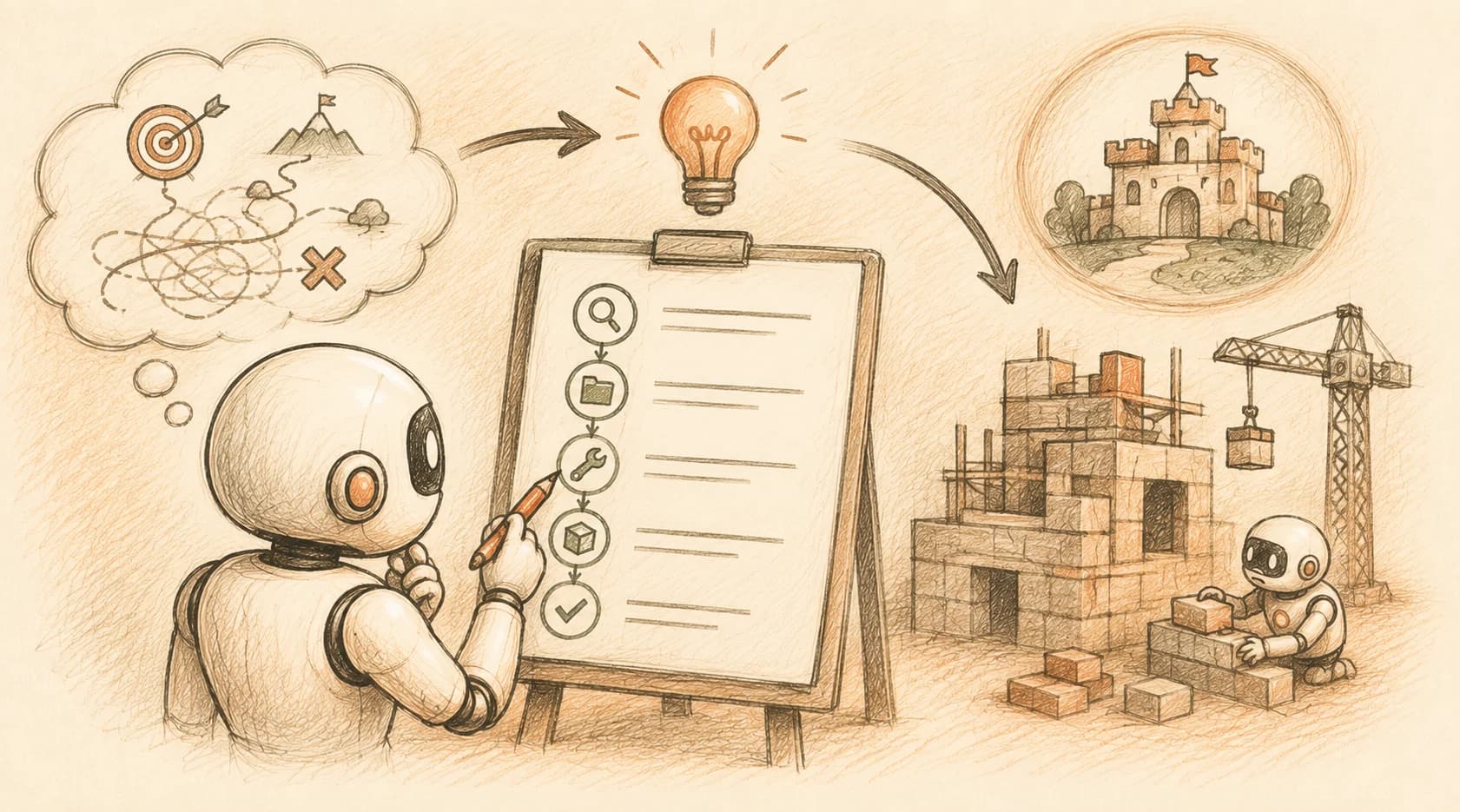
Eight steps into a reactive agent's run, it's still confidently building on top of a decision it got wrong at step two. Nobody caught it, because nobody saw the whole path until it was already half-built.
A plan and execute agent is the fix: it writes out its full plan before touching anything, so a human (or the agent itself) can review and fix that step-two mistake before it ever runs. Instead of deciding one action at a time and hoping it adds up, the agent commits to a complete route first. You've almost certainly used this already without the label attached, because Plan mode in Cursor and Claude Code is this exact pattern wearing a keystroke.
Key Takeaways
- Plan-and-execute splits an agent into two jobs: a planner that writes the full step list first, and an executor that carries it out
- It beats a reactive loop specifically when a wrong first move is expensive and most of the needed steps can be named in advance
- Cursor's Plan mode and Claude Code's plan mode are working plan-and-execute implementations, not a separate concept to learn
- The transferable skill isn't approving the plan: it's catching and editing the one line that's wrong before execution starts
What Is the Plan-and-Execute Pattern?
Plan-and-execute is an agent architecture that separates "decide what to do" from "do it," using two distinct roles instead of one continuous loop.
A planner looks at the whole task and writes an ordered list of steps up front, before any tool runs. An executor then works through that list, step by step, calling tools as needed. Some implementations add a replanner, which checks progress partway through and revises the remaining steps if reality has drifted from the plan.
That's a real difference from the ReAct loop you saw in the last lesson, where reasoning and acting are interleaved one step at a time and the agent never holds a full plan in view. Plan-and-execute forces the model to commit to a shape for the whole task before spending a single action on it. Mistake this agent architecture choice for the reactive kind, and you'll either burn a review step on a task simple enough not to need one, or skip planning on a task where the first wrong move was the expensive one.
Why Separate Planning from Doing
Separating planning from doing matters because small per-step error rates compound fast, and a plan lets you catch that compounding before it costs you anything.
Say a reasonably capable agent gets each individual decision right about 80% of the time, which is a realistic number for a nontrivial coding task. Across a single step, that's fine. Across a feature that needs 20 sequential decisions, the odds of the whole run going cleanly reactively drop to roughly 0.8 to the 20th power, close to 1%. Every wrong turn compounds on top of the last one, and by the time you notice, you're debugging a mess built on a bad assumption from ten steps back.
A written plan doesn't erase that per-step error rate. What it does is move the moment you can catch a mistake from "after it's built" to "before anything runs." You're reviewing 20 lines of stated intent instead of a half-finished codebase, and a wrong assumption is far cheaper to fix in a plan than in a diff.
This is also why plan-and-execute setups can hand execution to a cheaper, less capable model once the plan exists. The hard reasoning happened up front, and each individual step is now a narrower, easier job than "figure out the whole task." That's exactly the kind of decomposition that let one implementation, LangChain's LLMCompiler, run steps in parallel and finish roughly 3.6 times faster than a sequential, one-step-at-a-time approach.
Plan-and-Execute vs ReAct: When Each One Wins
Plan-and-execute and ReAct aren't competing for the same job. The right pattern depends on whether you can name the steps in advance or need to react to what you find along the way.
- Pick plan-and-execute when you can already list most of the tool calls a task will need before the agent starts, and getting an early step wrong would be expensive to undo. A multi-file refactor, a data migration, or a feature that touches five files in a specific order all fit this: the shape of the work is knowable ahead of time, so writing it down first is pure upside.
- Pick ReAct when the agent genuinely can't know its next move until it sees the result of the last one. A support agent reading an unpredictable customer message, or a research task where each search result changes what's worth searching next, doesn't benefit from a plan written before any information exists. The plan would just be wrong by step two, and now you're also maintaining a stale plan on top of the real work.
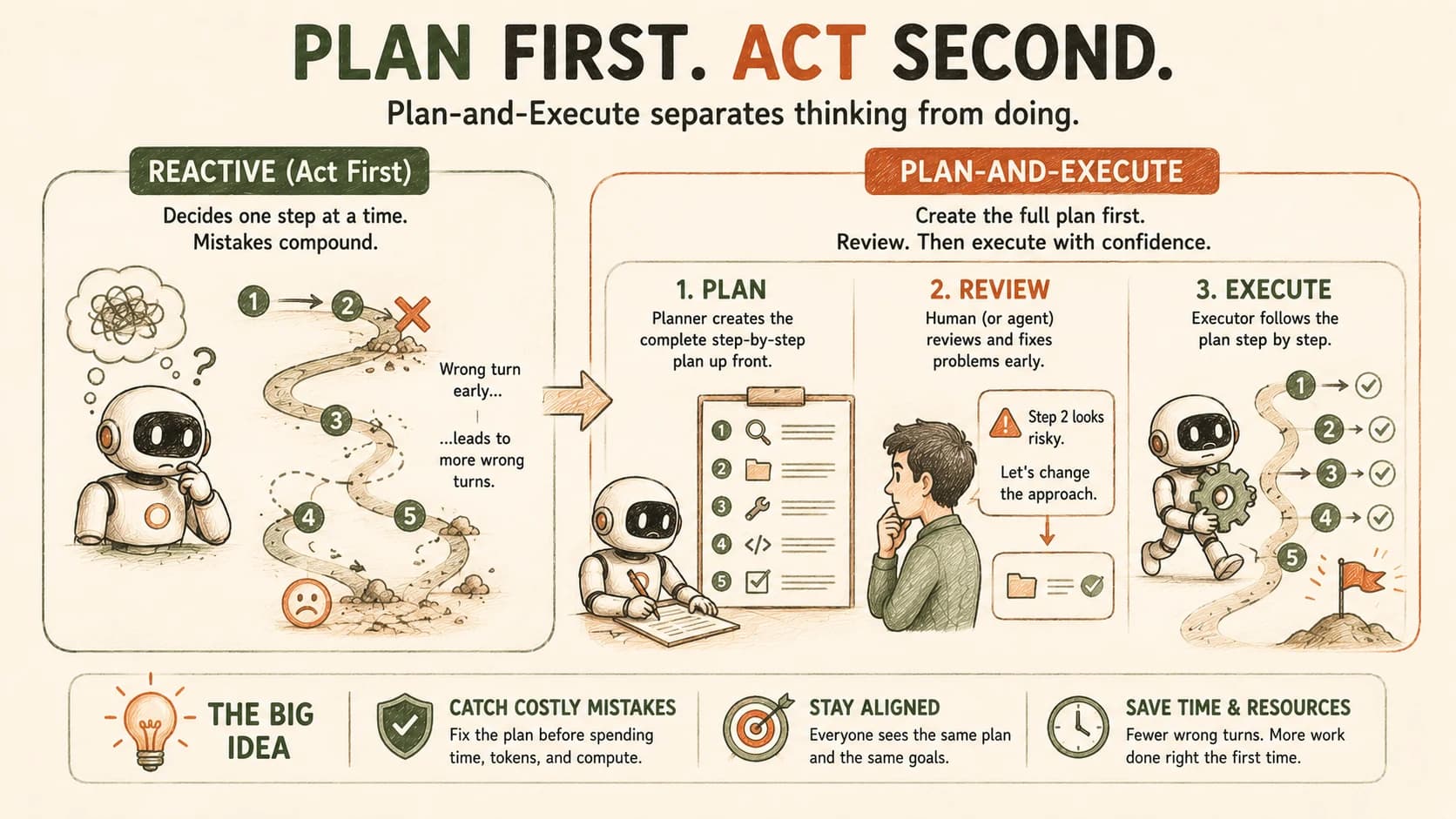
In practice this isn't binary. Most real agent setups use a plan-and-execute shape for the overall task and let each executed step run its own small ReAct loop internally where genuine adaptation is needed.
This Is Already a Keystroke: Plan Mode
Cursor's Plan mode and Claude Code's plan mode aren't inspired by the plan-and-execute pattern. They're working implementations of it, already sitting on your keyboard.
In Claude Code, entering plan mode (Shift+Tab twice, or /plan) puts the agent into a read-only phase: it can read files, search the codebase, and inspect history, but every write operation is disabled until you approve. It behaves exactly like the planner role, gathering enough context to propose a full plan, while the executor role stays switched off. Approving the plan is the handoff point where execution begins, matching the architecture step for step.
Cursor's version works the same way through its Composer: the agent researches the relevant files first, proposes a plan, and waits for you before making a single edit. You already saw Cursor's modes as risk dials a few lessons back. Plan mode is the deliberate end of that dial, the one you reach for when speed matters less than getting the first move right.
I've had Claude Code's plan mode catch something a fully autonomous run would have quietly gotten wrong: it proposed editing a config file that looked like the obvious target, but reading the plan closely showed it had picked the wrong environment's copy. That's a five-second fix in a plan and a genuinely annoying rollback in a live diff.
One limit worth naming: the plan lives inside this one session. Close the window and it's gone, with nothing left to review later or hand to a teammate. For anything you want to survive past the conversation that produced it, a written spec that persists in the repo is the durable version of the same instinct.
The Real Skill: Editing the Plan Before Anything Runs
Reading a generated plan and clicking approve isn't the skill that pays off. Editing it before you approve is.
Every plan mode implementation assumes the plan it produces might be wrong somewhere, which is exactly why it stops and shows you the plan instead of just running it. Treating that pause as a rubber stamp throws away the entire point of the pattern. The real move is reading each step and asking whether it's actually the right step, not whether it's a plausible-sounding one.
That means checking specific things: does the plan touch the file you'd expect, or a similarly named one it guessed at? Does it skip a dependency that a human would have caught in the first read? Does step four assume something step two never actually established? None of these questions require you to write the code yourself. They require reading the plan as carefully as you'd read a pull request, because that's functionally what it is.
Don't accept the first plan as final just because it's coherent. If a step is wrong, edit it directly or tell the agent what's wrong and ask it to revise before you approve anything. A plan you've corrected once is worth more than a plan you approved on the first pass, because the correction is exactly the mistake that compounding error math in the last section would have otherwise let through.
Your Lab
Enter Plan mode on a real feature
Open a repo you've used in an earlier lesson (or a small starter repo) in Cursor or Claude Code. Pick one medium-sized feature to add: something that touches at least two to three files. Enter Plan mode (Shift+Tab twice in Claude Code, or Cursor's plan/Composer flow) and ask the agent to plan the feature. Don't approve anything yet.
Read the plan like a pull request
Read every step of the generated plan closely. Look specifically for: a file target that might be wrong, a missing dependency or setup step, or a step that quietly assumes something an earlier step never actually did. Find at least one real flaw. If the first plan is genuinely flawless, ask the agent to plan a second, slightly larger feature until you find one worth fixing.
Edit the plan, then execute
Fix the flaw by editing the plan directly or telling the agent what's wrong and having it revise. Only once the plan is corrected, approve it and let the agent execute.
Log it
In learning-log.md, paste the original plan, your edit, and one line on what that edit actually prevented (a wrong file, a broken dependency, a bad assumption: be specific).
Done? You've completed Lesson 16.03.
FAQ