Claude Code Skills: How to Write One That Triggers
Claude Code skills only work if they trigger. Learn description-as-trigger writing, progressive disclosure, and the gotchas that cause silent misfires.

I wrote a skill last month, gave it a description I thought was obvious, and watched Claude Code ignore it for three straight sessions. Not error out, not warn me. Just quietly do the task the long way, every time, as if the skill didn't exist.
A Claude Code skill is a folder at .claude/skills/<name>/ containing a SKILL.md file whose description tells Claude when to load it automatically, without you ever naming it. Get the description wrong and the skill sits there, technically installed, functionally invisible. This is the difference between a skill that fires and one that's dead weight, and it's almost entirely about how you write that one field.
You already wrote the plain-English version of this in agent skills, roles, and capabilities: a trigger, a set of steps, a list of gotchas. This lesson turns that skill card into a real, auto-firing SKILL.md, and teaches you to diagnose one that won't.
What a Claude Code Skill Actually Is
A skill is a directory containing one required file, SKILL.md, with YAML frontmatter (name and description) followed by markdown instructions Claude follows once triggered. Nothing more is required: the whole mechanism is a folder and a text file.
Drop it in .claude/skills/<name>/ for a project-scoped skill, or ~/.claude/skills/<name>/ to make it available everywhere you use Claude Code. It sits alongside the other primitives from the extensibility stack map: a skill is the probabilistic, "usually-should" primitive, distinct from a hook's deterministic enforcement.
The frontmatter has strict rules: name is lowercase letters, numbers, and hyphens only, capped at 64 characters, and can't contain "claude" or "anthropic." description is capped at 1,024 characters and must be non-empty. Everything below the --- is the instruction body Claude reads once the skill actually loads.
Why Progressive Disclosure Matters
Progressive disclosure means Claude loads a skill's contents in stages: metadata first, full body only when relevant, referenced files only when the body points to them. That staging is what lets an installed skill cost almost nothing until it's needed, and it's what lets you have dozens of skills installed without bloating every conversation.
At startup, Claude pre-loads only the name and description from every installed skill into its system prompt, a few dozen tokens each. That's level one. If your request matches a description, Claude reads the full SKILL.md body: level two. If that body links to a reference.md or examples.md, Claude reads those only if it actually needs them: level three.
Keep the SKILL.md body under 500 lines. Past that, split it: put the quick-start in the main file, move API references, form-filling guides, and long examples into separate files the body links to. A skill with ten reference files costs nothing extra at startup: only the ones Claude actually opens get read.
Split by domain, not by size alone. A skill covering finance, sales, and product data should have reference/finance.md, reference/sales.md, and reference/product.md rather than one long file. A question about revenue never touches the sales or product files, so those tokens are never spent.
The Description Is the Trigger
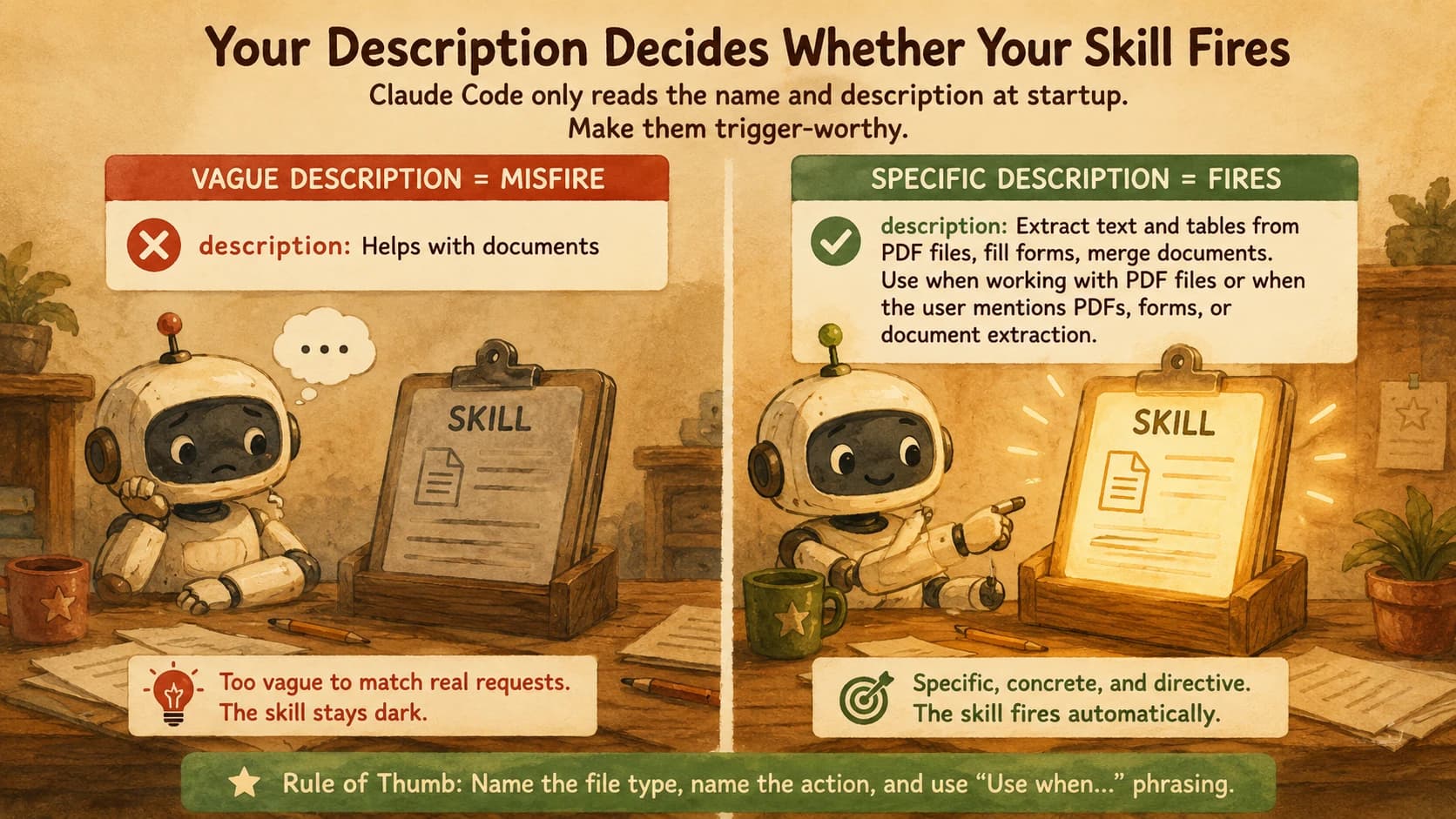
The description field is what Claude matches your request against to decide whether to load a skill, so it has to name concrete triggers in plain, third-person language, not describe the skill from the inside. A skill with a strong body and a vague description simply never fires.
Write it as: what the skill does, then when to use it, with the actual keywords a request would contain. Compare a real pair from Anthropic's own skill-authoring documentation:
Vague (rarely fires):
description: Helps with documents
Specific (fires reliably):
description: Extract text and tables from PDF files, fill forms, merge documents. Use when working with PDF files or when the user mentions PDFs, forms, or document extraction.
Always write in the third person: "Processes Excel files," never "I can help you process Excel files." The description gets injected into the system prompt verbatim, and an inconsistent point of view is a discovery bug, not a style choice.
One more lever, and it's a big one: tuning a description for triggering accuracy measurably works. Anthropic's own skill-creator tooling post reports running a description-tuning pass across their document-creation skills and seeing improved triggering on five of six public skills tested. If your skill still misfires with a specific description, that's the lever to pull: test it against sample prompts and tighten what doesn't match.
Why Claude Code Skills Misfire (and How to Catch It)
A skill misfires for one of a small number of reasons: a vague description, a silently truncated one, broken YAML, or Claude simply prioritizing task completion over checking what's installed. Each has a specific fix, not a vague "try rewriting it."
Vague description. Covered above: the single most common cause, and the first thing to check.
Silent truncation. Claude Code pre-loads all installed skill descriptions into a shared character budget. Push past it and descriptions get cut off with no error message and no warning in your session: Claude genuinely never sees the missing text. If you've written a sharp description and it still won't fire, and you have many skills installed, this is worth ruling out before you rewrite anything.
This is the gotcha that costs the most debugging time, because everything looks correct. Your YAML is valid, your description is specific, and it still doesn't fire because it was never fully loaded in the first place. If you suspect this, check how many skills you have installed and how long their combined descriptions run before assuming your wording is the problem.
Broken YAML. A multi-line description written with a block scalar (> or |) can get reflowed by an auto-formatter and quietly break the frontmatter parser. Keep the description on a single logical line.
Claude's goal-focused behavior. Even with a perfect setup, autonomous triggering isn't 100%: Claude is optimizing for finishing your task as it understands it, not for auditing every installed skill first. This is real and it's the reason the graded lab below has you measure trigger accuracy instead of assuming a fix worked.
No hot-reload. I found this one the hard way: I edited a misfiring skill's description mid-session, watched the exact same broken behavior repeat, and spent twenty minutes assuming my new wording was still wrong before realizing Claude Code was still running the old, cached version. Skills don't reload during an active session: a restart is required for any edit to SKILL.md to take effect.
Goals Over Prescriptive Steps
Match how much you specify in a skill's body to how much the task actually varies: rigid instructions for a fragile, exact-sequence task, and general direction for a task where several approaches would work equally well.
Anthropic's own framing calls this "degrees of freedom." High freedom (text-based guidance, like "analyze the code structure, check for bugs, suggest improvements") fits tasks where judgment and context should decide the approach, like a code review. Low freedom (an exact script with no variation, like "run exactly this script, do not modify the command") fits fragile, error-prone operations like a database migration, where one wrong flag breaks something real.
Most skills you write for your own workflow sit in the middle: a preferred pattern with room for the specifics to vary, like a report template with parameters. Default to goals and let the body's examples do the steering. Over-specifying a skill that doesn't need it just burns tokens and makes it brittle to small deviations in phrasing.
Gotchas
A handful of mistakes account for most skill failures beyond the description itself, and they're easy to check once you know to look.
- Mixing process and reference content. If a skill body reads like a wall of background explanation with the actual instructions buried inside it, split it: the steps stay in
SKILL.md, the background moves to a linked reference file. Skills built this way trigger the same but are far easier for Claude to follow correctly. - Confusing templates and references. If your skill bundles a
templates/folder (scaffolds meant to be copied and filled in) and areferences/folder (background docs meant to be read, not copied), keep them visibly separate. Reversing the two causes Claude to either copy a read-only reference file verbatim or fail to produce the templated output at all. - One skill, multiple unrelated jobs. A skill that tries to cover two unrelated workflows ends up with a description too broad to trigger reliably for either one. Split it into two skills with two sharp descriptions.
- Not testing against paraphrases. A description that fires on the exact phrase you tested and nothing else isn't done. Test it against five different natural-language ways of asking for the same thing: the lab below walks through exactly this.
Once a skill like this is auto-triggering reliably, the natural next step is packaging it into a plugin so someone other than you can install it.
Your Lab
Turn your skill card into a real SKILL.md
Open the plain-English skill card you wrote in the skill roles and capabilities lesson: trigger, steps, gotchas. Create .claude/skills/<your-skill-name>/SKILL.md in a real project, with YAML frontmatter (name, description) and a markdown body built from your card's steps. Write the description in the third person, name concrete triggers, and keep the body under 500 lines. Restart Claude Code, then start a fresh conversation and describe the task your skill covers without naming the skill. Confirm it loads on its own by checking the session for evidence Claude read the file (a reference to a step or term only your SKILL.md contains).
Fix a deliberately misfiring skill
Create a second test skill with this weak description on purpose: description: Helps with data. Give it a short body that summarizes a CSV file's columns and row count. Now write down 10 different natural-language prompts a user might send for this task, varying the phrasing significantly (for example: "what's in this CSV," "summarize this spreadsheet," "how many rows does data.csv have," "give me an overview of this file," and six more of your own). Run all 10 against the weak-description version in fresh sessions and log a fire/no-fire result for each. Then rewrite the description to be specific and directive: name the file type, name the concrete action, use "Use when..." phrasing, restart, and re-run all 10 prompts. Record the before/after trigger count (aim for at least 3 of 5 as a working bar, per the practitioner heuristic in this lesson).
Commit your results
In learning-log.md, commit both SKILL.md files (the real skill from Step 1 and the weak/fixed pair from Step 2) plus a short table showing the before/after trigger count out of 10 prompts for Step 2. Note which specific misfire cause (vague description, truncation, YAML, or no-restart) explained your weak version's failures.
Done? You've completed Lesson 20.03.
FAQ