Best Claude Code Plugins Worth Installing in 2026
The three Claude Code plugins worth installing in 2026: Superpowers, frontend-design, and graphify, tested hands-on with real before/after results.

You just learned how to add a marketplace and install a plugin by its qualified name. Now you open the plugin manager and there are over a hundred entries staring back, from language servers to Slack integrations. No obvious way to tell which two or three are actually worth the context and hook risk of installing.
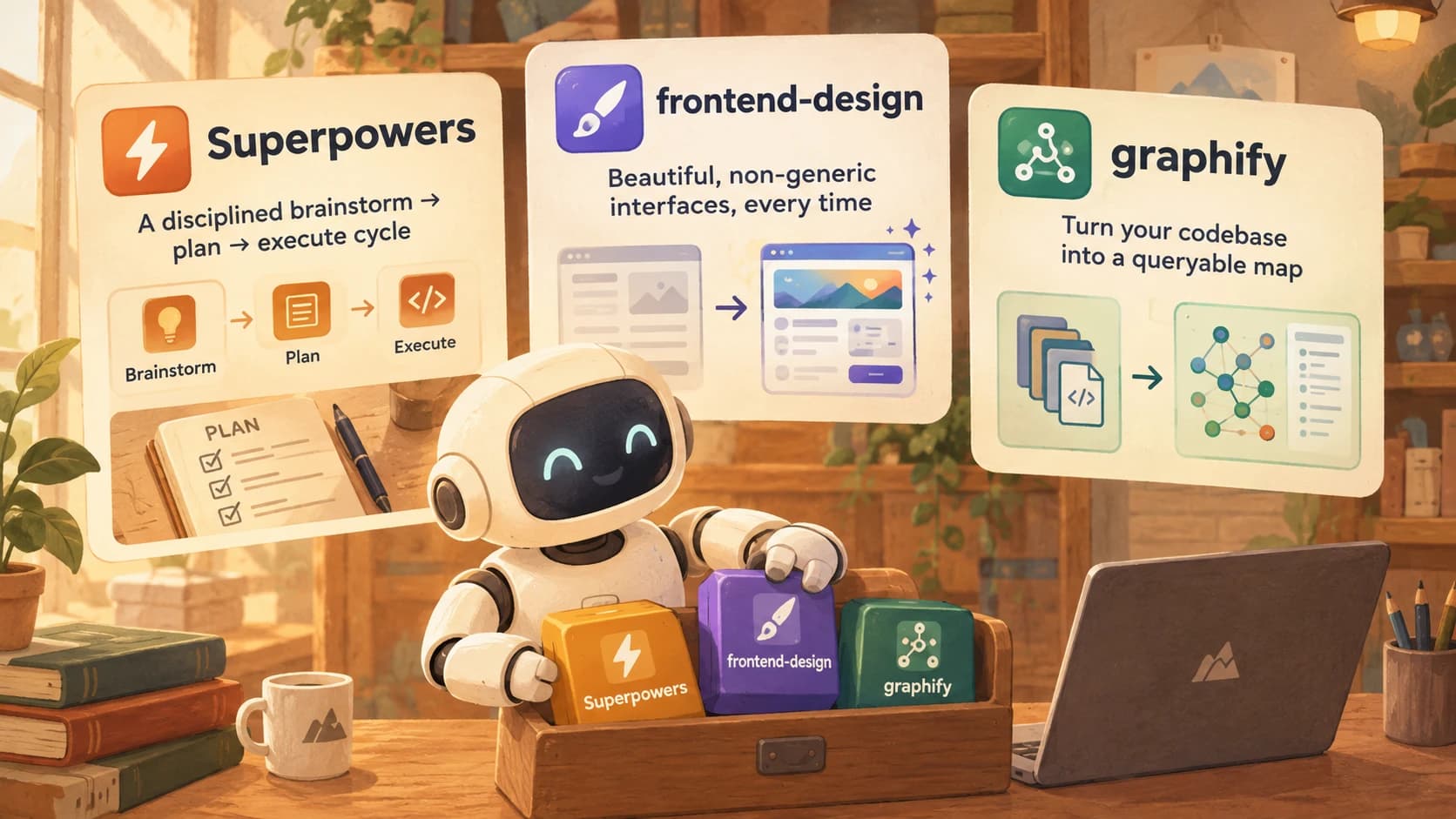
The three Claude Code plugins worth installing right now are Superpowers, frontend-design, and graphify. One enforces a disciplined build cycle, one fixes generic-looking UI, one turns a large codebase into a queryable map. The rest of this lesson installs and runs each one, so you see what actually changes rather than reading a feature list.
What Plugins Are Actually Worth Installing in Claude Code?
The plugins worth your time solve a problem you already have, not a problem a description makes up. As of September 2026, Anthropic's official marketplace alone lists over 100 plugins, roughly a third built by Anthropic and the rest from partners like GitHub, Figma, Vercel, and Stripe. Most of them are narrow integrations you'll only want if you already use that specific tool.
Three, though, change how you work regardless of your stack: Superpowers gives Claude Code a disciplined brainstorm-plan-execute workflow instead of jumping straight to code. frontend-design fixes the generic, slightly-off look that AI-generated interfaces default to. graphify turns a large codebase into a queryable knowledge graph instead of a pile of files Claude has to re-search every session.
The pattern to resist is installing everything a directory recommends. Every plugin you add is code you're trusting to run hooks around your agent's actions, a point the next lesson on plugin safety covers properly. For now: install these three, run them for real, and judge the rest by whether they solve a problem you can name.
Superpowers: Running a Real Brainstorm → Plan → Execute Cycle
Superpowers bundles a structured development methodology, over 20 skills plus three commands, that forces clarify-then-design-then-plan before any code gets written.
Install it the same way you installed a plugin in the last lesson, by adding its marketplace first. The exact commands, confirmed against the superpowers-marketplace repository:
/plugin marketplace add obra/superpowers-marketplace
/plugin install superpowers@superpowers-marketplace
Restart the session so the plugin loads, then the three commands are available: /brainstorm, /write-plan, and /execute-plan. Run /brainstorm on a real feature, not a toy example, and the skill behind it asks clarifying questions before proposing any approach: who the feature is for, what happens if you skip it, what the smallest version would look like. That's the actual value: the questions catch assumptions you hadn't noticed you were making.
Run the cycle on something small first, a single component or a one-file script, not your whole app. The brainstorm-to-plan step adds real time up front; you want to feel that trade-off on a low-stakes task before you commit to it for something that matters.
The first time I ran /brainstorm on a small internal tool, the skill's questions stalled me on one I hadn't actually answered: whether the tool needed to handle a second user at all. I'd been three sentences into describing the build before that came up. /write-plan then turned the clarified scope into an ordered, checkable plan file, and /execute-plan worked through it step by step, pausing at the same decision points a careful engineer would pause at.
The workflow costs you a few extra minutes at the start. What it buys back is fewer rewrites later, because the plan already accounted for the edge case you'd otherwise discover halfway through implementation.
frontend-design: Rebuilding a Component and Comparing to a Plain Baseline
frontend-design is Anthropic's own plugin, an answer to a problem every Claude Code user hits eventually: functional interfaces that all look the same, safe, centered, forgettable.
Install it from the same official marketplace Claude Code adds automatically on first run:
/plugin install frontend-design@claude-plugins-official
The plugin changes Claude's process before it changes the output. Instead of jumping straight into component code, it first establishes a brief: the purpose of the screen, who's using it, and a specific aesthetic direction, brutalist, luxury, playful, retro-futuristic, rather than defaulting to safe-and-generic. It supports React, Vue, Svelte, and plain HTML and CSS, so the framework isn't the constraint.
Build the same small component twice to see the difference: once with the plugin disabled, once with it active, same one-line prompt both times ("build a settings panel with a dark mode toggle"). The plain baseline reliably comes back centered, gray, and forgettable, the kind of interface that works but that nobody would screenshot. The frontend-design version asks you two or three questions about audience and mood first, then commits to actual typographic and color choices instead of defaulting to whatever's safest.
The plugin still needs an honest answer to its own questions. If you shrug through the brief ("just make it nice"), you get a nicer version of the same generic default. The value is in actually answering who this is for and what it should feel like.
The gap isn't subtle once you've seen it side by side: one settings panel is technically correct and instantly forgettable, the other one has an actual point of view. That's the "AI slop" problem the plugin exists to solve, and it's the clearest before/after of any plugin in this lesson.
graphify: When a Knowledge Graph Actually Earns Its Setup
graphify takes a different shape than the first two. It isn't installed through a marketplace at all, it's the "install a skill straight from a repo" path the last lesson previewed. Setup and outputs below are confirmed against the graphify repository.
uv tool install graphifyy
graphify install
The first line installs the CLI itself (pipx install graphifyy works the same way if you don't use uv), and the second registers it as a skill, no marketplace add involved. Once it's in, you invoke it directly against a codebase:
/graphify .
It parses your code locally using tree-sitter (no LLM calls for the code itself), plus semantic extraction for docs, and produces three outputs: an interactive graph.html you can click through, a GRAPH_REPORT.md summarizing key concepts and suggested questions, and the full graph.json you can query directly. Instead of Claude re-searching files every session to figure out how your codebase fits together, it consults the graph first.
graphify's own documentation is honest about where it helps: it's built for large, growing codebases, where the cost of re-discovering structure every session is real, and it flags graphs past roughly 5,000 nodes as too large for the browser-based viewer. On a small repo, Claude Code's normal file search is already fast, and building a graph is setup you won't earn back.
Run it against a project that actually qualifies, not a five-file script, and query the resulting graph for something specific: which files call a given function, or what a particular module actually depends on. On a codebase this size, that's the difference between Claude grepping through dozens of files to reconstruct an answer and looking it up in a graph that already has the edge. graphify is the one plugin here where the win only shows up once your project is large enough to have the problem it solves.
Where to Browse More Plugins
Beyond these three, two places are worth bookmarking rather than exhaustively installing from: ClaudePluginHub, which offers ranked recommendations and semantic search across plugins, skills, and MCP servers, and Anthropic's own claude-plugins-official repository on GitHub, the official directory this course has been installing from all along. For a broader look at the surrounding AI developer toolchain beyond Claude Code alone, see our roundup of AI developer tools.
Three plugins, compared
| Plugin | Job | Install command | Best for |
|---|---|---|---|
| Superpowers | Enforces brainstorm → plan → execute before coding | /plugin install superpowers@superpowers-marketplace | Any feature complex enough to benefit from a forced clarify-then-plan step |
| frontend-design | Fixes generic AI-default UI | /plugin install frontend-design@claude-plugins-official | Any frontend work where "functional but forgettable" isn't good enough |
| graphify | Builds a queryable knowledge graph of a codebase | uv tool install graphifyy, graphify install, then /graphify . | Large, growing codebases, not small projects |
Browse those two directories the way you'd browse a library, not a shopping cart. Install what solves a problem you can name, and leave the rest uninstalled until you actually need them.
Your Lab
Install and run a full Superpowers cycle
Add the marketplace and install Superpowers with the two commands above, then restart your session. Pick one small feature from an earlier Seekvana-style project, run /brainstorm on it, save the resulting plan with /write-plan, then run /execute-plan. Commit the plan file and a short note on the clarifying question that changed your approach to learning-log.md.
Rebuild one component with frontend-design and compare
Install frontend-design@claude-plugins-official. Pick a single small UI component (a settings panel, a card, a form) and build it twice with the identical one-line prompt: once with the plugin disabled, once active. Save both versions and write two or three sentences on the concrete difference you can see. Commit both versions plus your comparison notes to learning-log.md.
Done? You've completed Lesson 20.07.
FAQ