The Anatomy of a Prompt: 6 Parts You Need to Know
Vague AI answers are usually missing one of six prompt parts, not badly worded. Here's the anatomy of a prompt and one template to fix it.
You ask an AI to write a product description. It comes back generic, so you add: make it punchier. Better, but wrong audience, so you add: for parents buying strollers. Better still, but too long, so you add: under 80 words. Four messages later you finally have what you wanted, and you probably chalk it up to "that's just how it goes."
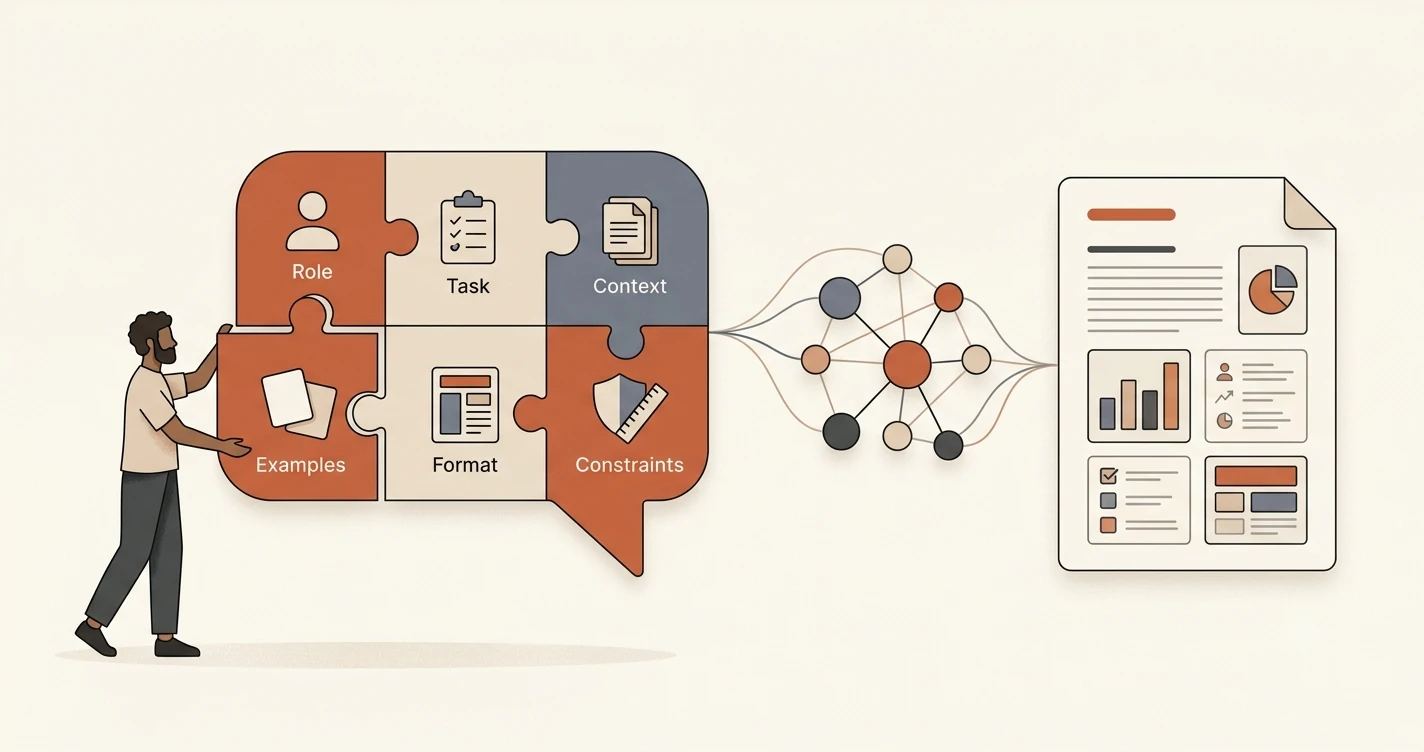
It isn't. Every one of those follow-ups was you handing over a piece your first prompt left out. In this lesson, you'll learn the six reusable pieces that make up any prompt: role, task, context, examples, format, and constraints. Then you'll build one template from all six and apply it to completely different tasks, no starting from scratch each time.
Key Takeaways
- A prompt is built from six reusable parts: role, task, context, examples, format, and constraints. Most vague prompts are missing one or two of them, not badly worded.
- Role and task set up who's answering and what they're doing. Leave either one implied and the model has to guess.
- Examples and constraints are the two pieces people forget most often, and they're the fastest fix for an answer that's technically correct but still not what you wanted.
- One template built from all six parts can be reused across unrelated tasks. You just swap the specifics.
What's the Anatomy of a Prompt?
A prompt breaks into six reusable components. Not every prompt needs all six, but most disappointing answers are missing at least one:
- Role: who the model is speaking as
- Task: what to do
- Context: background it needs
- Examples: samples of the output you want
- Format: how the answer should be structured
- Constraints: rules or limits it has to follow
The simpler four-part version from the last lesson covered task, context, role, and format. That version works fine for a quick ask. This lesson adds the two pieces that separate a decent prompt from one you can hand off and trust: examples, which show the model what "right" looks like instead of describing it, and constraints, which stop a technically correct answer from breaking a rule you never wrote down.
Role and Task: Who's Answering and What They're Doing
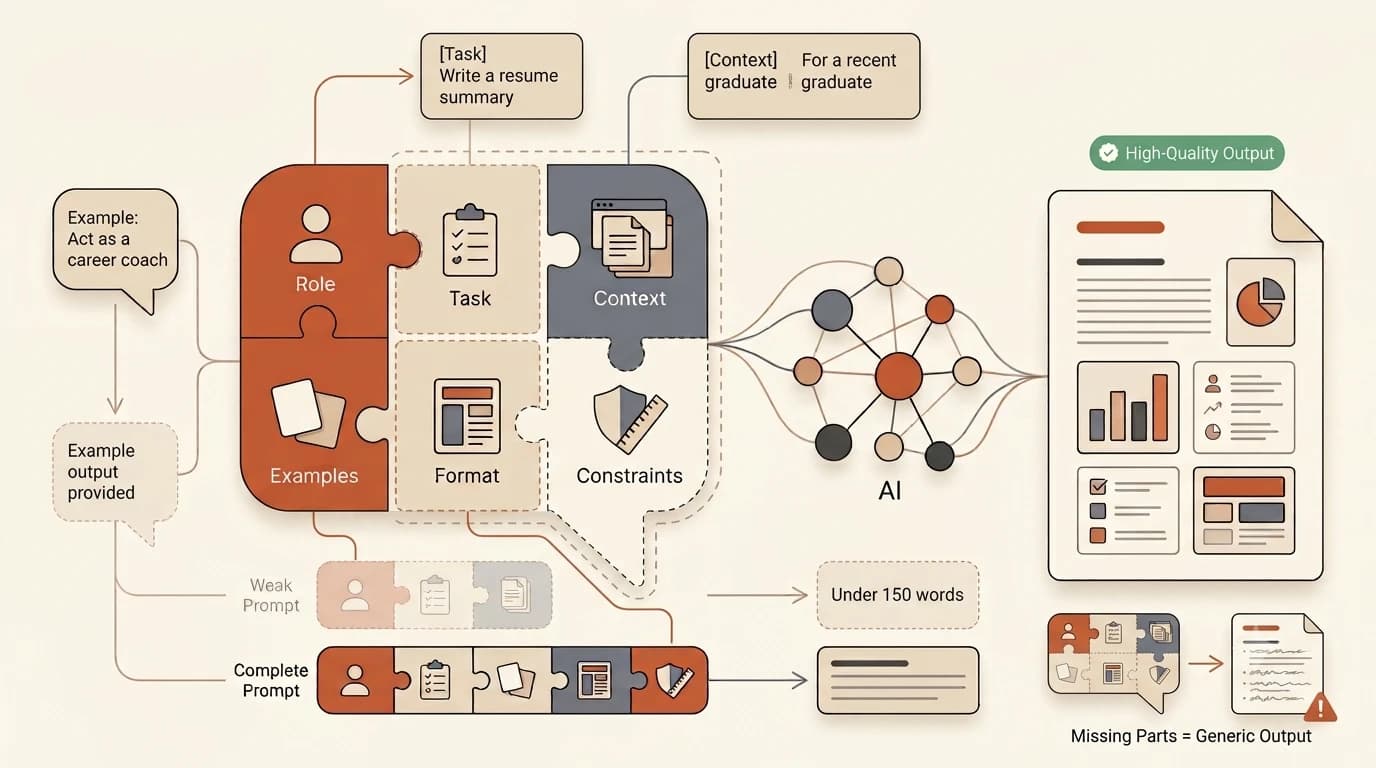
Role tells the model whose perspective to answer from: a nutritionist, a blunt code reviewer, a patient teacher. Without it, the model defaults to a generic, agreeable voice that fits no audience particularly well. It's also easy to overuse: when role actually helps, and when it's just habit depends on the task.
Task is the actual instruction: the one thing you want done, stated as a clear sentence, not buried in three paragraphs of throat-clearing. A model that generates text by predicting the most likely next words needs that instruction to be unambiguous. If you're fuzzy on how the model actually gets from your words to its answer, here's the short version: it's pattern-matching against everything you gave it. A vague task just gives it more room to guess wrong.
If your prompt reads like a memo instead of an instruction, pull the task into its own short sentence at the top or bottom. Anthropic's own prompt-engineering tutorial teaches clear, direct tasks and role assignment as the first two skills, before formatting or examples, for exactly this reason: everything else in the prompt gets interpreted through them.
Skip role and task, or leave them vague, and the model doesn't fail loudly. It just quietly picks a generic voice and a guessed interpretation of what you meant, and you don't find out until the third follow-up message.
Context and Examples: What the Model Needs to See
Context is the background the model can't infer on its own: the document you're summarizing, the audience you're writing for, a fact from three messages ago. Leave it out and the model answers a slightly different question than the one you actually asked.
Examples show, rather than describe, what a good answer looks like. One sample output is often worth more than a paragraph of instructions about tone or structure. This is the same idea as few-shot prompting: give the model one or two worked examples before asking for a new one.
I've caught myself typing three paragraphs of context after the model already got it wrong, more times than I'd like to admit. Now I paste the background in first, before I even write the task. It's a small habit that's saved a lot of rewrites.
Skip context and the model answers the question it thinks you asked, not the one you did. Skip examples on anything with a specific shape, a report format, a tone, a data structure, and you'll get an answer that's plausible but wrong in ways you'll have to fix by hand.
Format and Constraints: Shaping the Output
Format is the shape of the answer: a markdown table, a JSON object, three bullet points, a 100-word paragraph. Constraints are the rules the content itself has to follow: a strict word limit, a list of words to avoid, a requirement to cite sources. Constraints are not the same lever as format. A structured prompt course from CodeSignal treats defining constraints as its own dedicated lesson, separate from formatting, because a well-formatted answer can still break every rule you cared about.
The six parts at a glance
| Part | What it does | Quick example | What breaks if skipped |
|---|---|---|---|
| Role | Sets the voice and perspective | "Answer as a career counselor" | Generic, one-size-fits-none tone |
| Task | States the exact ask | "Summarize this in 3 bullet points" | Model guesses what you meant |
| Context | Supplies background it can't infer | Pasting the source document | Answers a different question than you asked |
| Examples | Shows the target output | One sample paragraph in your tone | Format and tone drift with every attempt |
| Format | Sets the output's shape | "Return as a markdown table" | Right content, wrong structure to use |
| Constraints | Sets hard rules on the content | "Under 80 words, no jargon" | Technically correct answer that still breaks a rule |
Mixing format and constraints into one vague instruction is how you end up with an answer that's structured exactly right and still 300 words over the limit you never actually stated.
Your Task
Build one six-part template
Write a reusable prompt template with a labeled slot for each of the six parts: role, task, context, examples, format, and constraints. Leave the specifics as placeholders, for example:
Role: [who the model should answer as]
Task: [the one thing you want done]
Context: [background it needs]
Examples: [one sample of the output you want]
Format: [the shape of the answer]
Constraints: [hard limits or rules]
Apply it to 3 different tasks
Fill in your template for three unrelated tasks, one writing task (like a product description), one coding task (like reviewing a function), and one analysis task (like summarizing a dataset). Submit all three filled-in versions.
Done? You've completed Lesson 11.02.
FAQ