Clear and Direct Prompts: The Core Prompting Skill
The fastest fix for a bad AI answer is a clearer prompt. Learn the colleague test for clear, direct prompts and rewrite 5 vague ones yourself.
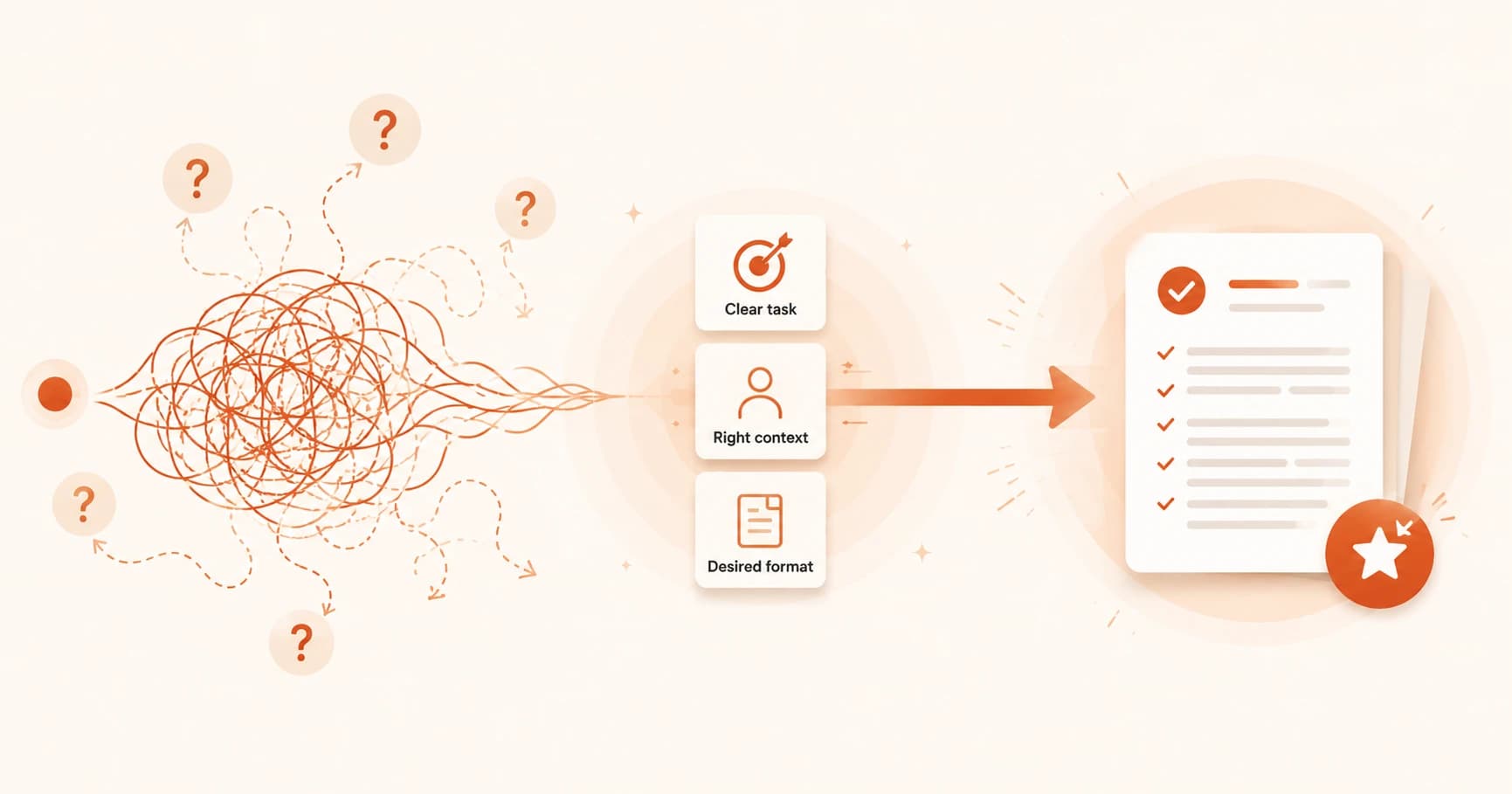
It's 11pm and you type "make this better" under a paragraph you've been staring at for an hour. The AI hands back a rewrite. It's different. It is not, in any way you care about, better. You didn't get a bad answer. You got exactly what your prompt asked for: something changed, anything.
That gap between what you typed and what you meant is the entire subject of this lesson. Writing clear and direct prompts is the single most useful skill in this prompt engineering course, and it's simpler than it sounds: you'll learn what actually makes a prompt vague, a simple test for whether yours is clear enough, and why phrasing instructions as what to do beats phrasing them as what not to do. Then you'll rewrite five vague prompts yourself and score them against a real rubric.
Key Takeaways
- A vague prompt doesn't confuse a model, it just gives the model permission to guess, and it will guess with the safest, most average answer available.
- The colleague test is the fastest way to check clarity: show your prompt to a person with no context and see if they'd need to ask a follow-up question.
- Telling a model what to do produces more reliable output than telling it only what to avoid.
- Being "direct" means precise, not loud. Aggressive wording like "CRITICAL" or "YOU MUST" doesn't make newer models more likely to comply, it just adds noise.
What Makes a Prompt Vague?
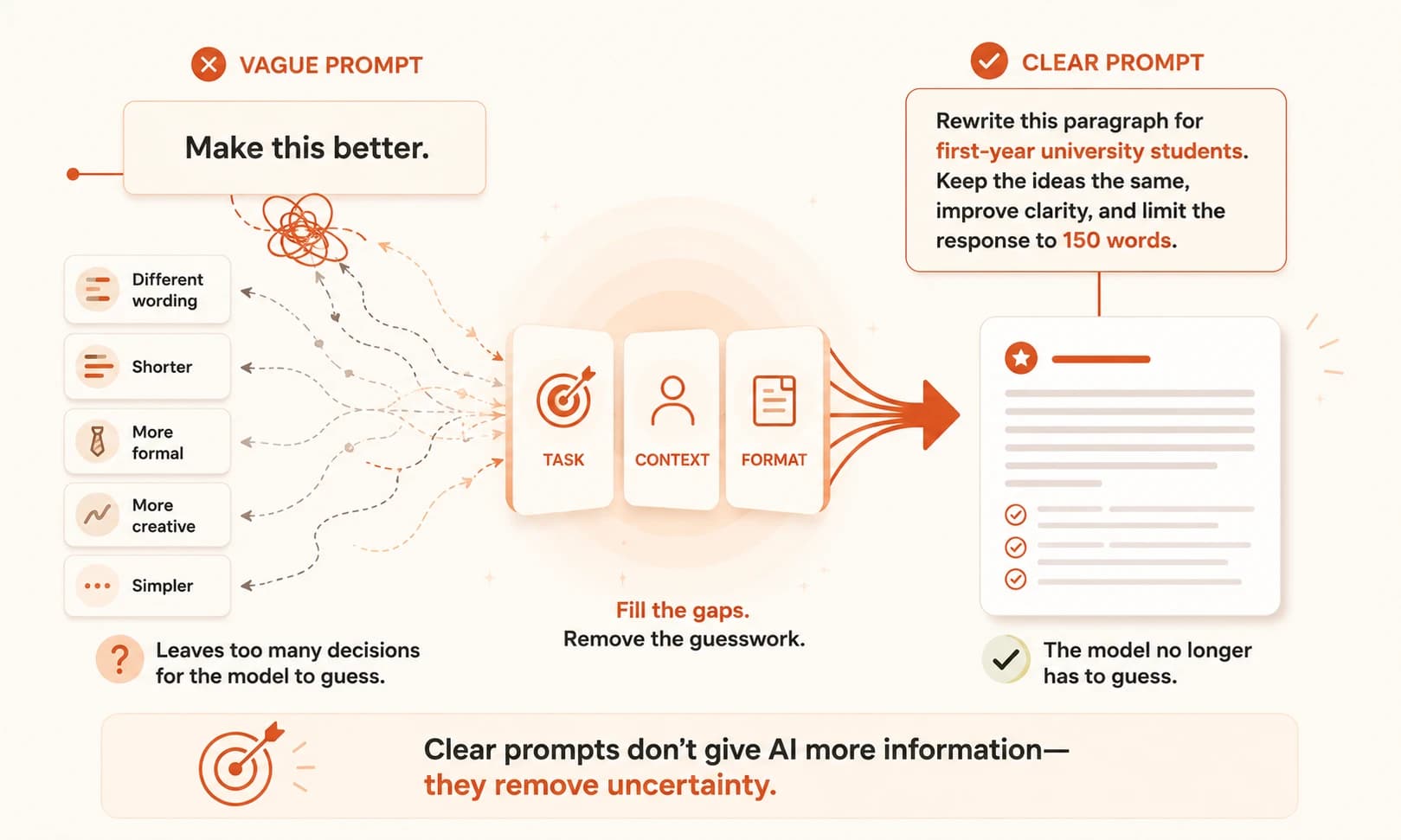
A prompt is vague when it leaves a decision unmade that only you actually know the answer to, and the model has to guess it instead. "Make this better" is vague because better is undefined: better for what reader, in what way, keeping what part the same?
Every one of those undecided questions is a gap. A model can't leave a gap open the way a person can by asking "wait, better how?" It fills the gap immediately, silently, with whatever answer is statistically the safest, most generic fit. That's why vague prompts don't produce wrong answers so much as flat ones: technically responsive, forgettable, and rarely the thing you actually wanted changed.
This is also why blaming the model for a disappointing answer usually points the wrong direction. The model isn't being dumb. It was asked an underspecified question and it answered the only version of that question it could see, the same gap the last lesson walked through part by part: task, one of the six pieces of a prompt, was left implied instead of stated.
The Colleague Test: How to Write a Clear, Direct Prompt
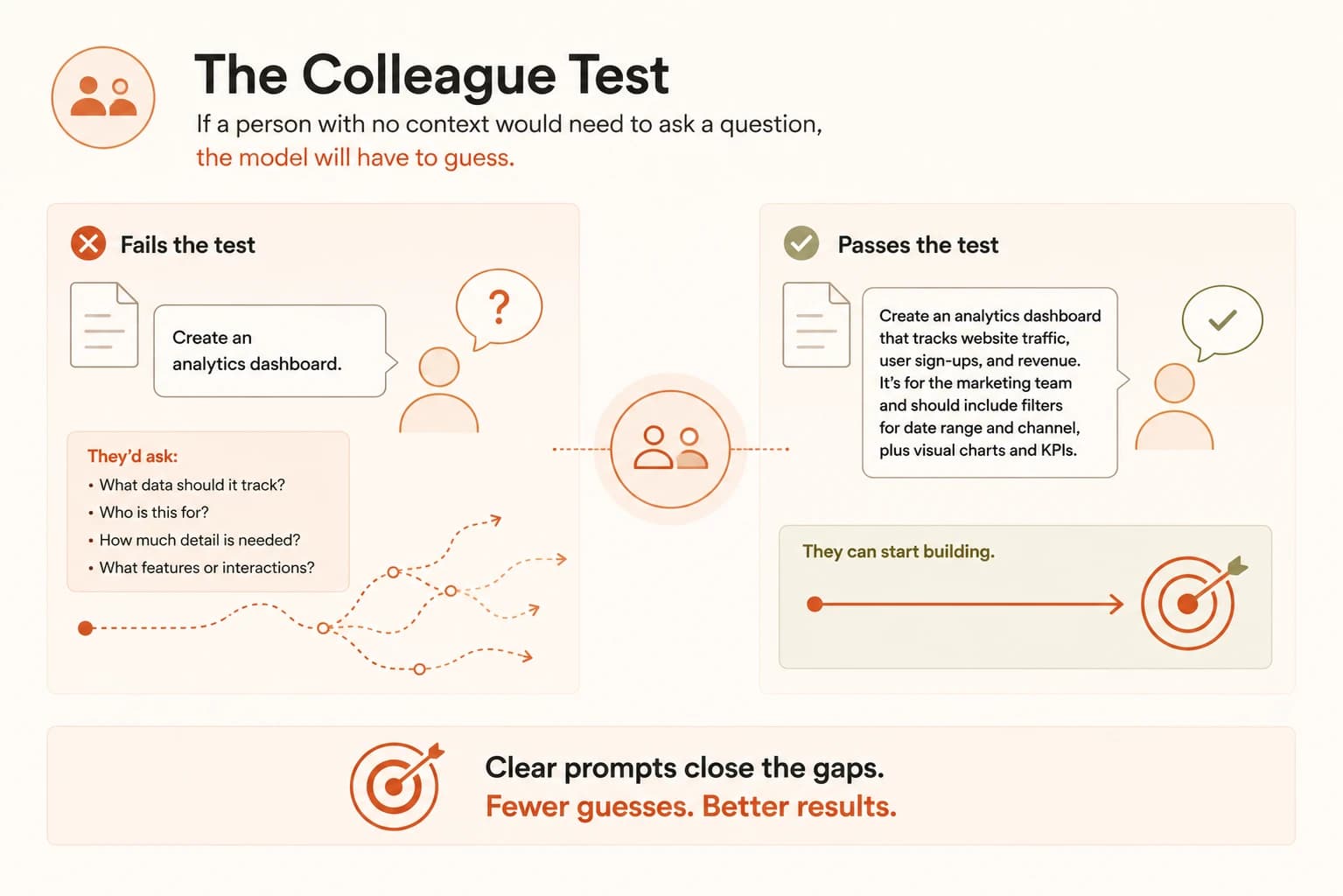
Here's the fastest way to check whether a prompt is actually clear and direct: show it to a colleague who knows nothing about your task and ask them to follow it. If they'd be confused, the model will be too. Anthropic calls this the golden rule of clear prompting. It's a useful gut check precisely because a person and a model fail the same way: both start guessing the instant something is left implied instead of stated.
Take "create an analytics dashboard." A colleague reading that would have to ask what data it tracks, who's viewing it, and how much depth you want. A clearer version answers those questions up front: "Create an analytics dashboard. Include as many relevant features and interactions as possible, and go beyond the basics to build a fully featured version." Same task, dramatically less left to chance.
Specificity isn't about writing a longer prompt, it's about naming the exact thing you'd correct if a person got it wrong. Even a single missing word, like better with no direction, is enough to shift the model's whole answer, so check the small details, not just the big ones.
Tell It What To Do, Not Just What Not To
There's a second lever that's easy to miss: whether your instruction states what you want or only what you don't want. "Do not use markdown in your response" tells the model one thing to avoid, but not what to do instead, so it's still guessing at the rest of the shape. The same Anthropic guidance linked above makes this exact swap. Instead of the negative instruction, it says "your response should be composed of smoothly flowing prose paragraphs." Same restriction, but now the model has a positive target to write toward instead of just a rule to dodge.
I catch myself writing "don't be too formal" more often than I'd like to admit. It almost never works as well as just naming the tone I actually want, like "write like you're explaining this to a coworker over coffee." Telling a model what to avoid still leaves the whole rest of the choice open.
One more thing worth knowing about "direct": it doesn't mean loud. Older prompting advice leaned on all-caps urgency like "CRITICAL!" or "YOU MUST." On newer models, that kind of aggressive phrasing doesn't make instructions more likely to land, it just adds noise around the actual ask. A calm, specific sentence beats a shouted vague one every time.
Your Task
Rewrite 5 vague prompts
Each prompt below leaves a real gap open. Rewrite each one so it names the task, the missing context, and the format, and states what you want instead of only what you don't want.
- "Make this paragraph better."
- "Write a follow-up email to a client who hasn't responded."
- "Design a landing page for our product."
- "Fix this code."
- "Recommend a good book."
Write your five rewrites somewhere you can see them next to the originals, you'll need both to score yourself in step 2.
Score each rewrite against the rubric
For each of your 5 rewrites, check it against the table below. A passing rewrite should hit all 4.
Rubric: does your rewrite pass the colleague test?
| Check | What to look for |
|---|---|
| Names the deliverable | States exactly what gets produced, not just the general topic |
| Fills a real gap | Adds the audience, length, tone, or constraint the original left out |
| States it positively | Says what you want, not only what to avoid |
| Passes the colleague test | A person with no context on your task could follow it and land on the result you actually want |
If a rewrite misses a check, revise it once more before moving on. That single revision pass is the actual skill this lesson is teaching.
Done? You've completed Lesson 11.03.
FAQ