Open-Source vs Closed-Source LLMs: What's the Difference?
Some AI models you download and run yourself, others you only access through an API. Here's what that actually changes for you.

Download Llama onto your own laptop and run it completely offline, no company sees a single word you type. Or open ChatGPT and send your message to OpenAI's servers, where the actual model lives. Same basic technology, two very different relationships between you and the AI. That's the real difference between open-source and closed-source large language models.
If you haven't covered what a large language model actually is yet, start there first.
Key Takeaways
- Open-source (open-weight) models can be downloaded and run on your own hardware, closed models only run on the provider's servers
- Running an open model yourself means your data never has to leave your device
- Closed models are typically easier to use and often lead on the hardest tasks, open models lead on control, privacy, and cost at real scale
- "Free" and "open" aren't the same thing, running a model still costs computing power somewhere
- Most people don't need to choose one exclusively, many projects use both for different purposes
What Open-Source and Closed-Source Actually Mean Here
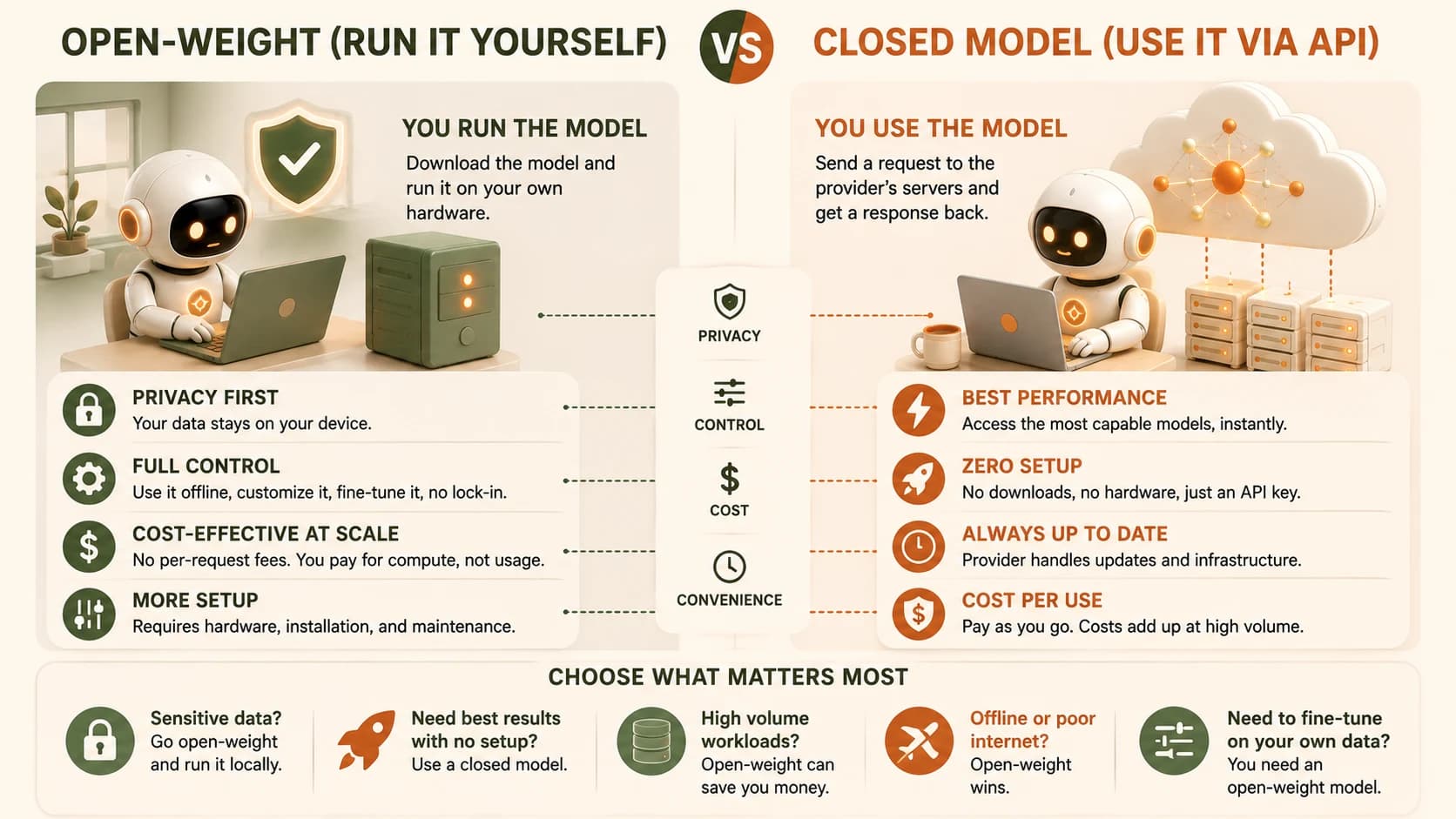
A closed-source model, like GPT, Claude, or Gemini, only runs on the provider's own servers. You send a request through an app or API, and the response comes back, but the model's internal parameters (its "weights") are never available to you directly.
An open-source model, more precisely called open-weight, publishes those internal parameters for anyone to download. Once you have the weights, you can run the model yourself, on your own hardware, with no request ever traveling back to the original company's servers.
"Open-source" in AI usually means the weights are public, not that every detail of the training data or training process is. Full transparency varies model to model, worth checking if that distinction matters for your use case.
What You Gain With an Open-Weight Model
Running a model yourself means your data never has to leave your device. For anything sensitive, personal documents, internal company information, that's a meaningful difference from sending the same text to an external API every time.
It also means no vendor lock-in. If a closed provider changes pricing, deprecates a model, or shifts policy, you're stuck adapting. An open-weight model you've downloaded keeps working exactly as it did, on your terms, indefinitely. And at high enough usage volume, running your own model can end up considerably cheaper than paying per request through an API, though the upfront setup takes real effort.
Open-weight models are also what you fine-tune most often in practice, since you need direct access to a model's weights to retrain them on your own data.
What You Gain With a Closed Model
Closed models trade control for convenience. There's no download, no hardware to manage, no setup beyond an API key. You get access to some of the most capable models available, often the ones leading on the hardest reasoning and coding tasks, the moment they're released.
For most everyday use, this convenience is the entire point. You're not trying to own the infrastructure, you just want a good answer, fast, without becoming responsible for running a model yourself.
A Practical Way to Decide
Which one fits your situation?
| Your situation | Reach for |
|---|---|
| Handling sensitive or private data | Open-weight, run it locally |
| Want the strongest performance with zero setup | Closed model via API |
| Running the same task at very high volume | Open-weight, self-hosted |
| Just want to try AI without any technical setup | Closed model via a consumer app |
| Need to fine-tune on your own data | Open-weight |
Most real projects don't pick one exclusively. It's common to prototype with a closed model for speed, then move a specific high-volume or privacy-sensitive piece over to an open-weight model once the project's actual needs are clear.
FAQ