Free AI tools for beginners: what you actually need
You don't need to pay to start learning AI. Here's exactly what each free tier gives you, and what you need for Module 01 of the Getting Started course.

You can do everything in the Getting Started course for free. No credit card. No trial that expires. Just a free account.
That is the honest answer, and it is worth saying clearly before anything else. A lot of articles on this topic quietly nudge you toward paid plans. This one does not — I have seen too many beginners delay getting started because they thought they needed to spend money first.
If you have not already, it helps to know what AI actually is before diving into the tools — but you can read this lesson in any order.
Key Takeaways
- You need exactly one tool to complete Module 01: Claude at claude.ai (free account)
- Claude, ChatGPT, and Gemini all have genuinely useful free tiers in 2026
- Free tiers reset daily, hitting a limit just means trying again tomorrow
- Paid plans add convenience, not capability you need right now
- The Claude API is separate from claude.ai; you do not need it yet
Do I need more than one AI tool to get started?
For Module 01 of the Getting Started course, you need Claude at claude.ai. That is it. Create a free account, and you have everything the lessons require.
You do not need to install anything. You do not need an API key. You do not need to give anyone a credit card number.
The free tier of Claude gives you access to Claude 3.5 Sonnet, a genuinely capable model, with a daily message limit that resets every 24 hours. For learning purposes, that is more than enough.
If you already have a ChatGPT or Gemini account, those work fine too. The course examples use Claude, but the concepts apply to any of the major chatbots.
Free AI tools for beginners: what each tier gives you
Here is the honest breakdown of what you get without paying, as of mid-2026:
Claude- Model: Claude 3.5 Sonnet
- Message limit: Limited messages per day, resets every 24 hours
- Context: 200k tokens (you can paste long documents)
- No credit card required
- Paid adds: more daily messages, Projects (persistent memory), access to Claude Opus
- Model: GPT-4o with daily limits, plus image generation
- Hits limits faster than Claude on the free tier
- Context: 128k tokens
- No credit card required
- Paid adds: unlimited GPT-4o, access to the o1 reasoning model
- Model: Gemini 1.5 Pro
- Context: 1 million tokens, the most generous free tier for long documents
- Requires a Google account (most people already have one)
- Paid adds: Gemini Ultra, deeper Google Workspace integration
- Model: Grok-2
- Requires an X (Twitter) account
- Best for real-time news and X-platform content
- Paid adds: faster responses, more features
All four are worth knowing about. But for this course, Claude is the one we will use.
The reason to care about these differences is not to pick a winner — it is to know what to reach for when you hit a limit. Gemini's 1M context window, for instance, means you can paste an entire book into a conversation and ask questions about it, all for free.
For a deeper look at how the models compare beyond their free tiers, see our full comparison of ChatGPT, Claude, and Gemini.
Do I need the Claude API to start?
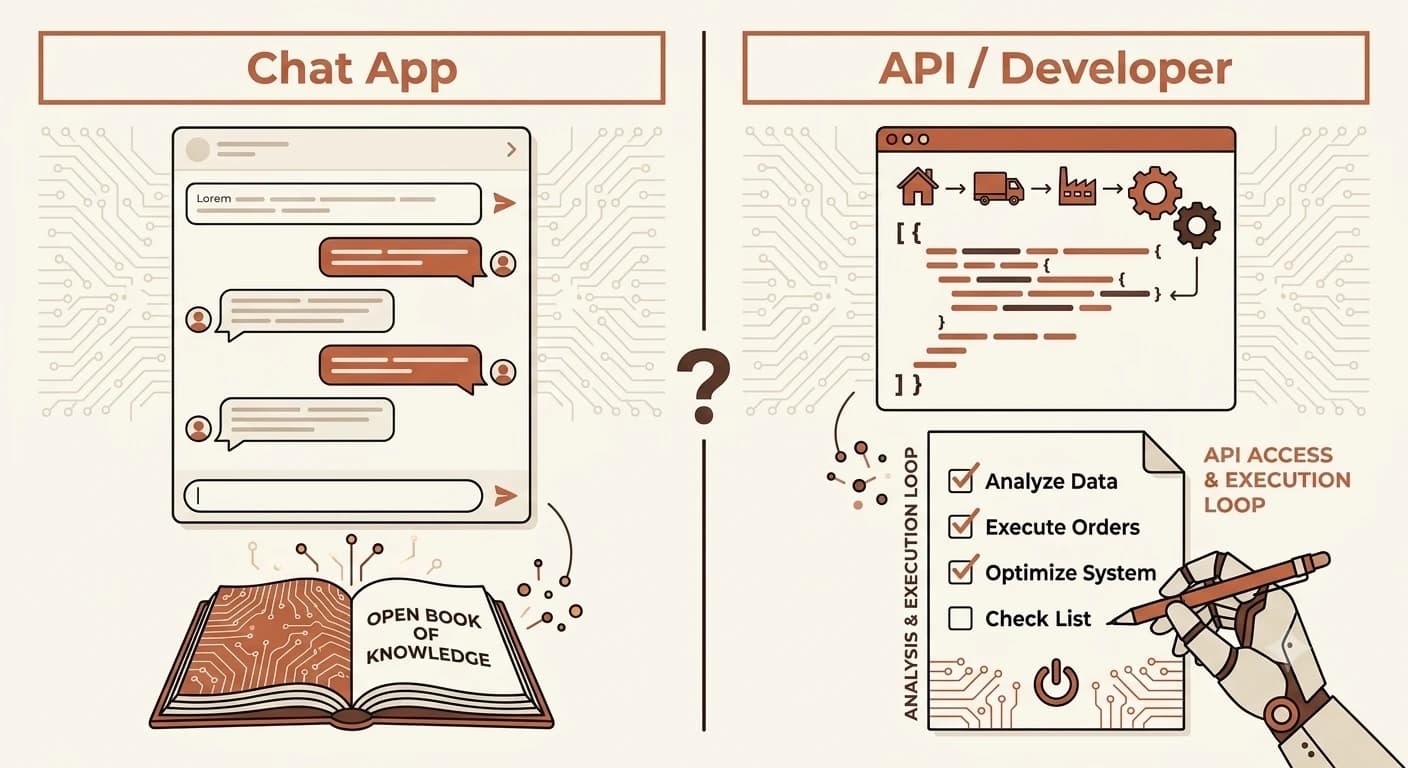
You may have seen mentions of the Claude API, this is different from claude.ai. The API is for developers who want to build their own applications using Claude's capabilities.
For the Getting Started course, you do not need it. When you are ready to start building with AI (that comes later in the Launchpad curriculum), the API gives you $5 in free credits to start, then charges based on usage, no subscription required.
For now, forget the API exists. Claude at claude.ai is your tool.
The Claude API and claude.ai are completely separate products. You can use claude.ai forever without ever touching the API.
When should I actually pay for an AI tool?
Paid plans are not a scam. They genuinely add value, just not value you need right now.
The main things paid tiers add:
- More messages per day, useful if you are using AI for work, not just learning
- Faster access during peak hours, free tiers sometimes throttle when servers are busy
- Advanced models, Claude Opus, GPT-4o unlimited, Gemini Ultra
- Memory and projects, Claude's Projects feature lets the AI remember context across conversations
None of those things matter for learning the basics. When you find yourself genuinely blocked by a free tier limit, that is the signal to consider upgrading. It should feel like a natural next step, not a pressure.
Your Task
Confirm your free setup
Make a list of the tools you will use for this course. For Module 01, you only need one: Claude at claude.ai (free account). Create your account now if you have not already. You do not need a credit card.
Go to claude.ai and sign up with your email. Once you are in, type anything, ask it to explain what a large language model is, or just say hello. You are ready.
Done? You have completed Lesson 01.06. This is the last setup lesson, from here, the course gets into how AI actually works and how to use it.
FAQ